
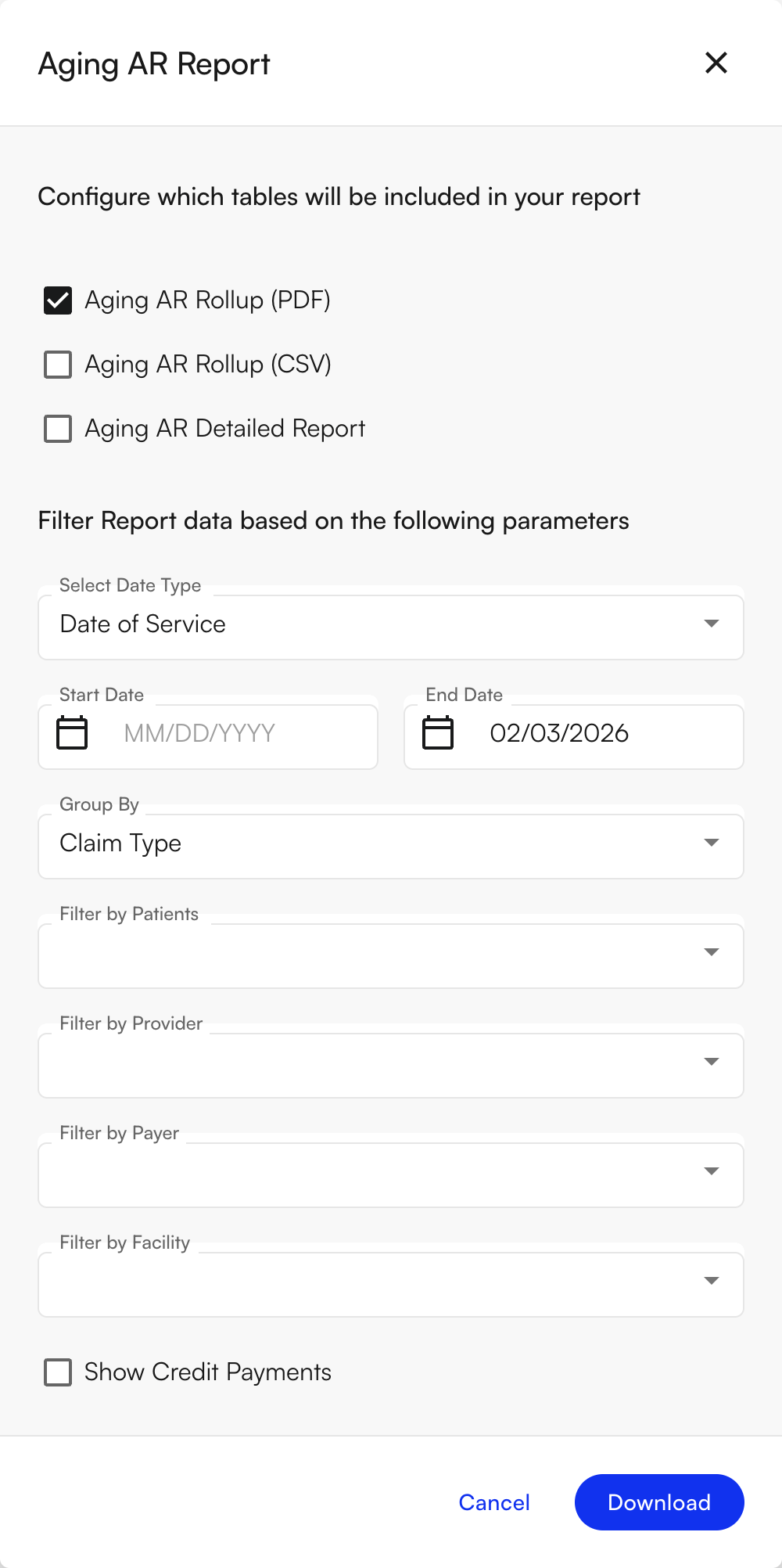
The Revenue Activity Report is the newer, period-over-period successor to the Aging AR Report. Its Aging AR Activity tab covers similar ground, plus the underlying charges, payments, adjustments, and transfers that changed during a period — but note the buckets aren’t identical: this report’s 121–365 day bucket is split into 121–180 and 181–365 on the Revenue Activity Report, and grouping options differ slightly (this report offers Claim Type; Revenue Activity Report groups by Patient instead). New practices should prefer the Revenue Activity Report; the Aging AR Report remains available for now.
Summary
The Aging AR Report shows how much money you have outstanding (accounts receivable) and how old it is. It groups balances into time buckets: 0–30 days, 31–60, 61–90, 91–120, 121–365, and 366+ days from the report date. The report combines insurance AR (claims and remittances) and patient AR (self-pay, appointment-related, and misc patient balances). You can choose how to group the rollup: by Claim Type, Provider, Facility, Billed Insurance, or EHR Insurance. You get a ZIP file with one or more of: Aging AR Rollup (PDF), Aging AR Rollup (CSV), and Aging AR Detailed Report. The rollup is the summary with totals by aging bucket; the detailed report is row-level (each encounter/appointment with charges, payments, adjustments, and aging buckets). Use it to monitor AR aging, prioritize follow-up, and support month-end close.Notes
- Aging buckets are based on the End Date (as-of date).
- You can leave Start Date empty to run an as-of report; End Date is the “as of” date for aging.
- Group By controls how the rollup is summarized
Filters Supported
- Date Range Type: Date of Service, Date of Submission
- Start Date / End Date (Start Date can be empty)
- Group By (Claim Type, Provider, Facility, Billed Insurance, EHR Insurance)
- Patients
- Providers
- Payers
- Facilities
- Include Credits toggle