
Step 1: Add the full amount to the balance
In the Charge window, enter the total amount to be collected. Under Payment Method, select Add to Patient’s Balance, then click Confirm.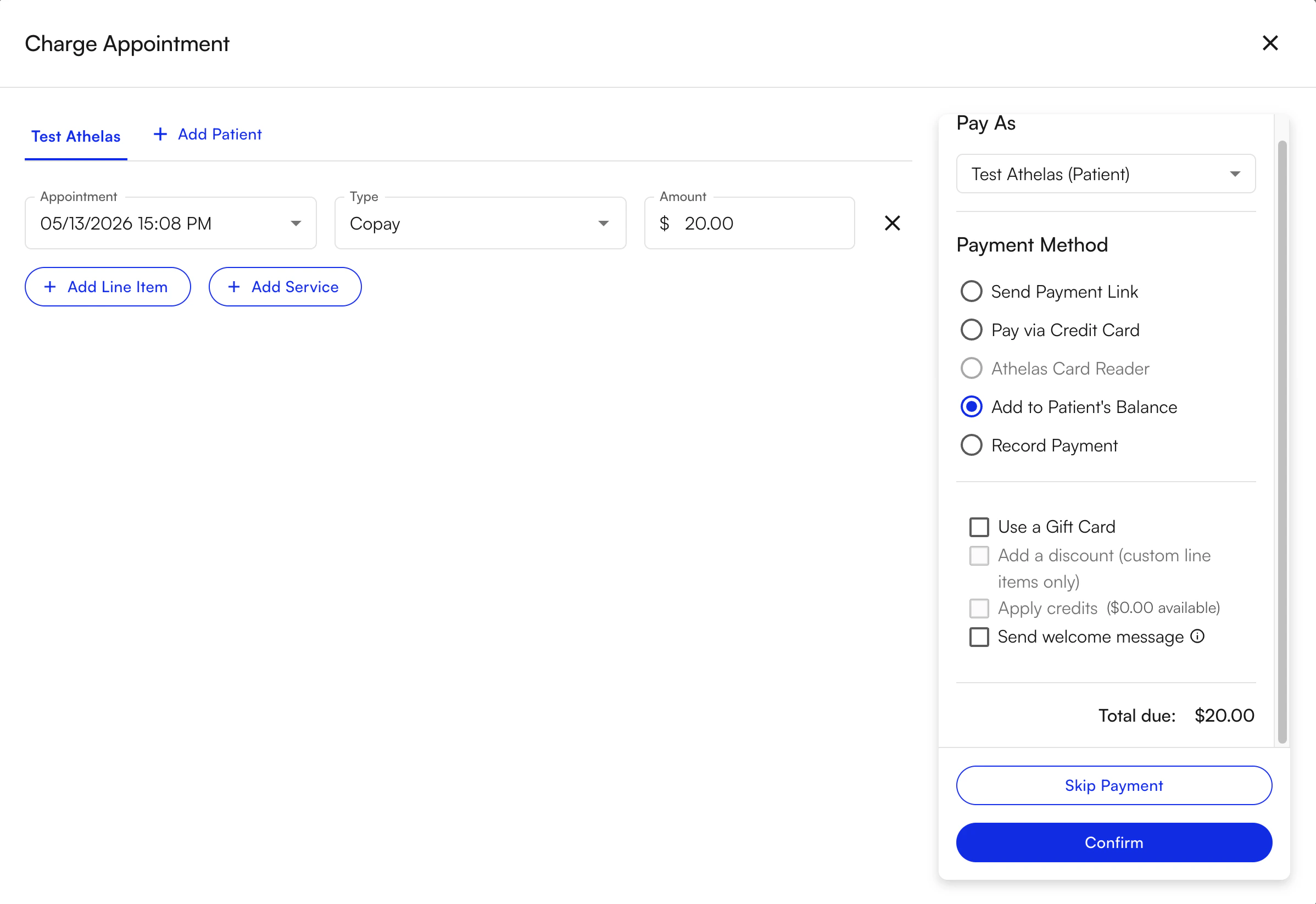
Step 2: Collect the first payment
Click on the patient’s name from the Appointments page to access their patient profile.

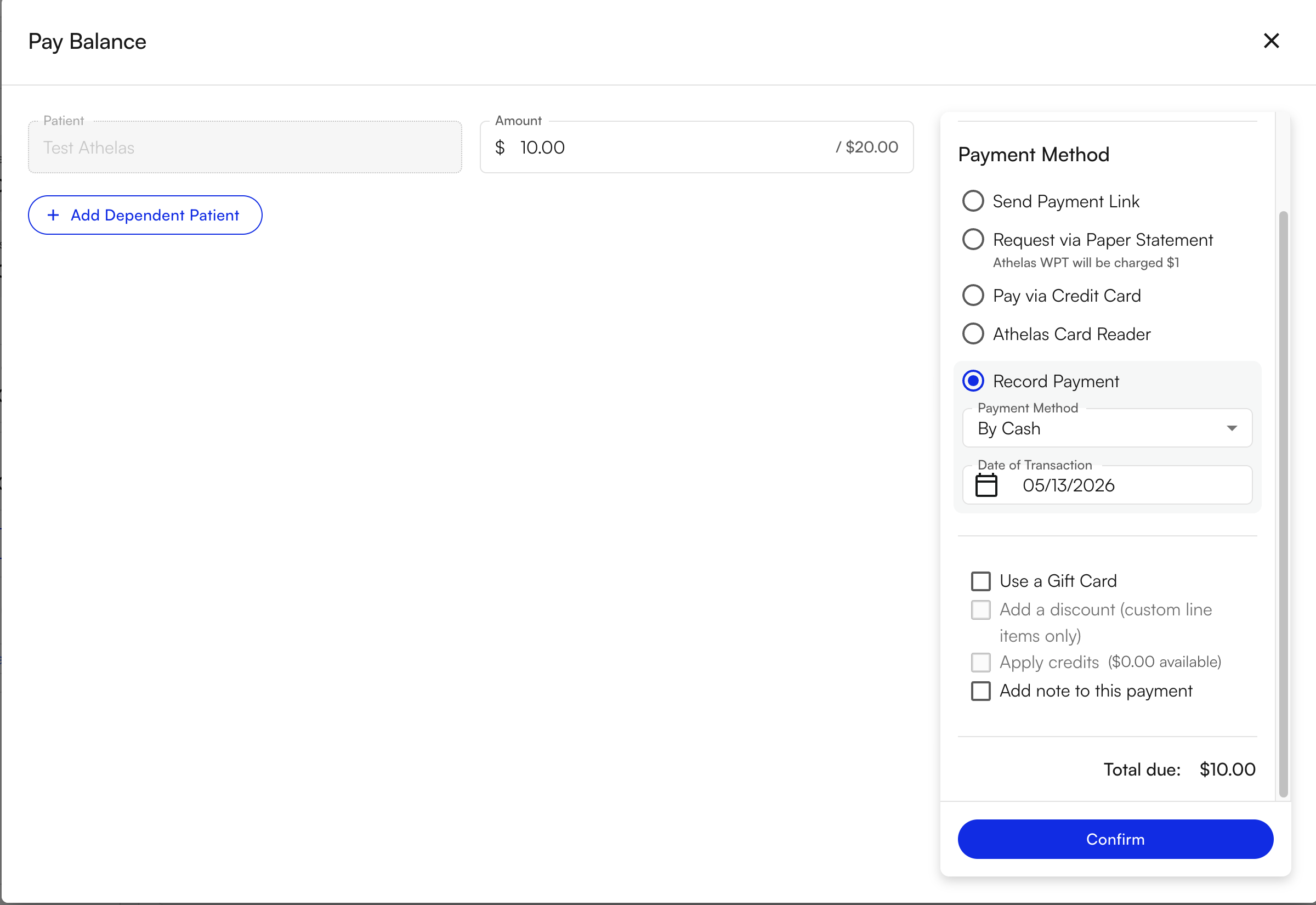
Step 3: Collect the second payment
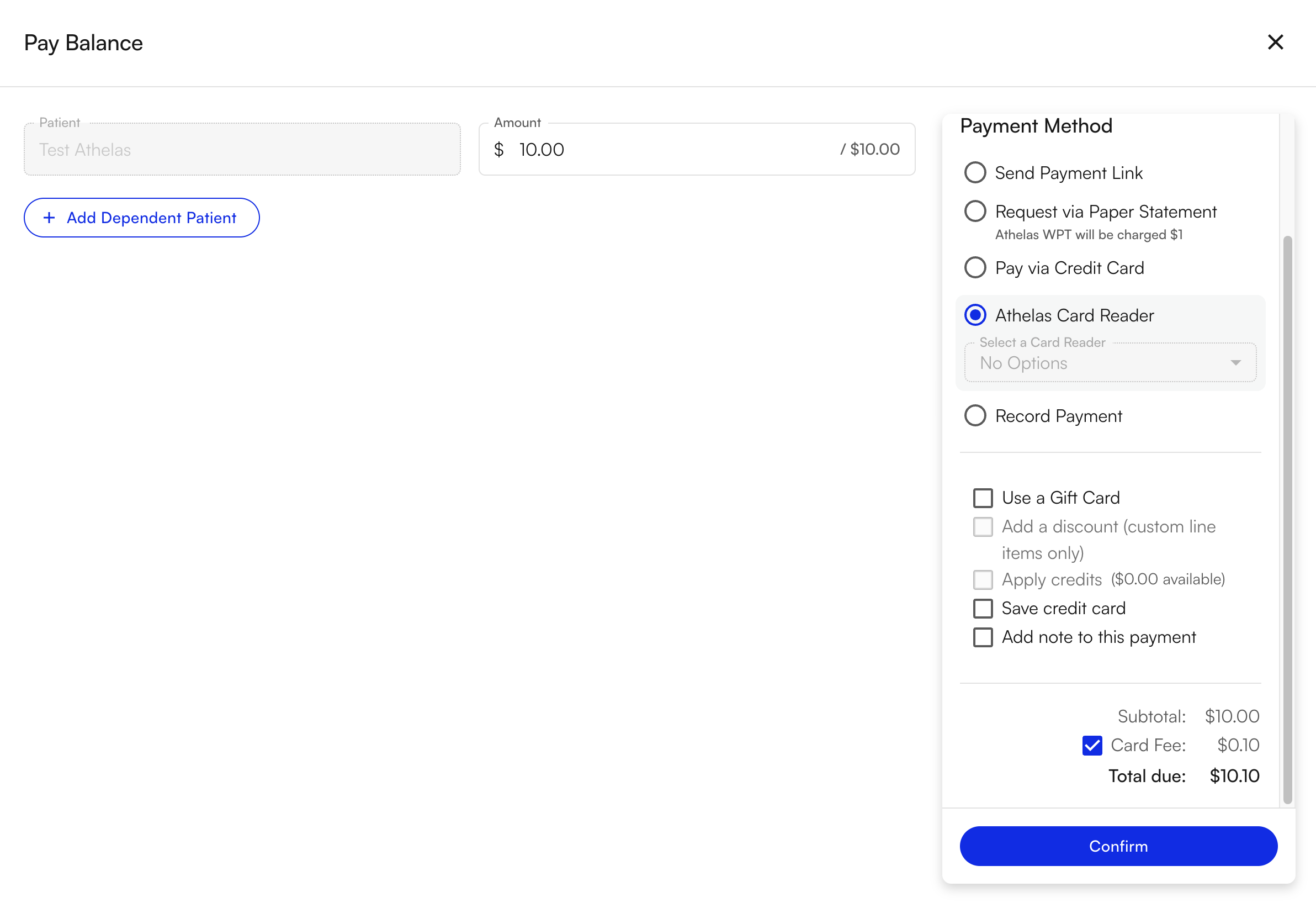
You’ll see that the balance on that charge has decreased by the amount you just collected. For the second payment, select the same charge and click Pay Balance again.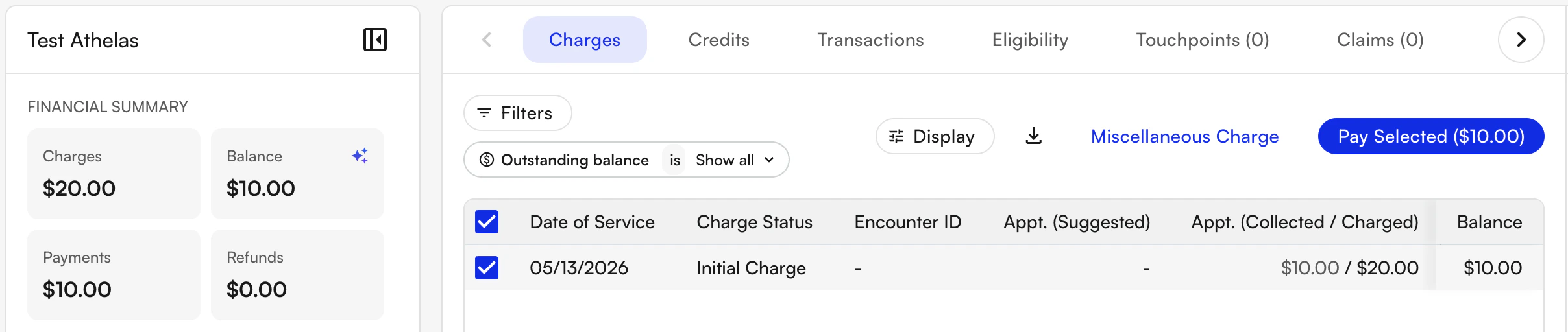
FAQ
Can I split a payment across more than two methods?
Can I split a payment across more than two methods?
Yes. Repeat Step 3 as many times as needed. Each click of Pay Balance on the same charge collects another partial payment against the remaining balance. Continue until the charge balance reaches
$0.What payment methods can I use for each part of a split payment?
What payment methods can I use for each part of a split payment?
Any payment method available in Insights — credit/debit card, saved card on file, cash, check, or an Athelas card reader transaction. Each partial payment can use a different method.
What if I add the wrong total to the patient's balance in Step 1?
What if I add the wrong total to the patient's balance in Step 1?
Edit the original charge or void it before collecting payments. Once payments have started posting against the balance, you may need to refund a partial payment first. See How to refund a payment.
How is a split payment recorded in the patient's PR timeline?
How is a split payment recorded in the patient's PR timeline?
Each partial payment appears as a separate event on the patient’s PR timeline with its own amount, payment method, and timestamp — making it easy to reconcile both transactions later.