
Modify how much you see in one calendar view
When you click into the calendar, this default view will appear for you to select the providers and facilities that you’d like to see the schedule for. You can select as many providers and facilities as you’d like on this page to appear on the calendar. Whenever you’re done selecting these fields, the calendar will automatically populate.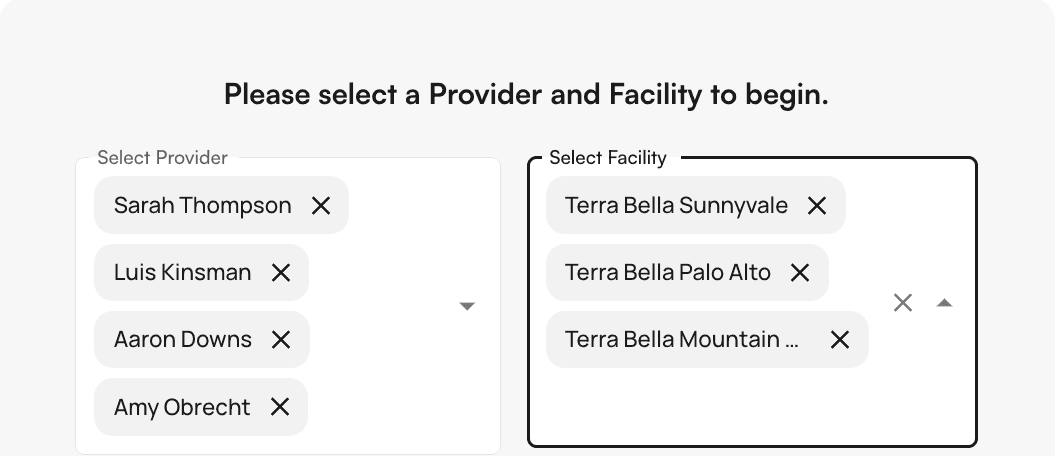
- By Provider and facility
- By length of time
- By how much of your day you want to see at once.
Modifying the “length of time” view
Insights’ calendar provides the following options when modifying the length of time you wish to see:- 1 day (current day)
- 1 week
- 1 month By default, this calendar view is set to display the current day.
Modifying the “amount of your day” view
Insights’ calendar will let you modify how much of your day you wish to see at once. The following options are available:- Standard
- In this default view, calendar blocks show all their information
- Compact
- In this view, some calendar block information is hidden to allow for more compact sizing.
- Fit to day
- In this view, your entire calendar (determined by your start & end times) will be visible at once.
- This view will override any calendar interval you’ve set in the calendar preferences (only on this view).