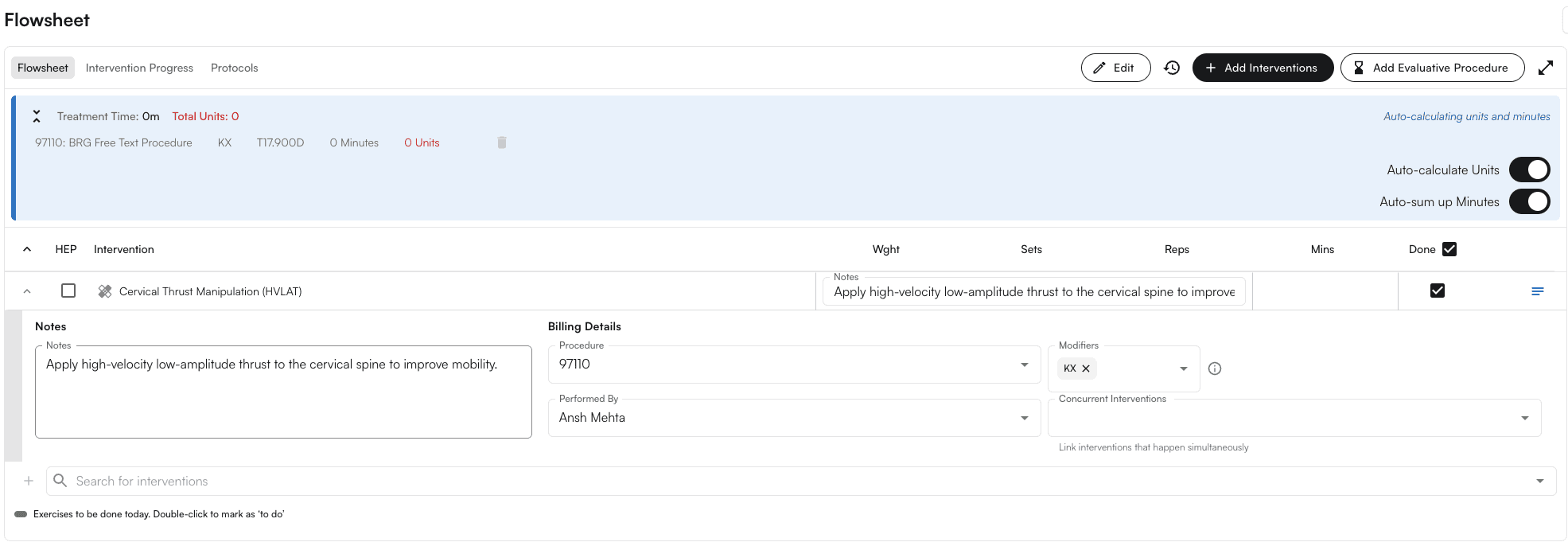
Overview
The KX HCPCS modifier signals that “requirements specified in the medical policy have been met” and that services are medically necessary beyond a payer’s threshold (most commonly Medicare outpatient therapy thresholds for PT/OT/SLP). It attests that supporting documentation exists in the medical record. (Sources: APTA, NGS Medicare)Why we need it
- Compliance: Medicare requires KX on claim lines once the beneficiary’s annual therapy threshold is exceeded (PT+SLP combined, and OT separately). Without KX, claims at/above the threshold can be denied.
- Payment continuity: KX allows medically necessary therapy to continue beyond the threshold, with the understanding those services may be subject to targeted medical review (generally over $3,000).
Types of Thresholds for Medicare
PT/SLP vs OT Medicare threshold remaining- PT/SLP and OT are tracked in two separate “buckets” each calendar year. For CY2026 the thresholds are (indexed annually to the Medicare Economic Index):
- PT + SLP combined: $2,480
- OT: $2,480
- Deductible and coinsurance count toward these amounts.
- “Threshold remaining” = threshold amount − total allowed therapy spend to date in that bucket (per calendar year)
CPT Codes that require a KX Modifier
Physical & Occupational Therapy
Speech-Language Pathology (SLP)
Common Occupational Therapy CPT Codes That Require the KX Modifier (when over threshold)
When would be KX modifier auto-applied?
- Patient has Medicare benefits applicable to outpatient therapy for the encounter
- Auto-apply KX modifier preference is enabled
- Rendering provider’s discipline maps to PT/SLP or OT for Medicare service type
- The CPT code is in the qualifying therapy list for that service type (PT/SLP vs OT)
- The calculation year is the appointment’s calendar year
- The patient’s Medicare therapy threshold remaining for that service type is ≤ 0 (i.e., threshold exceeded)
- KX isn’t already on the line; it’s appended alongside other therapy modifiers (e.g., GP/GO/GN)
- If a precomputed “threshold remaining” value is supplied and indicates exceeded, it’s used
Configuration
Setting PT/OT threshold on a per-patient level- On EHR > Calendar, click on any calendar cell.
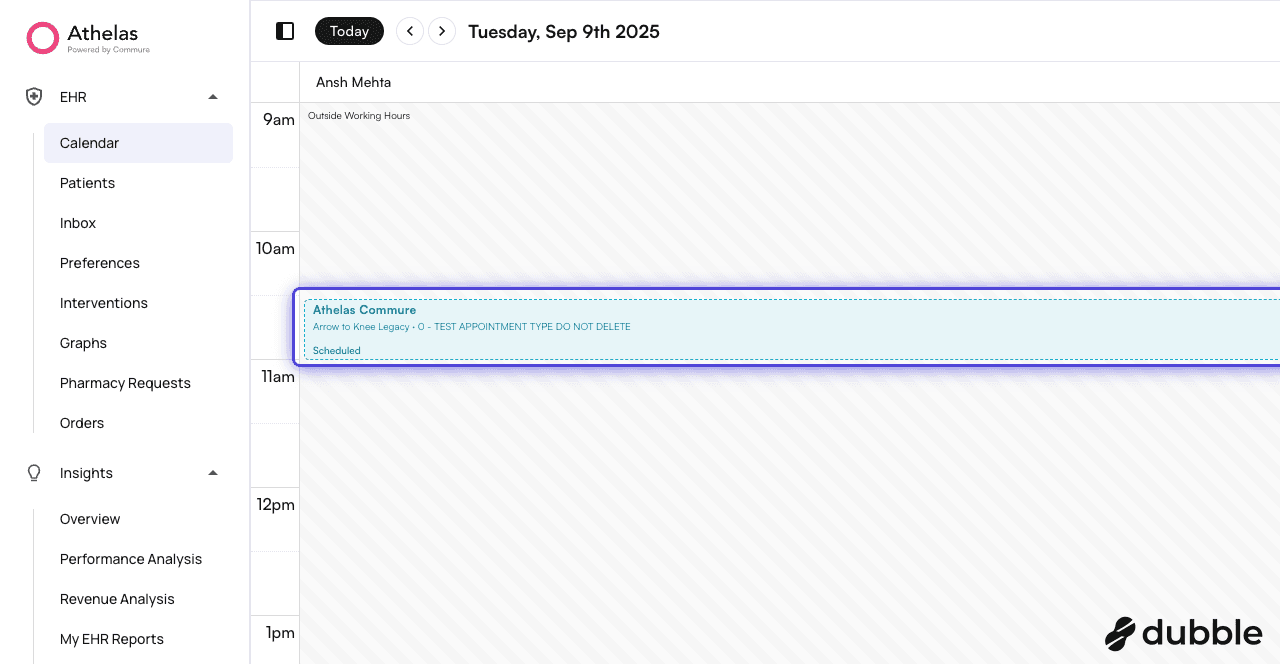
- Click on the expand content
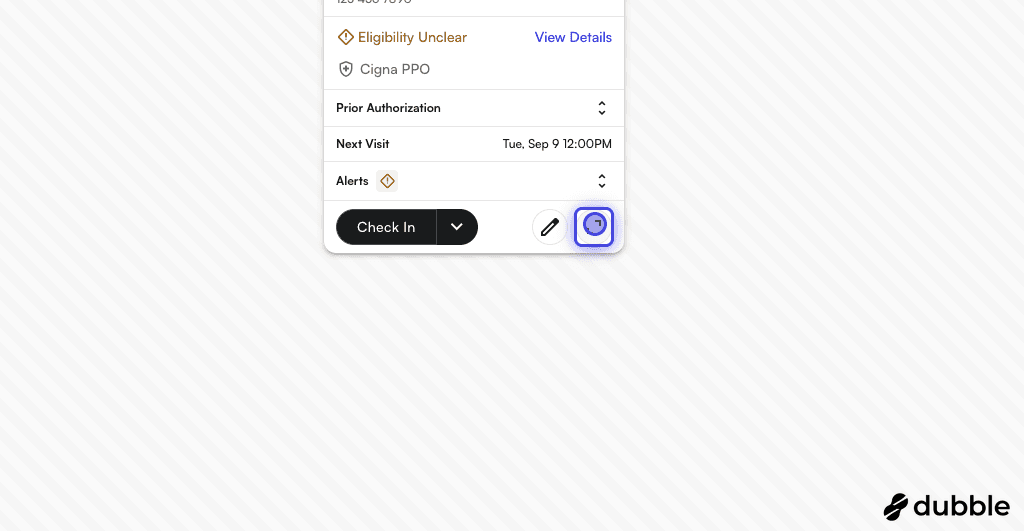
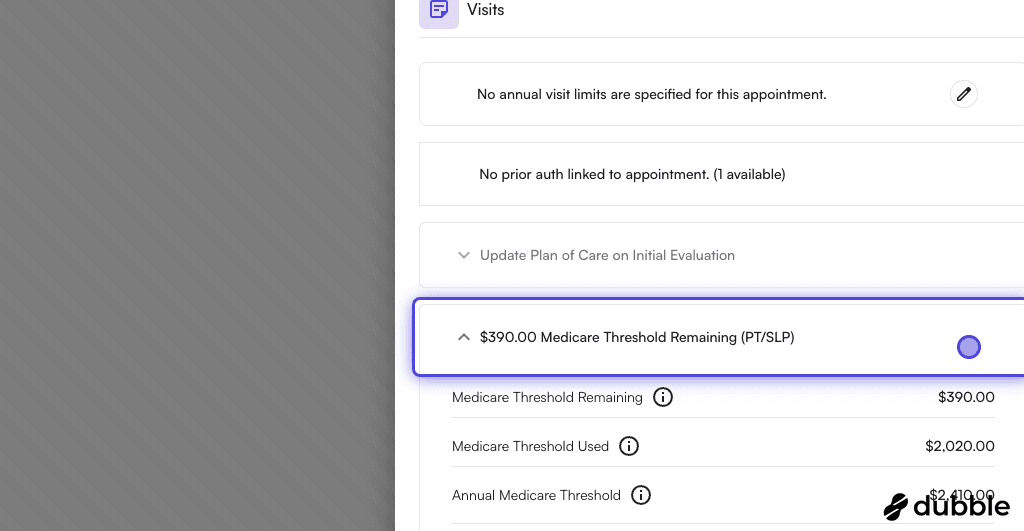
- On Appointment Details drawer > visits, expand the “Medicare Threshold Remaining”
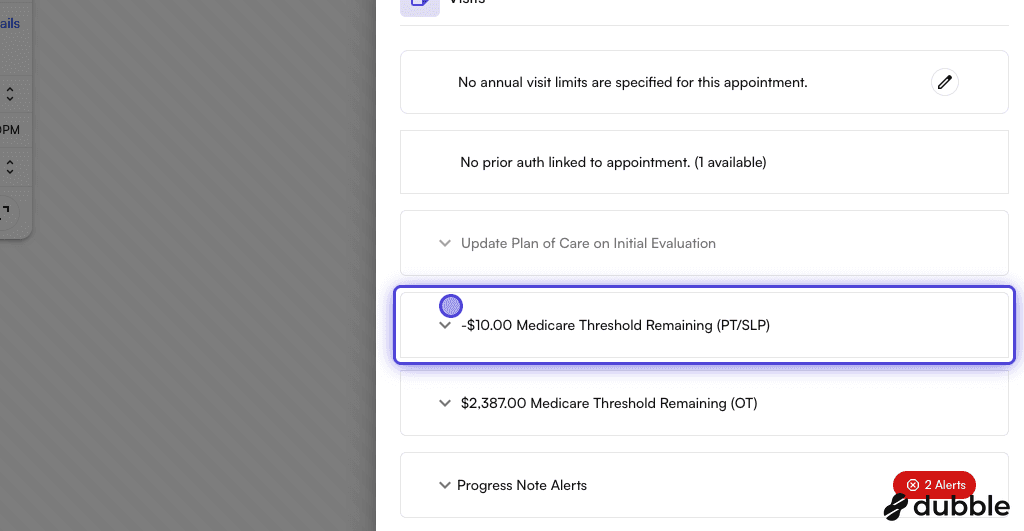
- Click on “Other Medicare Threshold Used”.
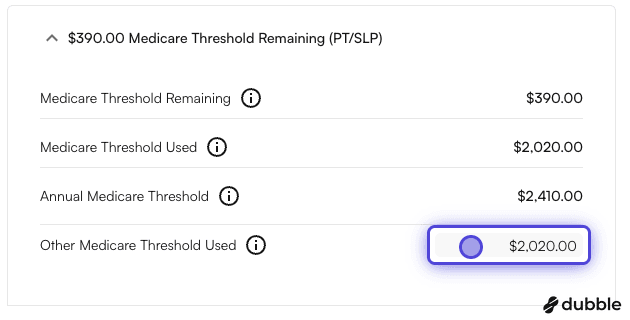
- You can see the updated remaining value
Enabling auto-apply KX modifier preference
- Go on EHR > Preferences
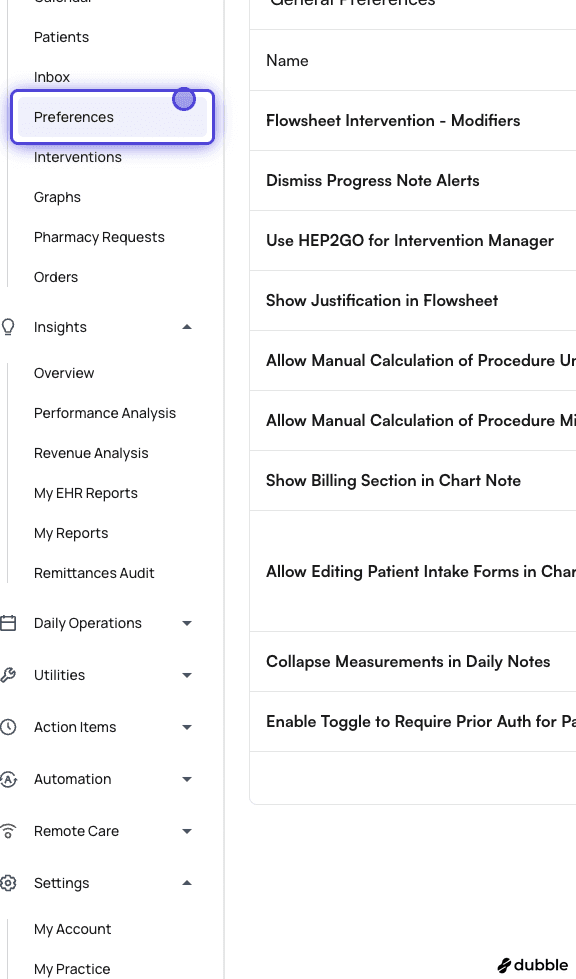
- Click on General Tab
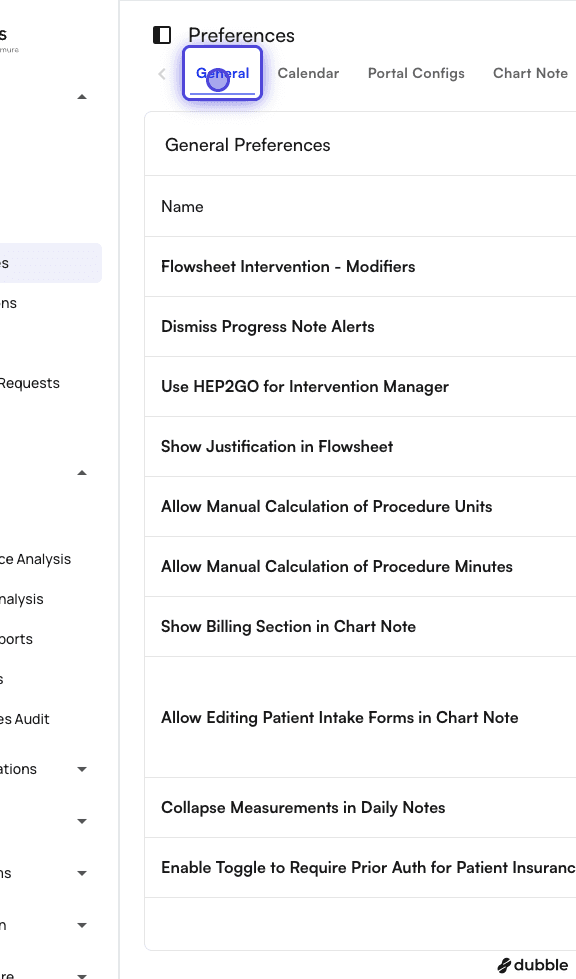
- In the search box, type “KX”
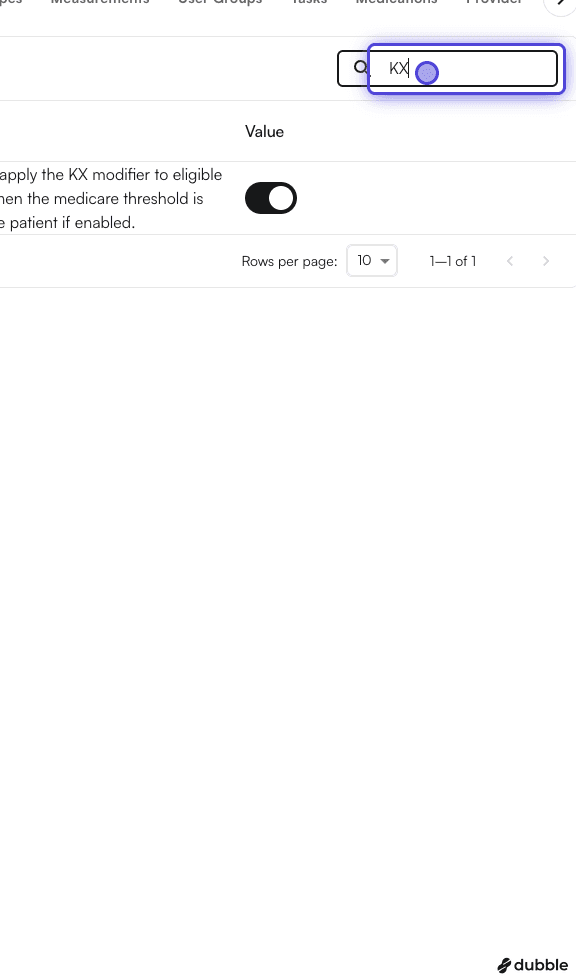
- You would see an entry titled “Auto-Apply KX Modifier”
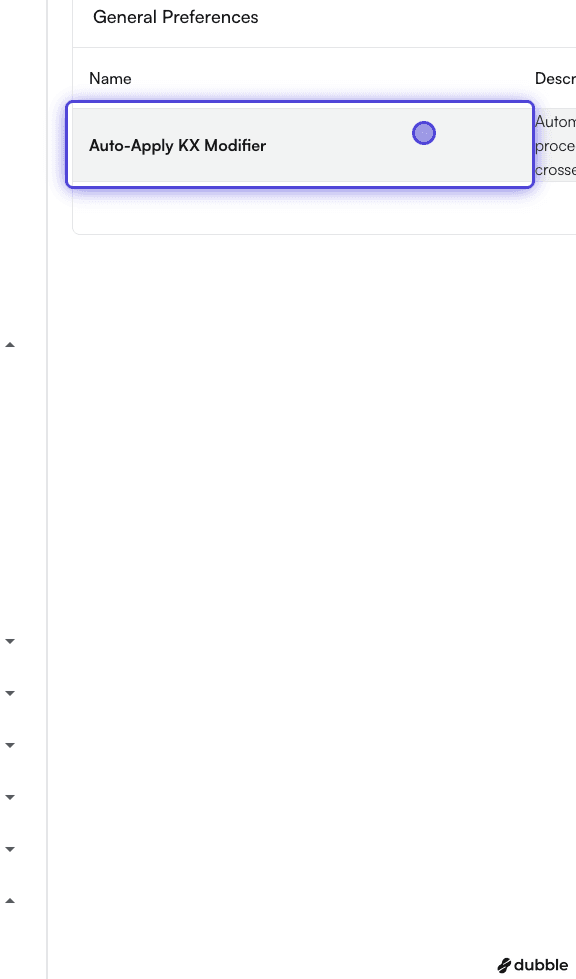
- Click on the switch to enable it

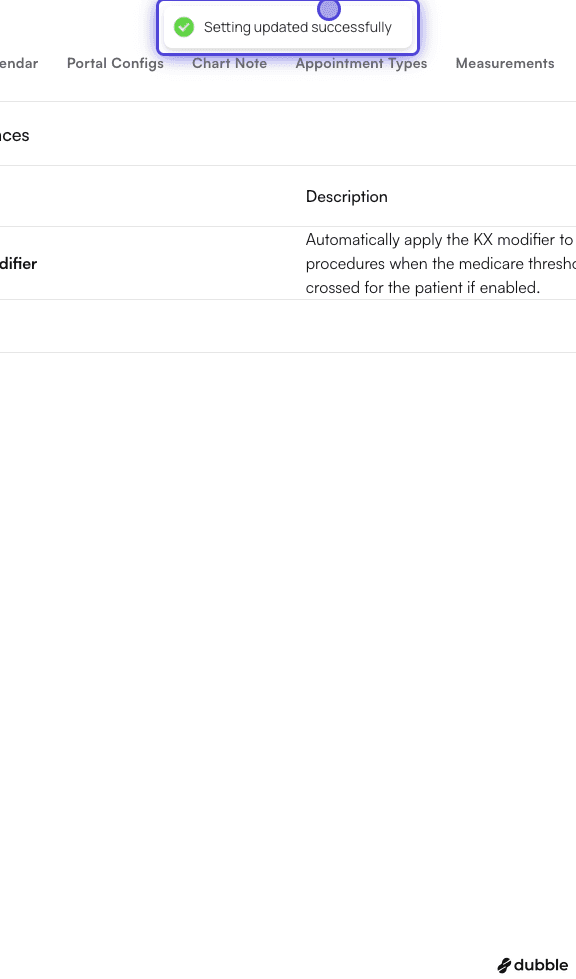
- Once you click it, you will see the message “Setting updated successfully”
Setting KX modifier traits on a template
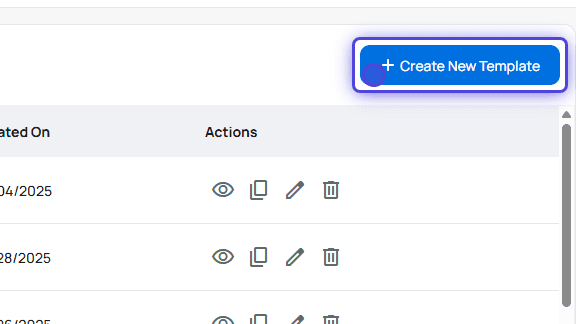
- Go to Templates Page
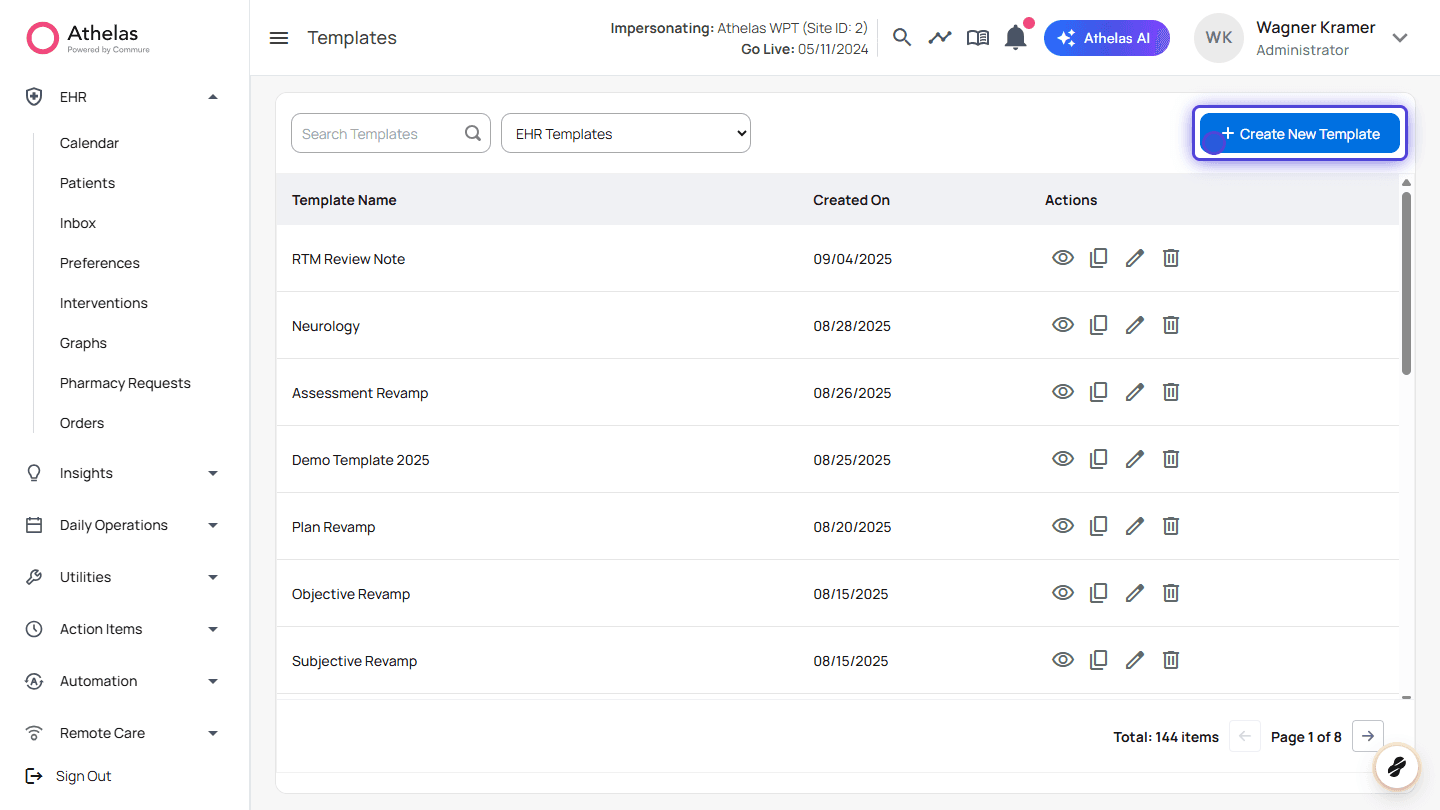
- Create or edit a Template
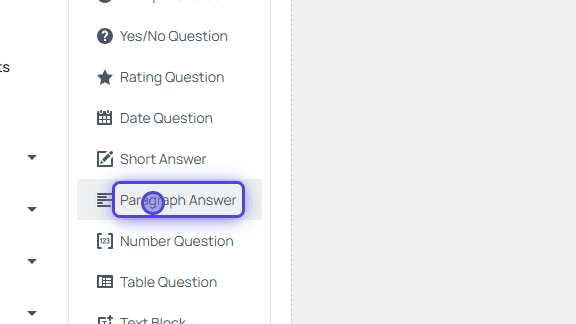
- Drag and drop Paragraph Answer
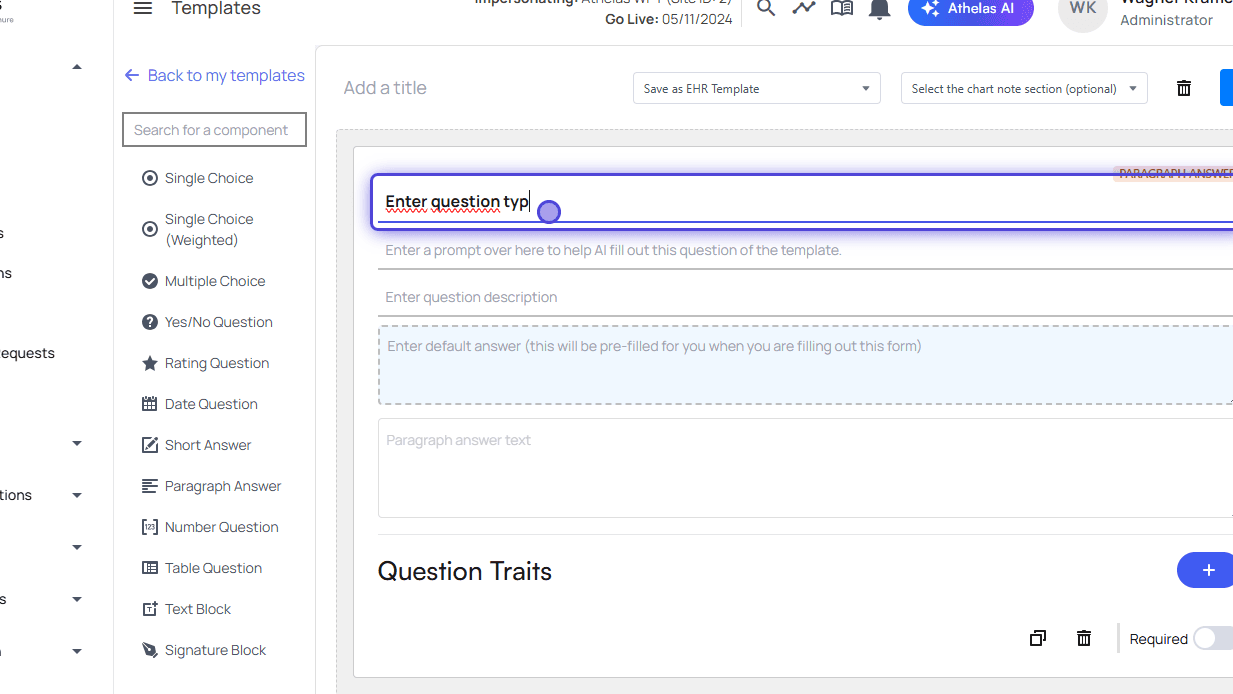
- Fill the form
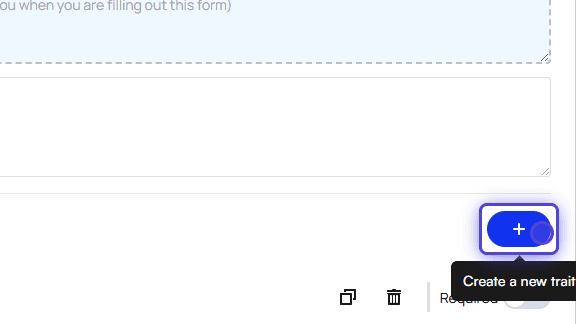
- Click on Create a new trait
- Type in the trait name
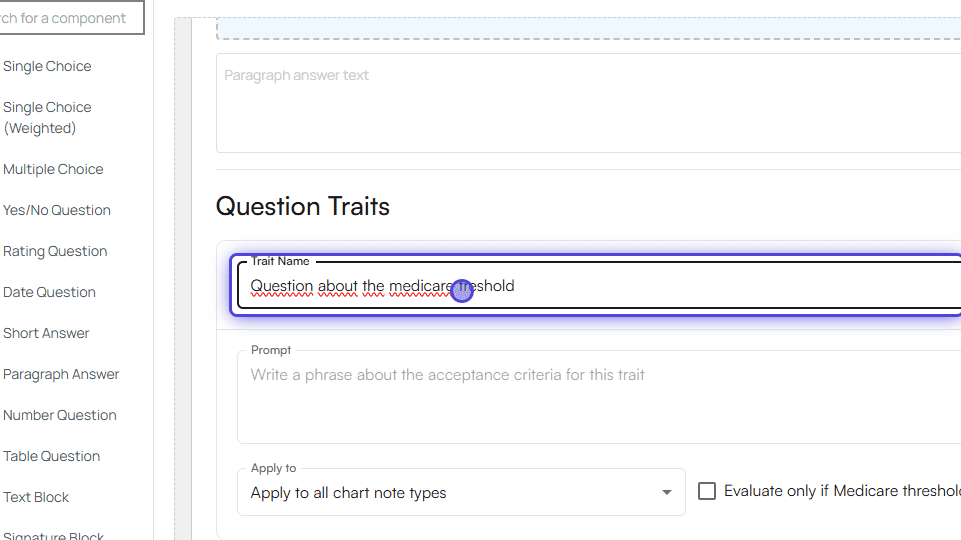
- Type in a prompt that should be evaluated
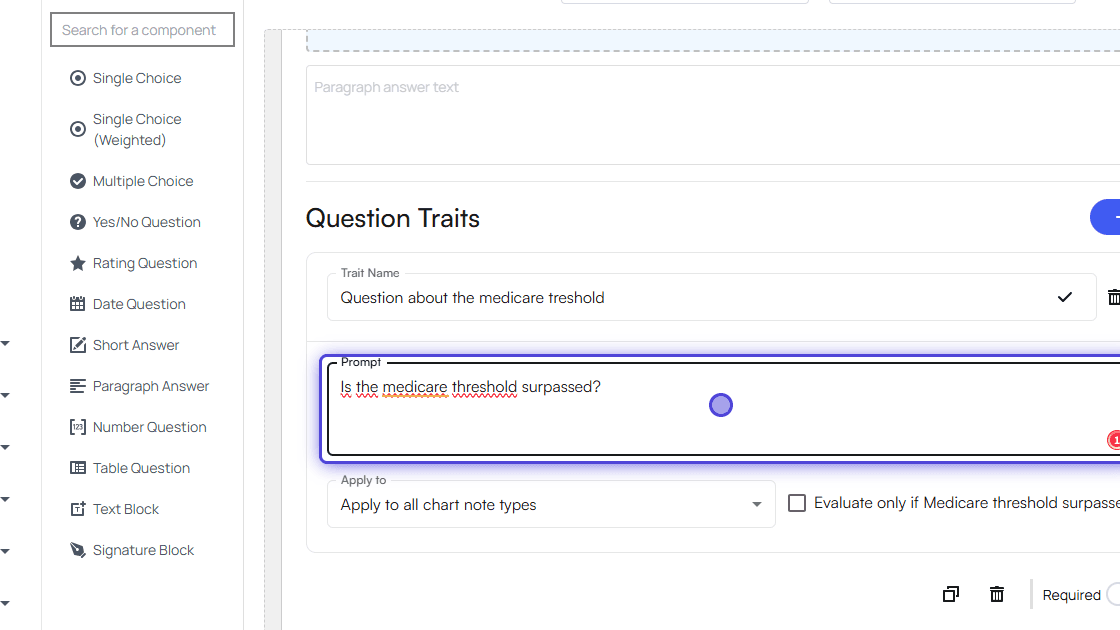
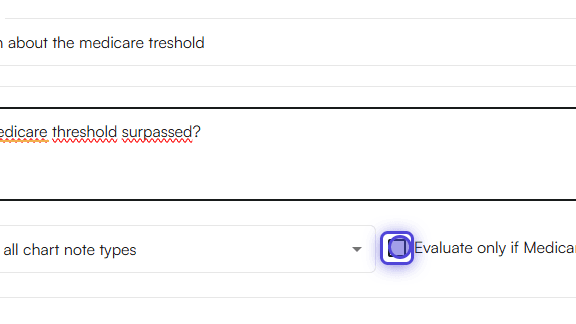
- Click on Evaluate only if Medicare has been reached
- Go to EHR Preferences > Appointment Types
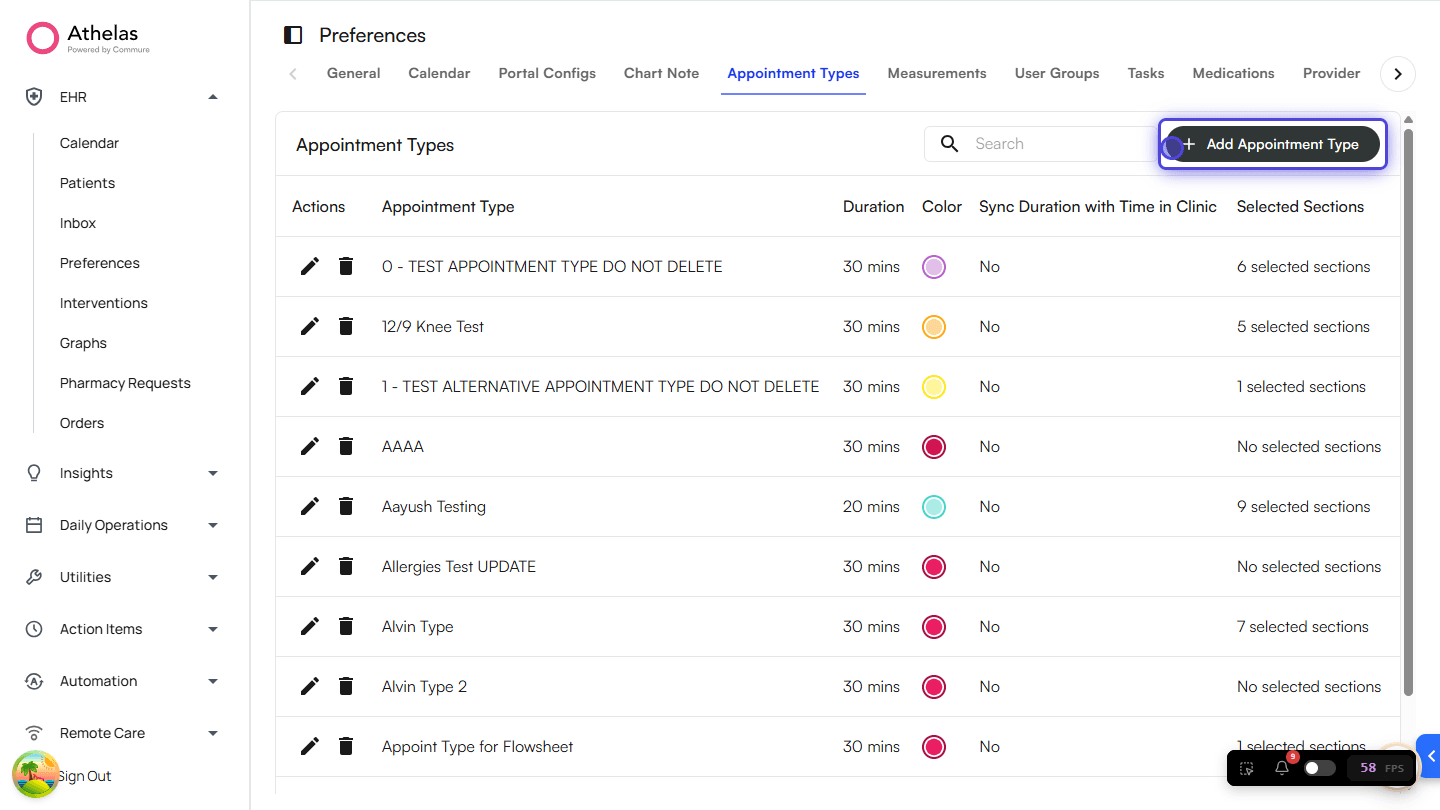
- Add the new template to an Appointment Type
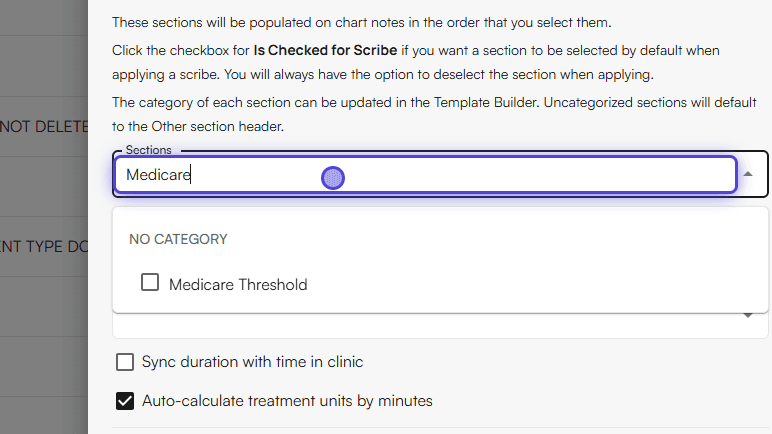
- Done! Now start using the Appointment Type you set up.
Usage
Applying the KX modifier in the Treatment section- Go to an Appointment section of any selected Patient
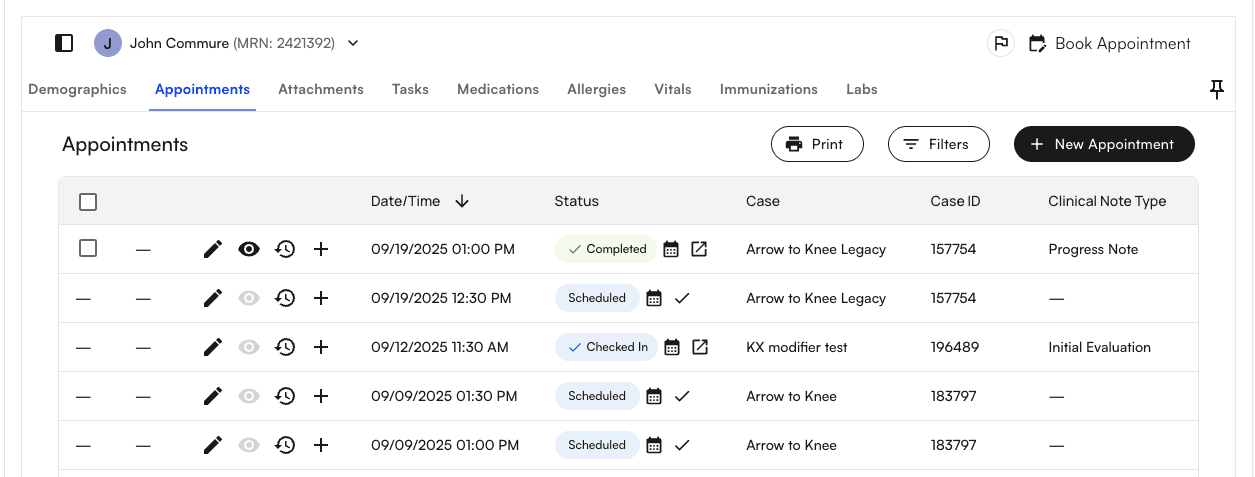
- You’ll notice that for Medicare thresholds, there are two types: the PT/SLP Medicare Threshold and the OT Medicare Threshold.
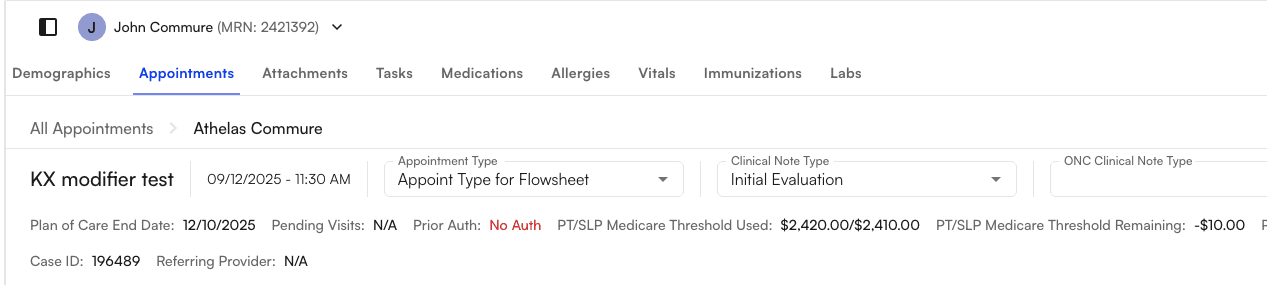
- Check if the remaining Medicare threshold (e.g., PT/SLP) is negative (i.e., the threshold has been crossed).

- Scroll down to the Treatment section, where you can search for and choose a CPT code.
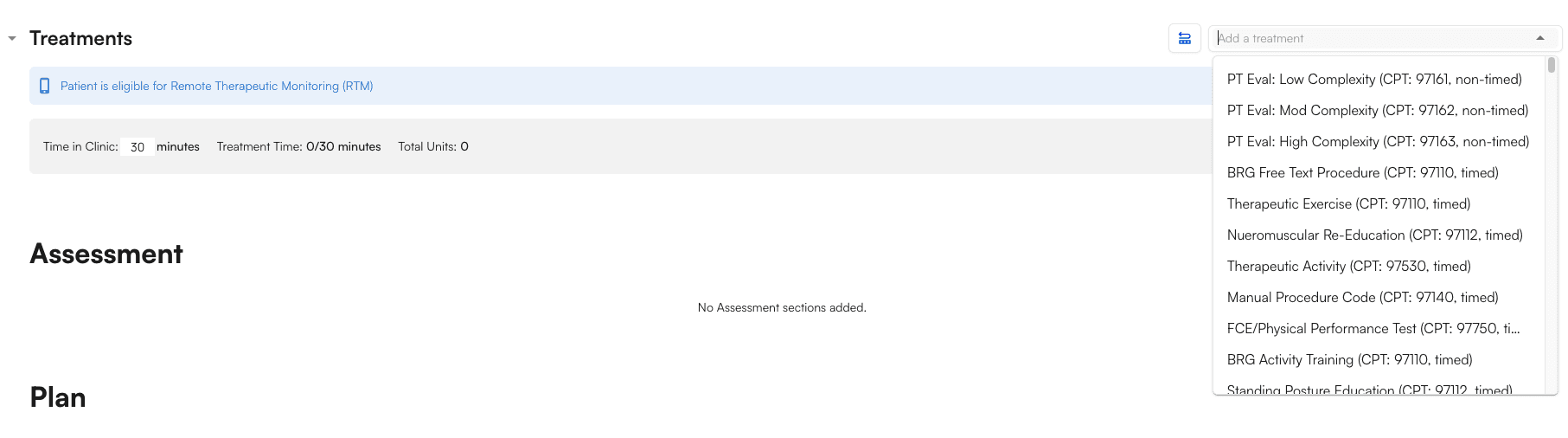
- Select one of the procedures (i.e., CPT codes) that is KX-modifier qualified (e.g., 97110)
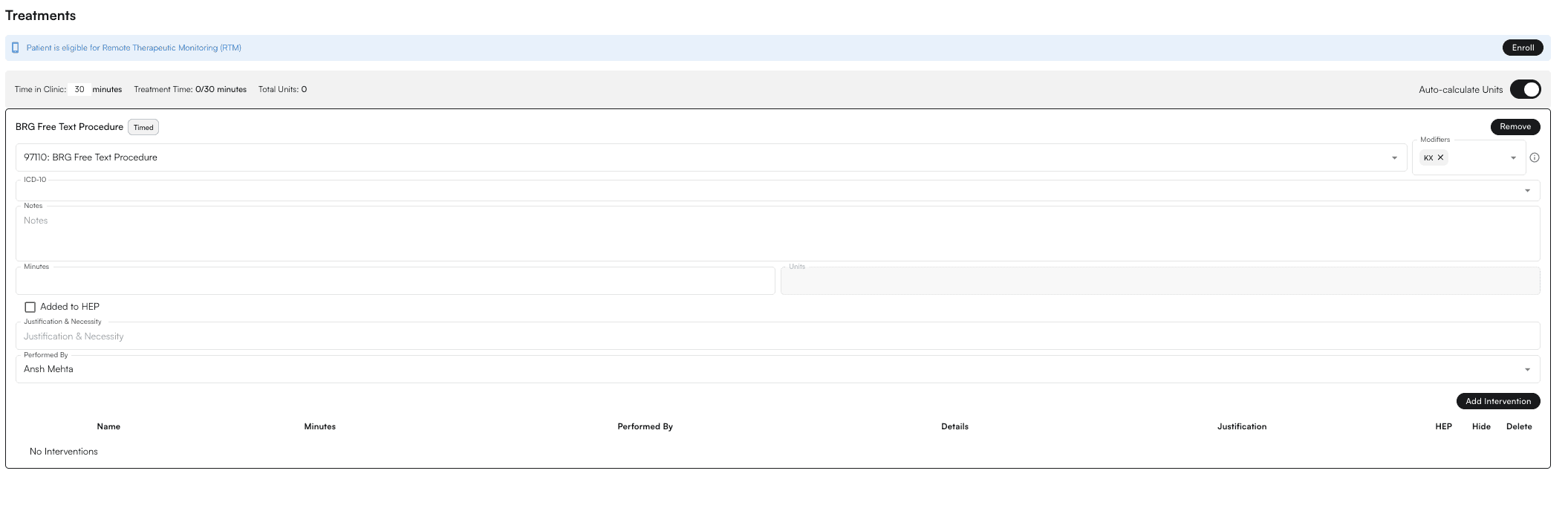
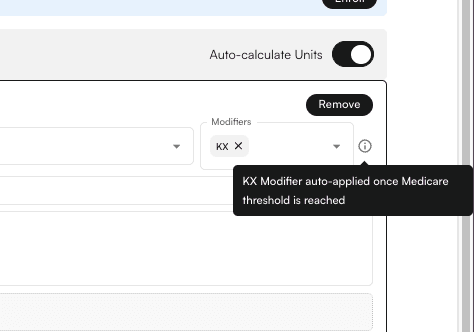
- After adding the qualified procedure, the KX modifier is automatically applied with a tooltip.
Applying the KX modifier in the Flowsheet Intervention section
- Go to an Appointment section of any selected Patient
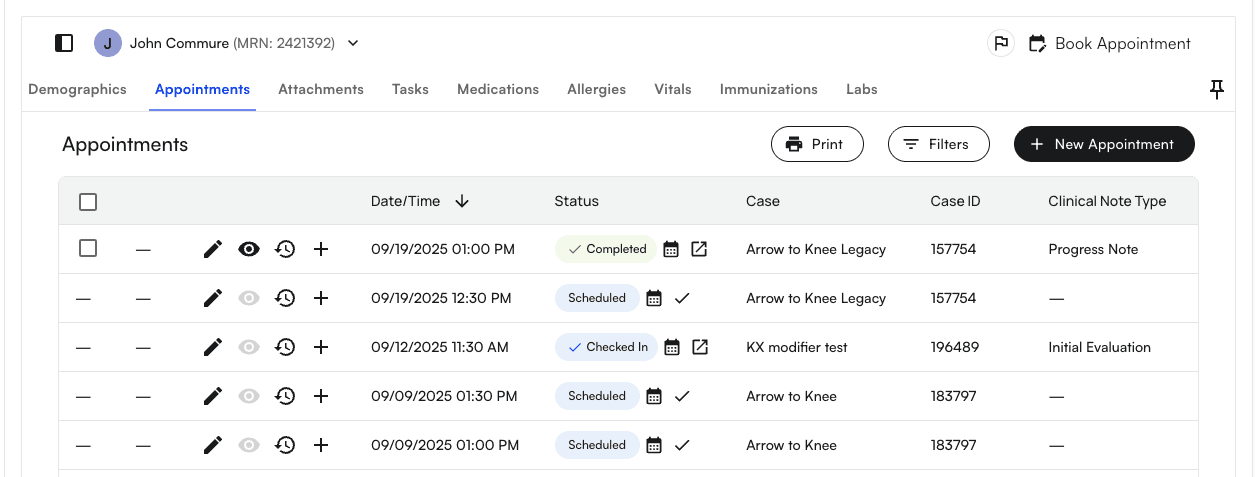
- You’ll notice that for Medicare thresholds, there are two types: the PT/SLP Medicare Threshold and the OT Medicare Threshold.
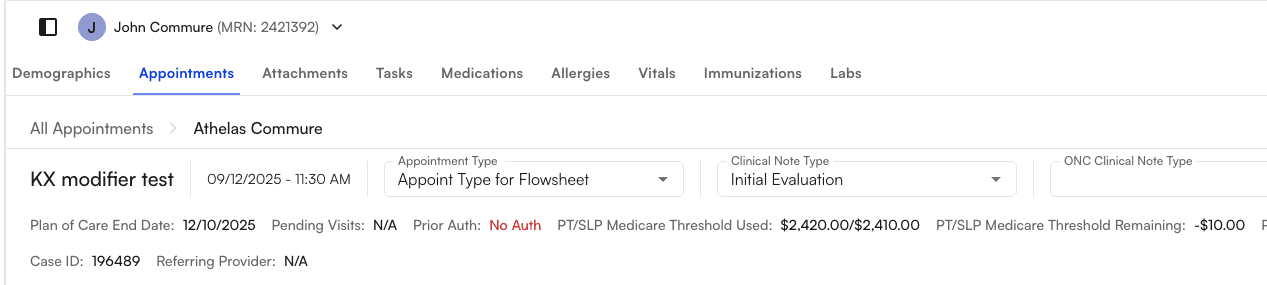
- Check if the remaining Medicare threshold (e.g., PT/SLP) is negative (i.e., the threshold has been crossed).

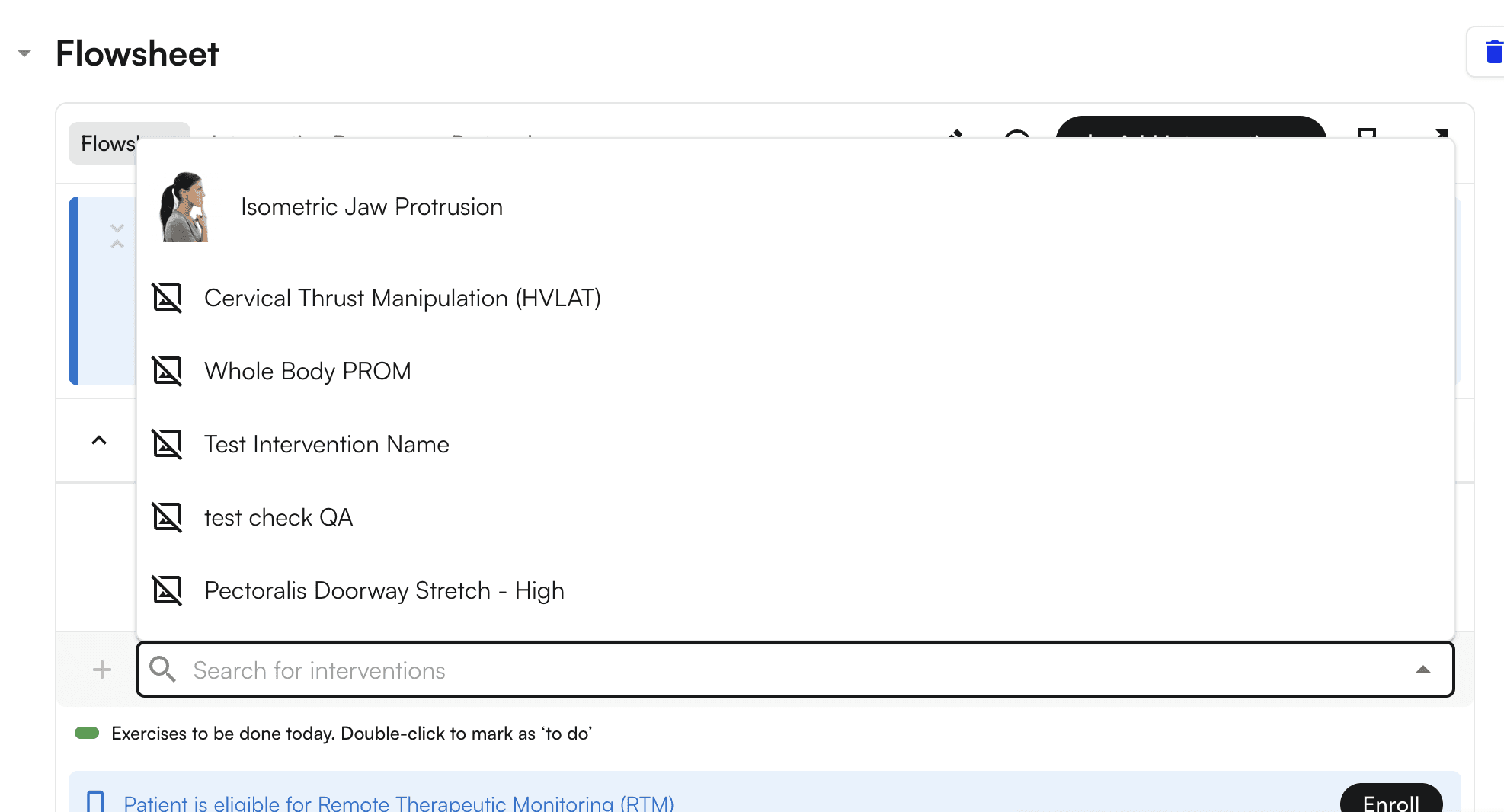
- Scroll down to the Flowsheet section, where you can search for and choose a CPT code (i.e. “Search For Intervention”).
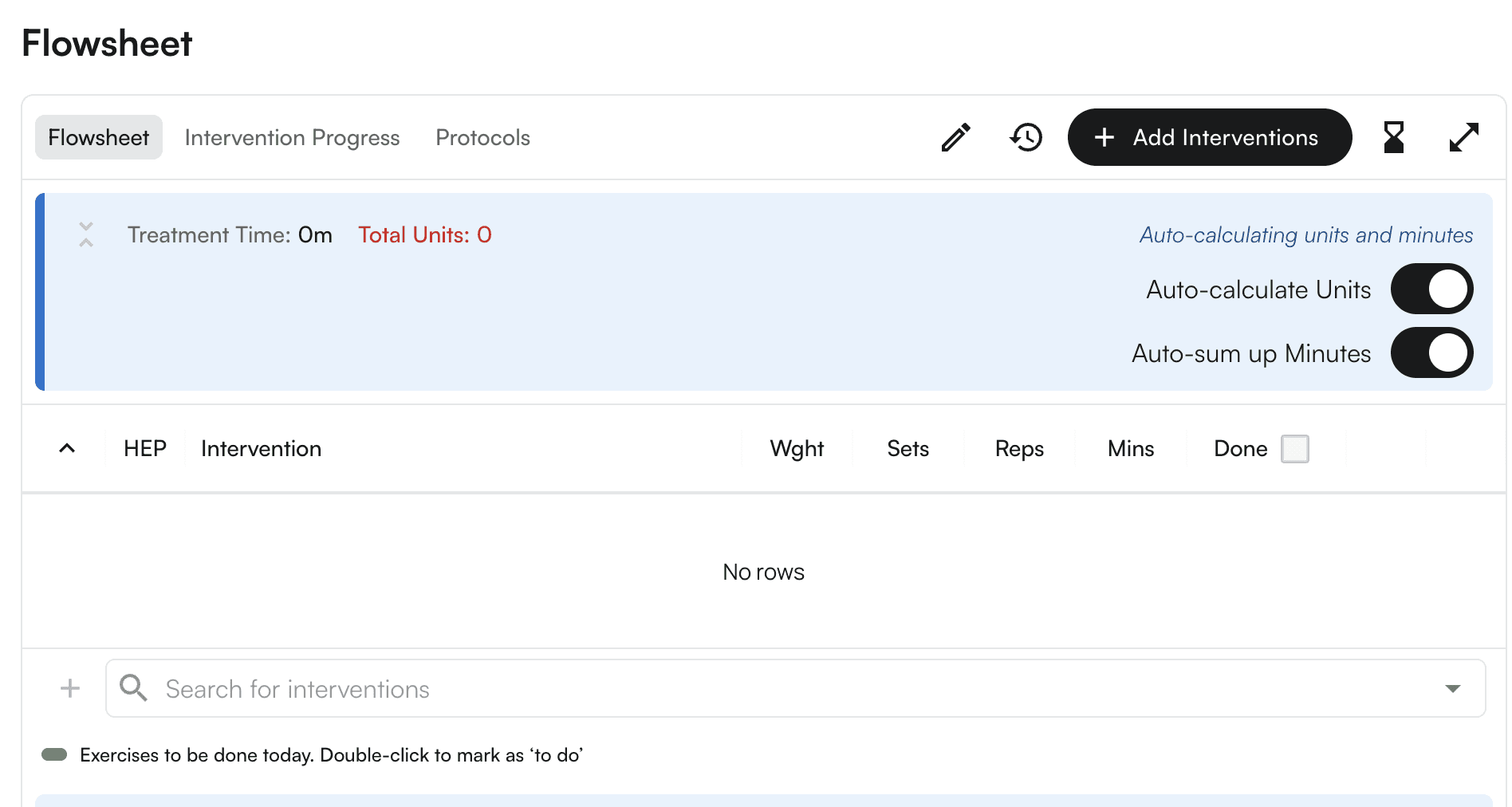
- Select one of the interventions (e.g., Cervical Thrust Manipulation (HVLAT)).
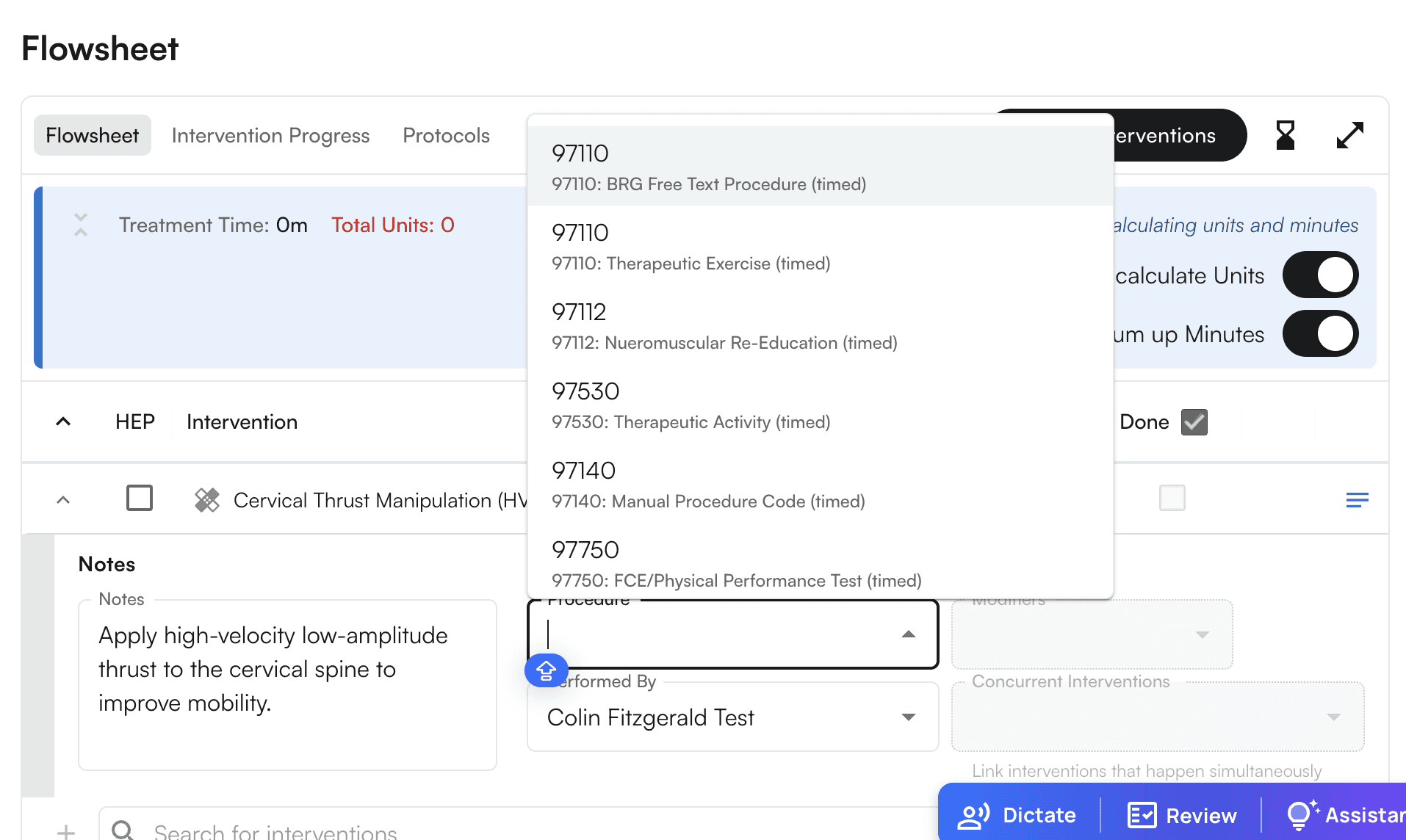
- Select one of the procedures (i.e., CPT codes) that is KX-modifier qualified (e.g., 97110)
- Now Mark it as Done
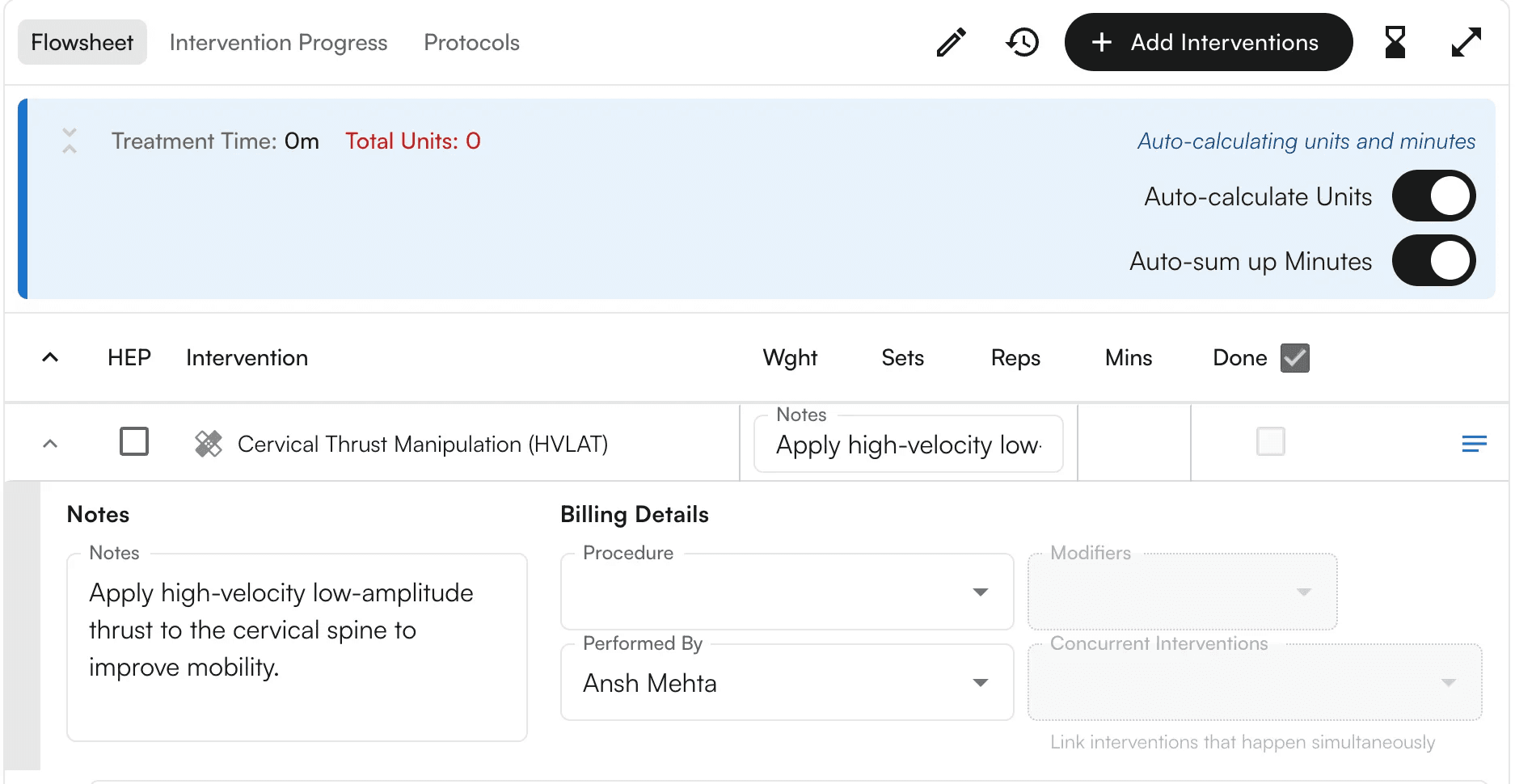
- The KX modifier will be applied automatically, and you can also see the tooltip.