At a Glance

The Revenue Analysis page in Insights allows you to view overall figures and trends in your practice’s collections, as well as the ability to filter results down to individual dates, payers, facilities, or providers. When you know exactly how much revenue is generated over specific time periods from either aggregate or individual providers, payers, and even CPT codes, you can optimize your practice’s resources, spot red flags more quickly, and improve the overall financial health of your organization.

Features of the Page

By the Numbers

At the top of the Revenue Analysis page, you will see these four tiles. By default, they will be filtered to show results from the previous 31 days, though you can adjust the date range by clicking on the calendar icon.
  • Total Payments — This number shows the sum of all payments from payers and patients for the given date range. You can see how it compares both in percentage and real dollars to the previous period.
  • Median Time to Decision — This number shows the median number of days from date of service to payer decision for a given time period. You can see how that time lapse compares to that of the previous period.
  • Insurance Paid Rate — The higher the better. This number shows the percentage of claims successfully paid, as well as how that number compares with the previous period.
  • $ Paid Per Encounter — The average dollar amount paid to your practice per patient encounter. Each section that follows has a ‘Download CSV’ button in the top right corner. Use this if you would like to analyze the raw data in Excel, Google Sheets, or some similar spreadsheet.

Monthly Revenue
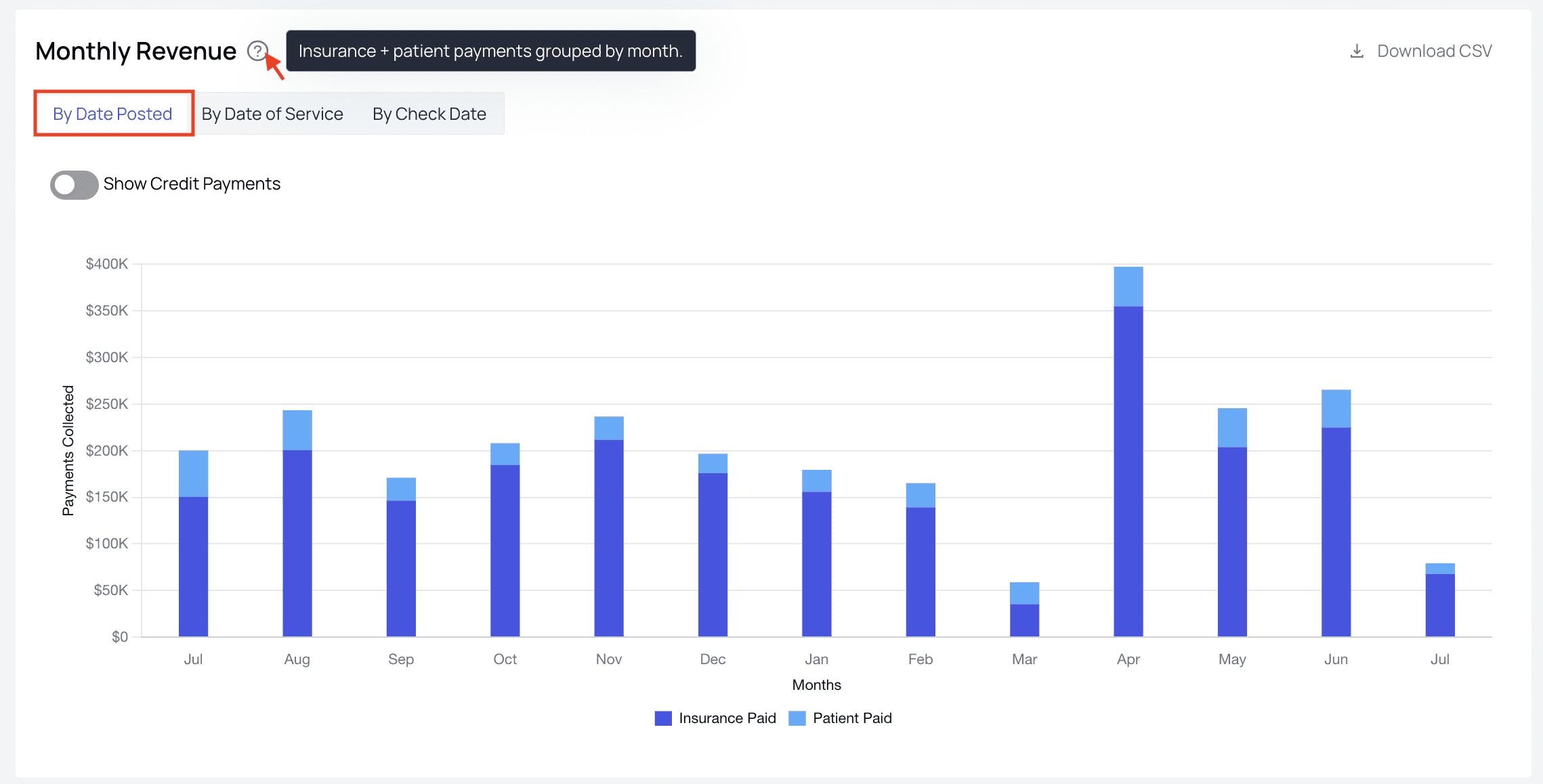
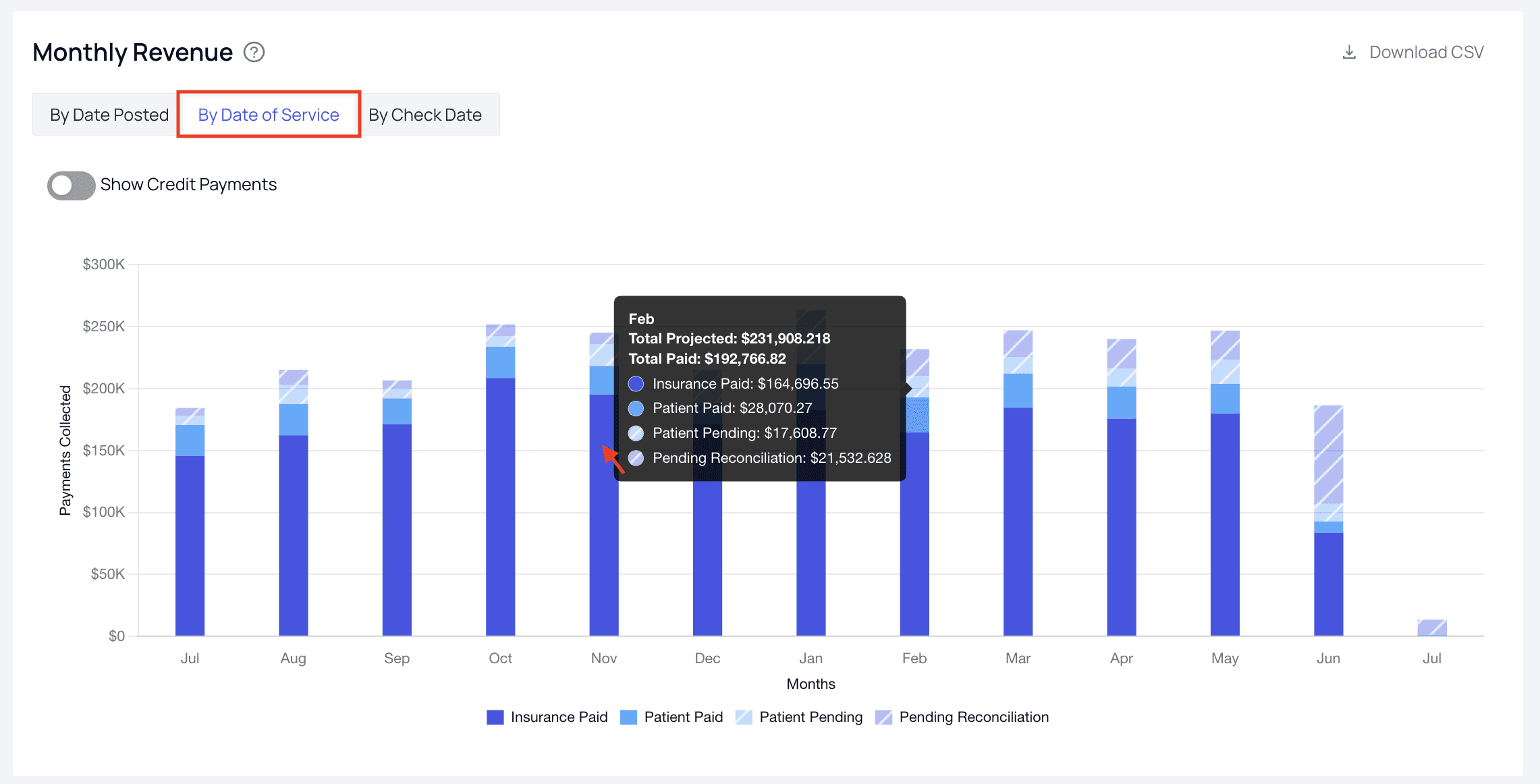
This bar chart shows the combined amounts paid by insurers and patients each month, split into Insurance Paid and Patient Paid. By default it shows results by date posted, though you can switch to Check Date or Date of Service using the selector in the top right. Comparing months by Date of Service versus Date Posted can help you surface trends over time. For example, if you notice a widening gap between services rendered and payments posted month to month, you can use that information to find the root cause. This may involve improving PR collection strategies at the front desk, or contacting payers that have fallen behind on reconciliations.

Payments by Segment

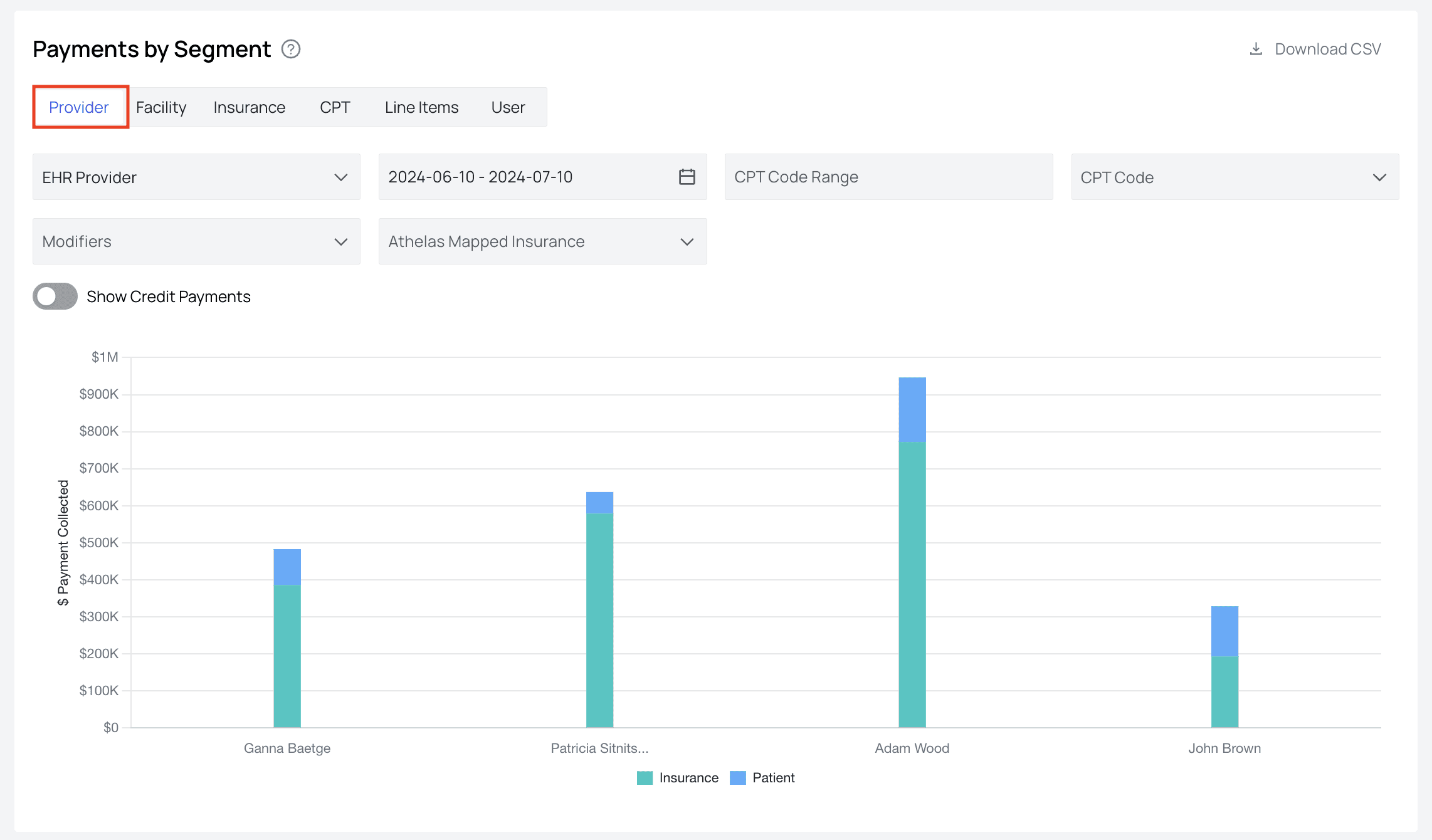
The Payments by Segment tool allows you to analyze how much total revenue is generated over a period of time by individual providers, facilities, insurance companies, CPT codes, line items, and users. Having these kinds of real-time metrics at your fingertips allows you to pinpoint, for example, which providers or new CPT codes are either underperforming or doing particularly well, so that you can highlight effective practices to your team and focus assistance where it is needed most.

Patient Responsibility

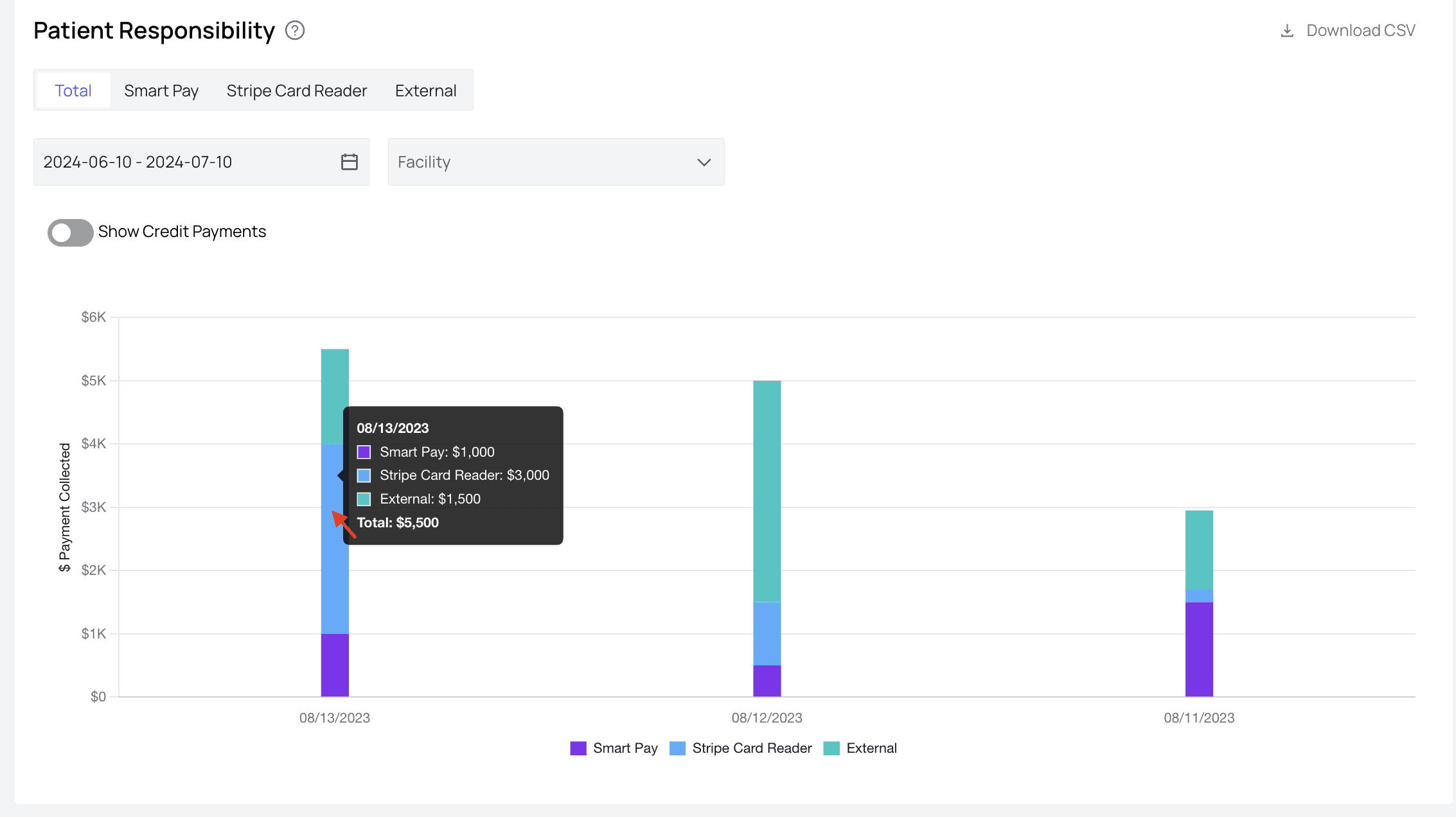
This shows the total PR collected over a given time period, divided into three categories:
  • SmartPay — Payments made through patient payment portals, those made through saved cards, and those made via digital reminders are all considered SmartPay.
  • Athelas card reader — Payments collected through your Athelas card reader.
  • External — Any cash, check, or other kinds of payments will be recorded here. Keep an eye on any unexpected dips in PR collection. This can signal a need for some greater effort to collect outstanding PR.

Front Desk Collections
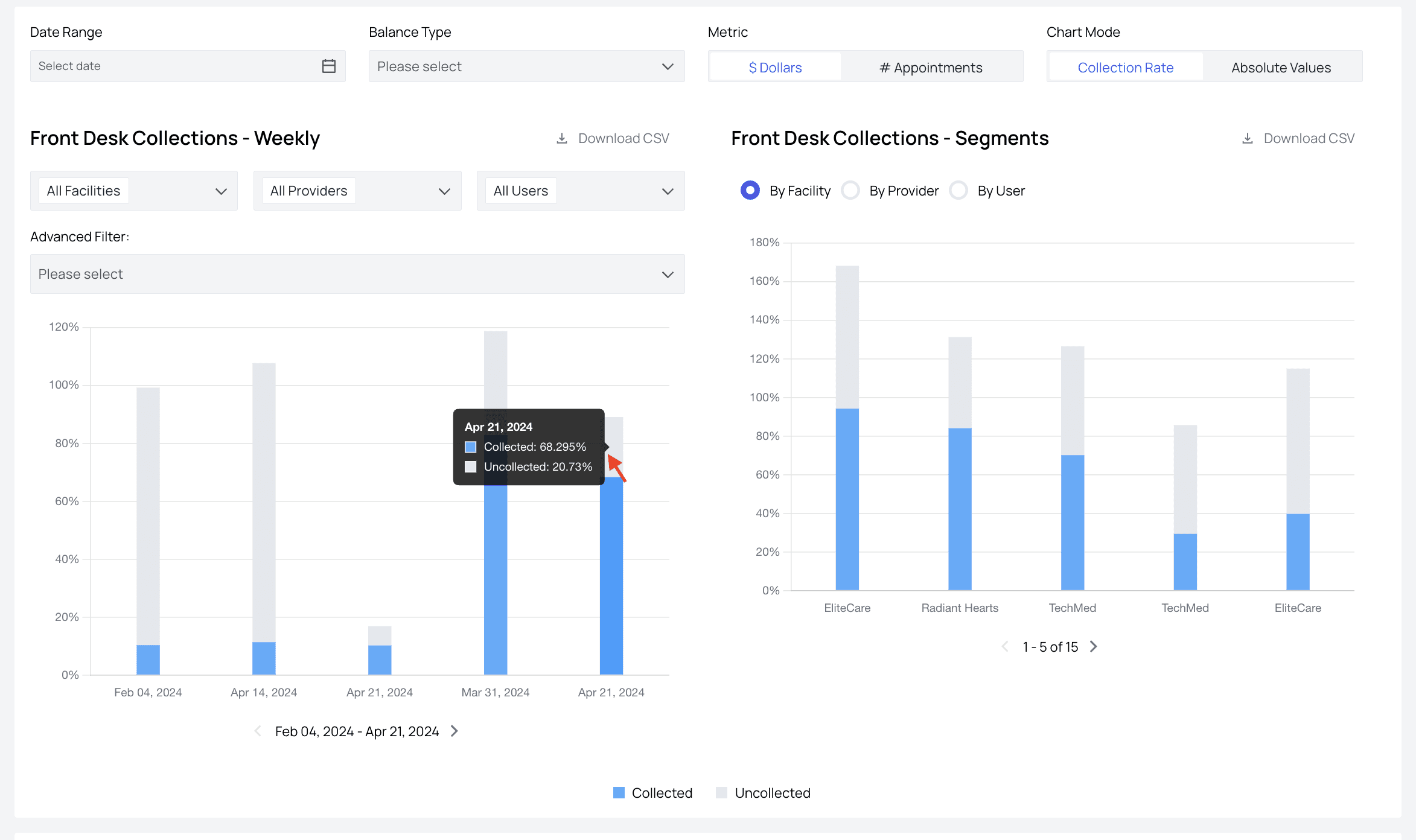
Ideally, all PR would be collected at the front desk on the date of service, though it is common knowledge that this is not a realistic expectation. The Front Desk Collections section provides both the total percentage of PR collected and uncollected. The Segments view breaks performance down By Facility or By Provider, while the Weekly view can be filtered by facility, provider, and user. Again, you can use this information to highlight effective practices to your team and troubleshoot underperformance.

Claims Waterfall

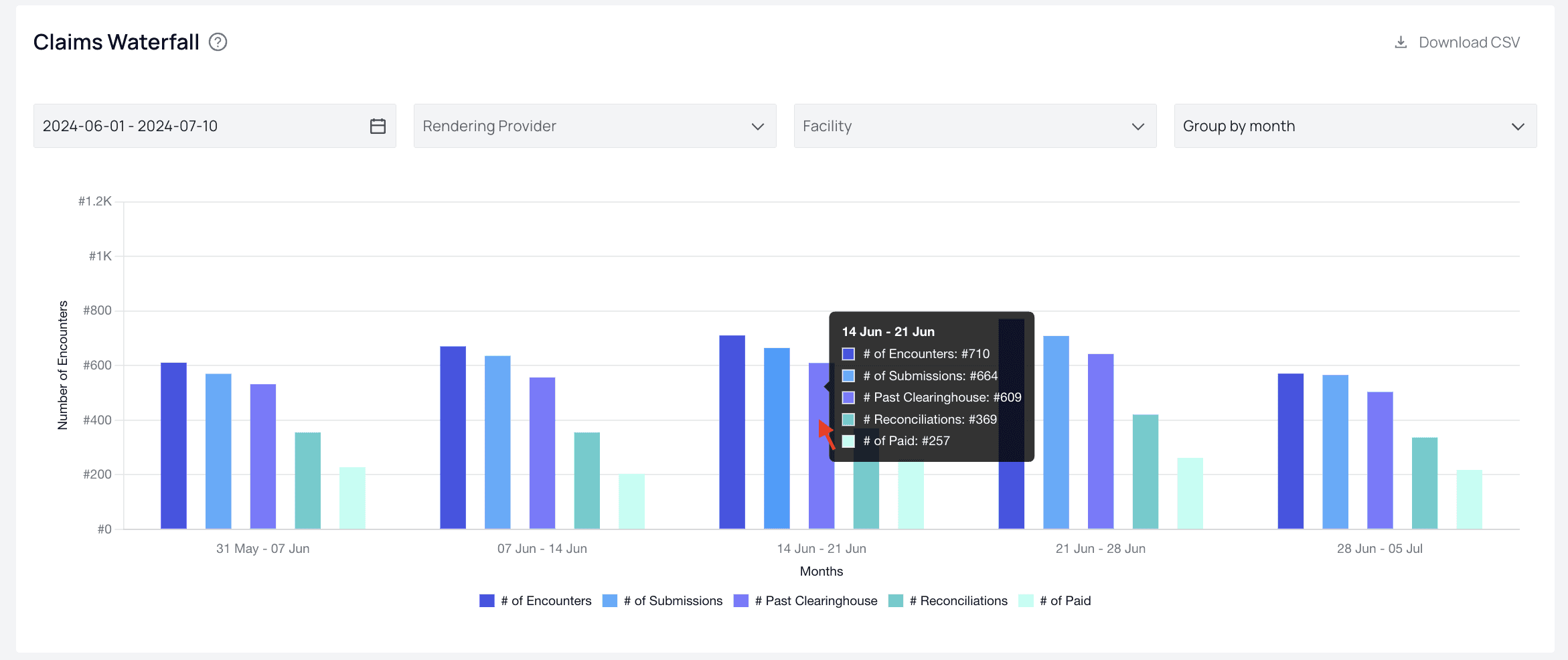
The claims waterfall section details how many encounters turn into paid claims at your practice, and the amount of attrition at each step of that process. From left to right, for each adjustable time period, you can see:
  • The total number of encounters (# Encounters)
  • How many resulted in a claim submission (# With A Submission)
  • How many were reconciled (# With A Reconciliation)
  • How many received a payer decision (# With A Decision), and finally
  • How many resulted in an insurance payout (# With An Insurance Payout) Using this graph can show you which stage of the process results in the greatest claims drop-off, empowering you to zero in on root issues more quickly.

Reconciliation Speed
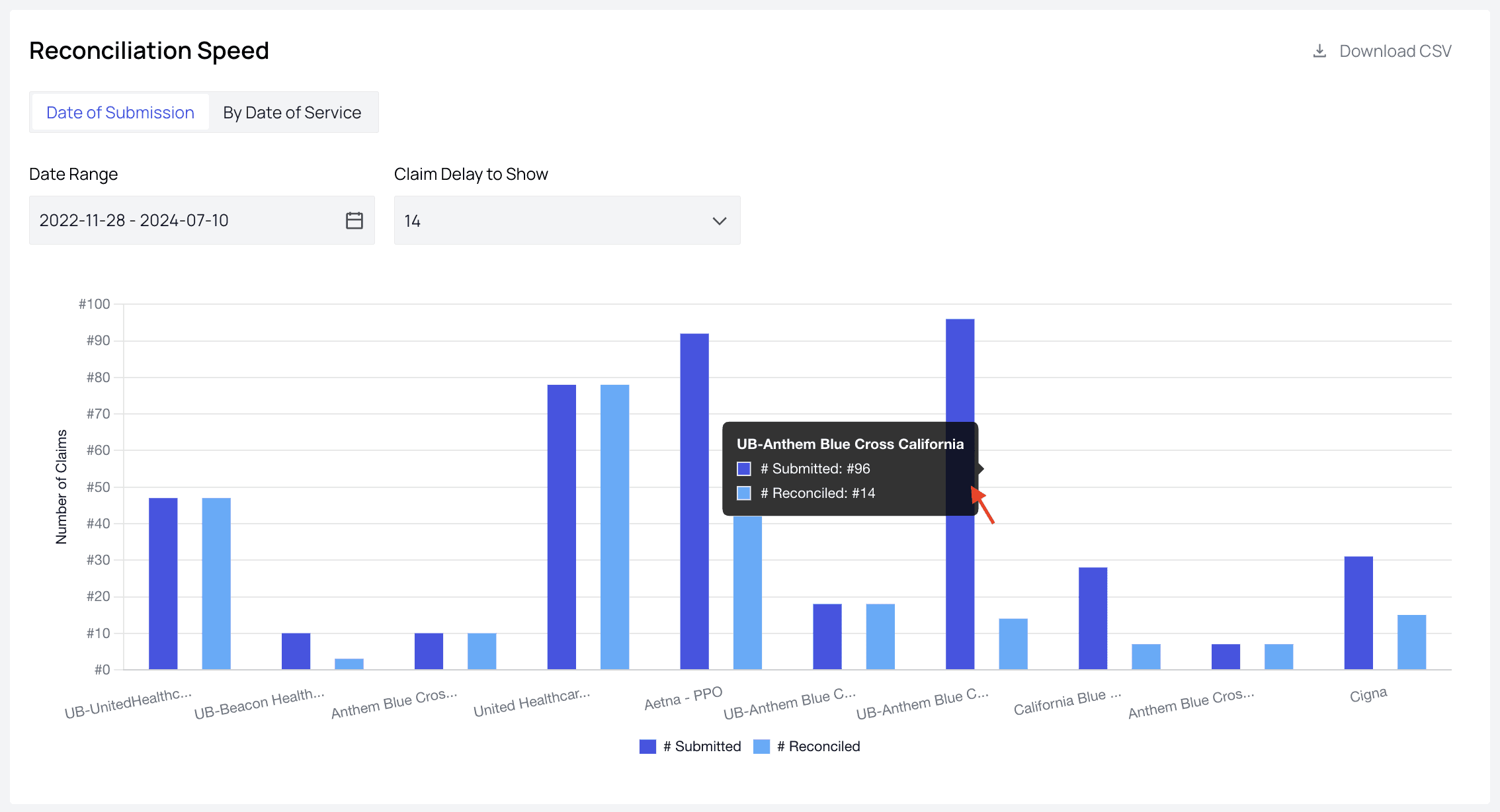
This chart specifically shows payers’ submitted claims versus reconciled claims. This can be a great indicator of red flags when analyzed. In this example, we can see that while 96 claims were submitted to UB-Anthem Blue Cross California, only 14 have been reconciled in the given date range. Discrepancies like this would warrant a closer look—it would be wise to ensure that the rules engine is working properly for these claims, for example.

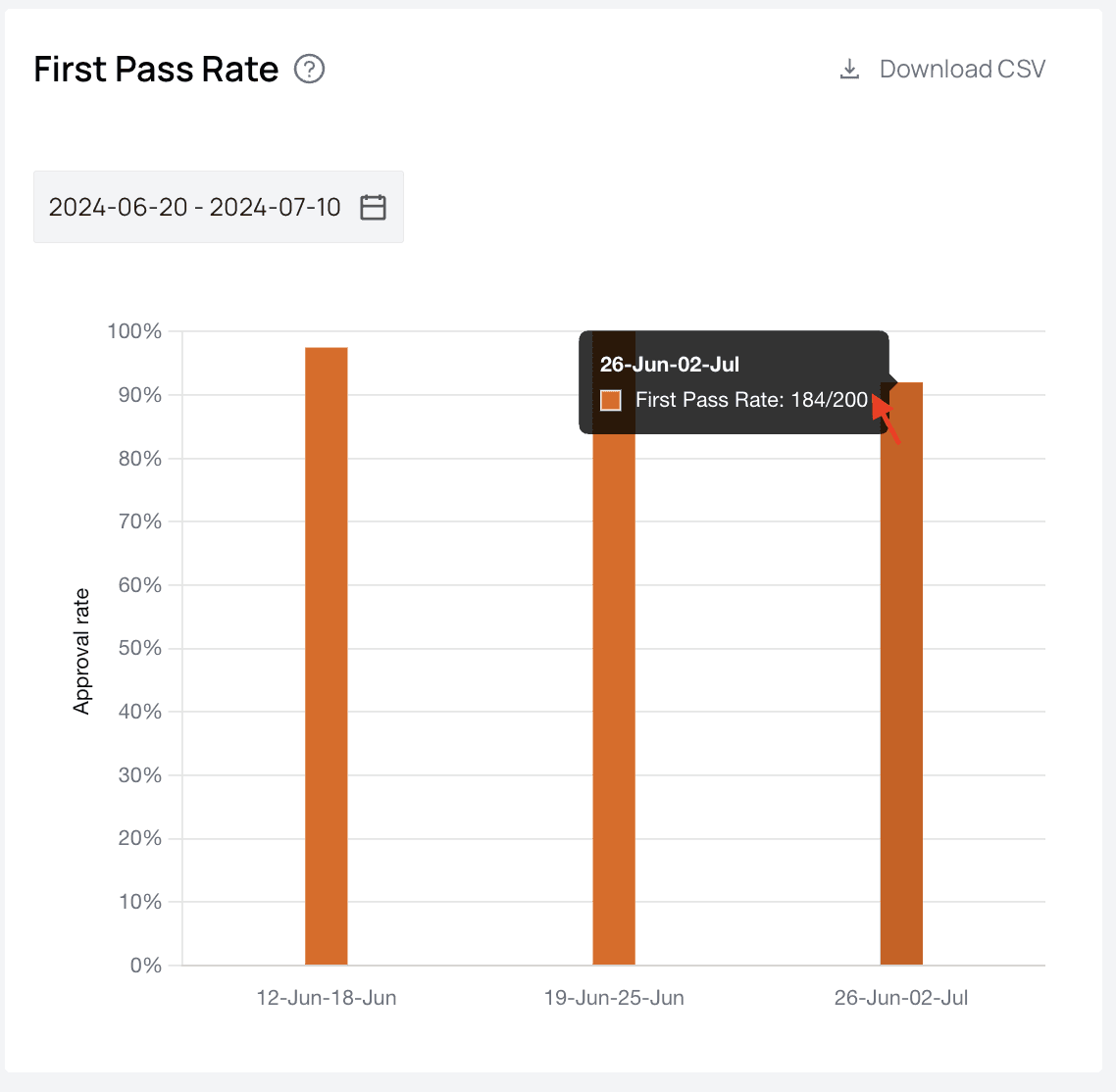
First Pass Rate

Achieving and maintaining a high first pass rate is the gold standard at Athelas. Claims that are submitted and approved in one fell swoop are indicators that our rules engine is working properly, claims are submitted on time, and everyone is happy. If you notice your first pass rate dips significantly, talk to your account manager and we’ll see what’s going on with the rules engine.

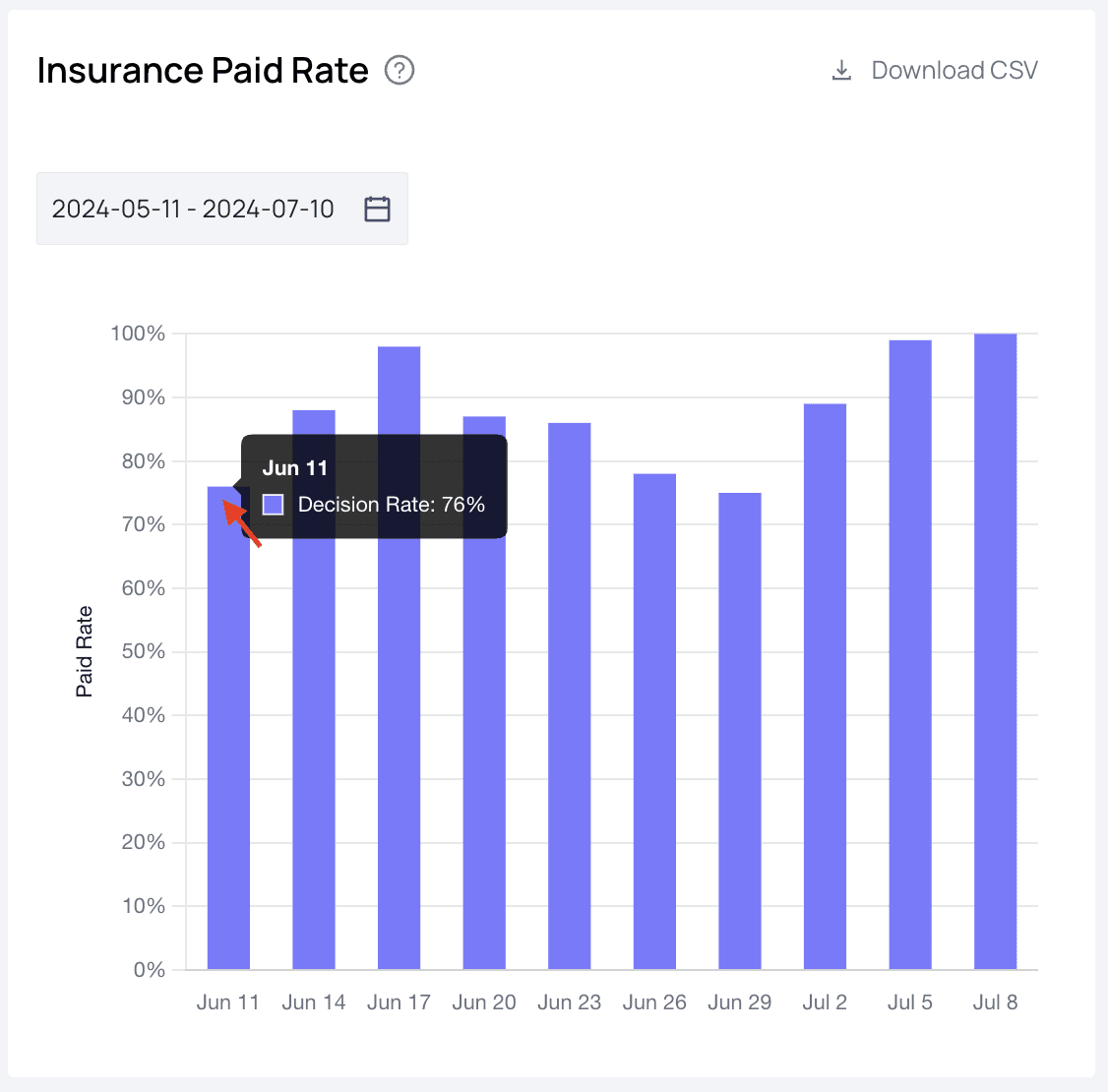
Insurance Paid Rate

This chart shows the percentage of claims with an insurance payout. Watching for dips in percentage here can alert you to some new rule or protocol by a payer that we need to address in the rules engine, for example.

Medicare Fees Rate

This chart compares your insurance payout against the Medicare fee schedule, grouped by encounter date of service, giving you a rough benchmark of how your reimbursement rates compare with Medicare’s. Note that this ratio is an estimate, and the Medicare fees are not adjusted for your facility’s location. Availability: the Medicare Fees Rate chart is enabled for select accounts. If you’d like it turned on, reach out to your account manager.

Further Assistance

We’re here to help! Please get in touch with support@getathelas.com if you’d like some hands-on assistance.