
At a Glance
The Insurance Intake page helps you collect updated insurance from patients. Insights automatically texts flagged patients asking them to update their insurance in the patient portal, and this page gives your team a worklist to track the follow-up.Working the List
The Insurance Intake page is a worklist of patients who need an insurance update. You can:- Filter by Patient Name or Task Status.
- Use the Actions menu on a row to Mark as In Progress or Mark as Completed as you update each patient’s insurance.
After a patient submits updated insurance, update their insurance in your EHR and mark the task Completed here so the list stays accurate.
What the Patient Does
A flagged patient receives a text asking them to update their insurance. They log in to the patient portal and complete an insurance confirmation form for their primary, secondary, and tertiary insurance. For each, they can keep their current insurance, add new insurance, or indicate they’ll self-pay. An eligibility check is then run on the primary insurance. Once submitted, the patient sees Request sent for approval - their insurance on file will not change until staff approve it.Front Desk Approval
After a patient submits their updated insurance, these changes will appear in the Front Desk Inbox for approval. In the Inbox tab, navigate to Updates where you will find a list of all submissions awaiting review. You can approve it, modify it, or reject it directly from this list.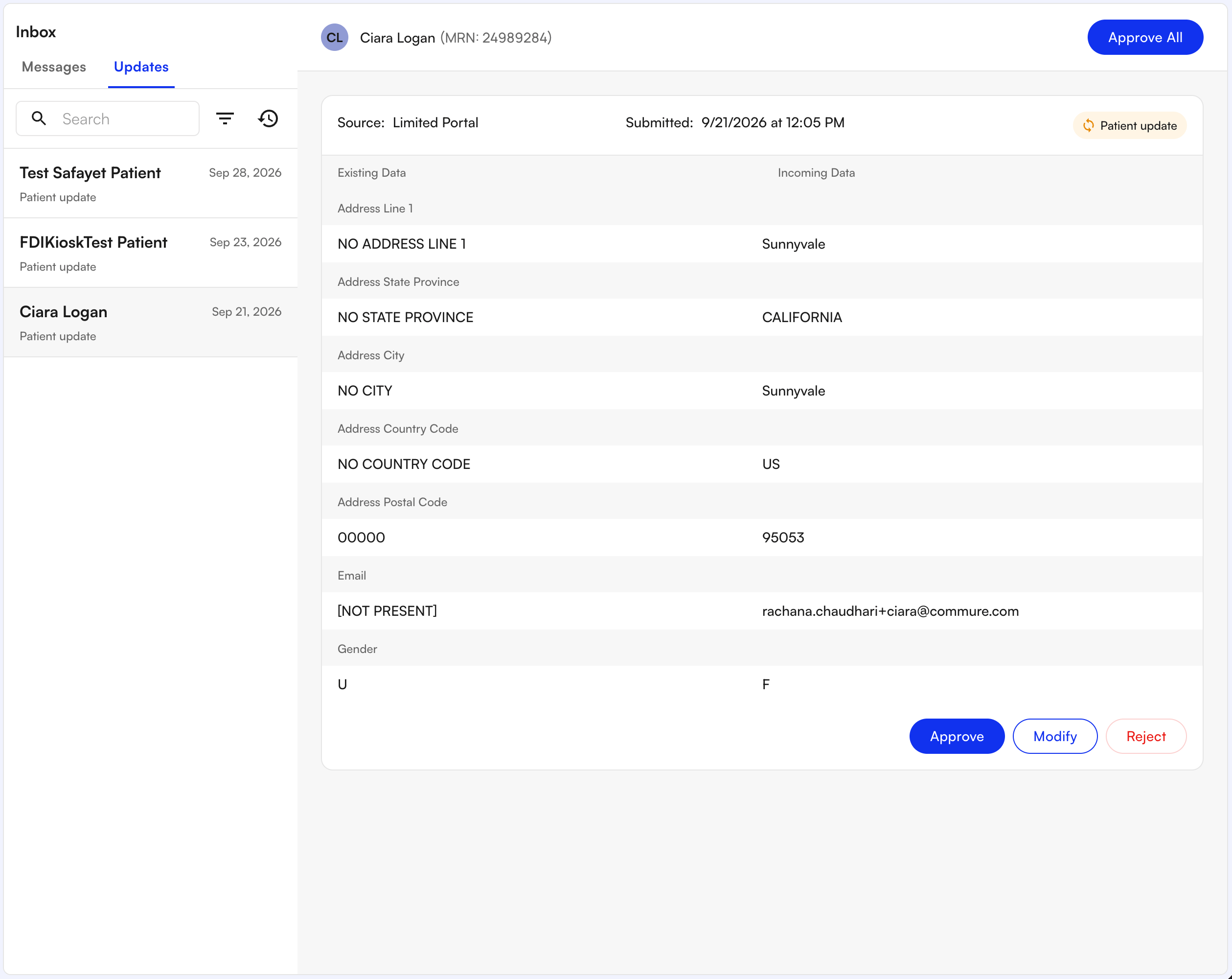
FAQ
How do I mark a patient's insurance update as done?
How do I mark a patient's insurance update as done?
Open the Actions menu on that patient’s row and select Mark as Completed. You can also mark a task In Progress while you’re working it.