
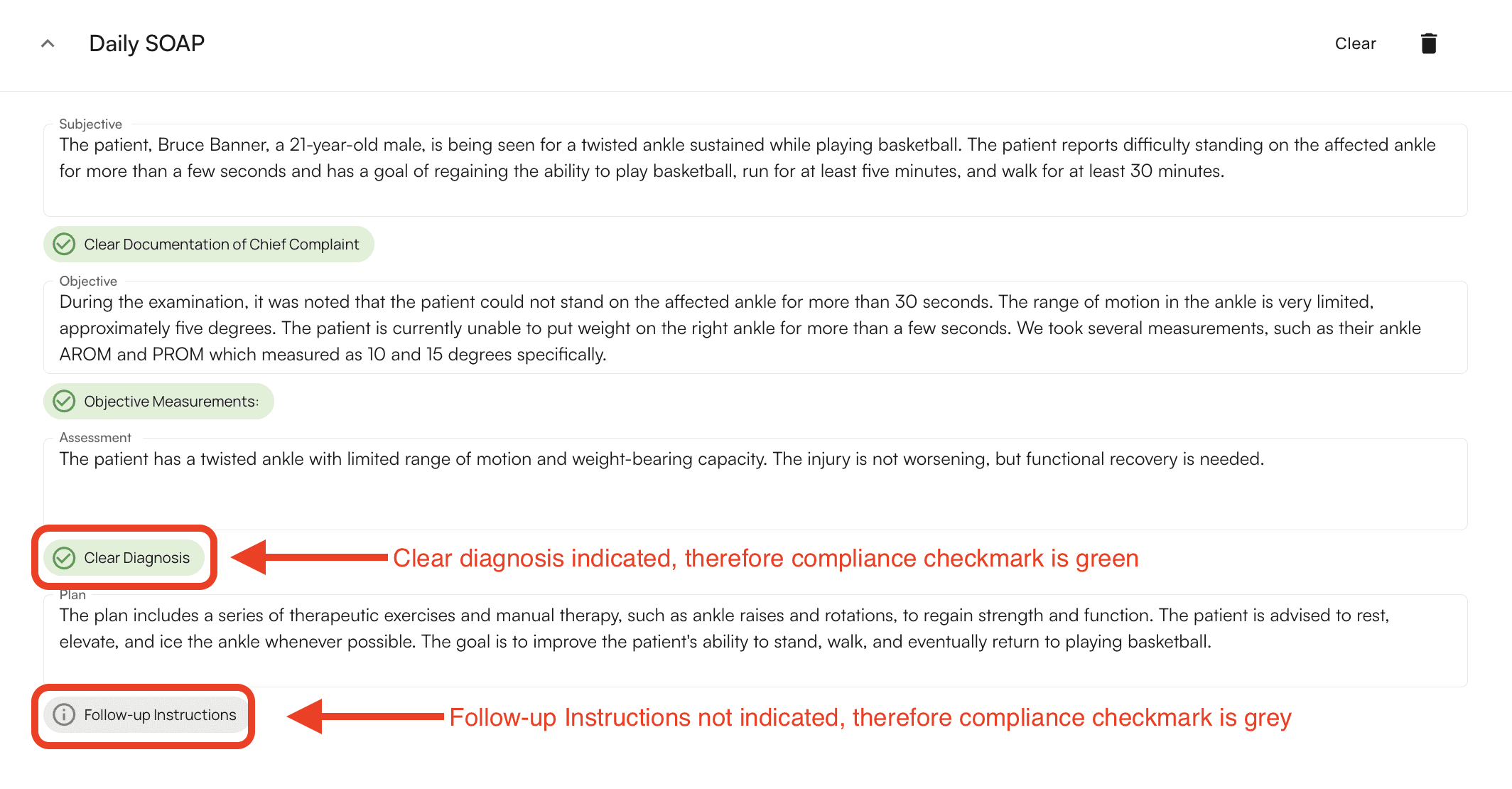
How to Add Compliance Check Marks
Compliance check marks are created during the custom template creation process. For “Paragraph Answer” type template components, you’re able to add the Question Trait, Prompt, and which notes types the compliance check mark will be applied to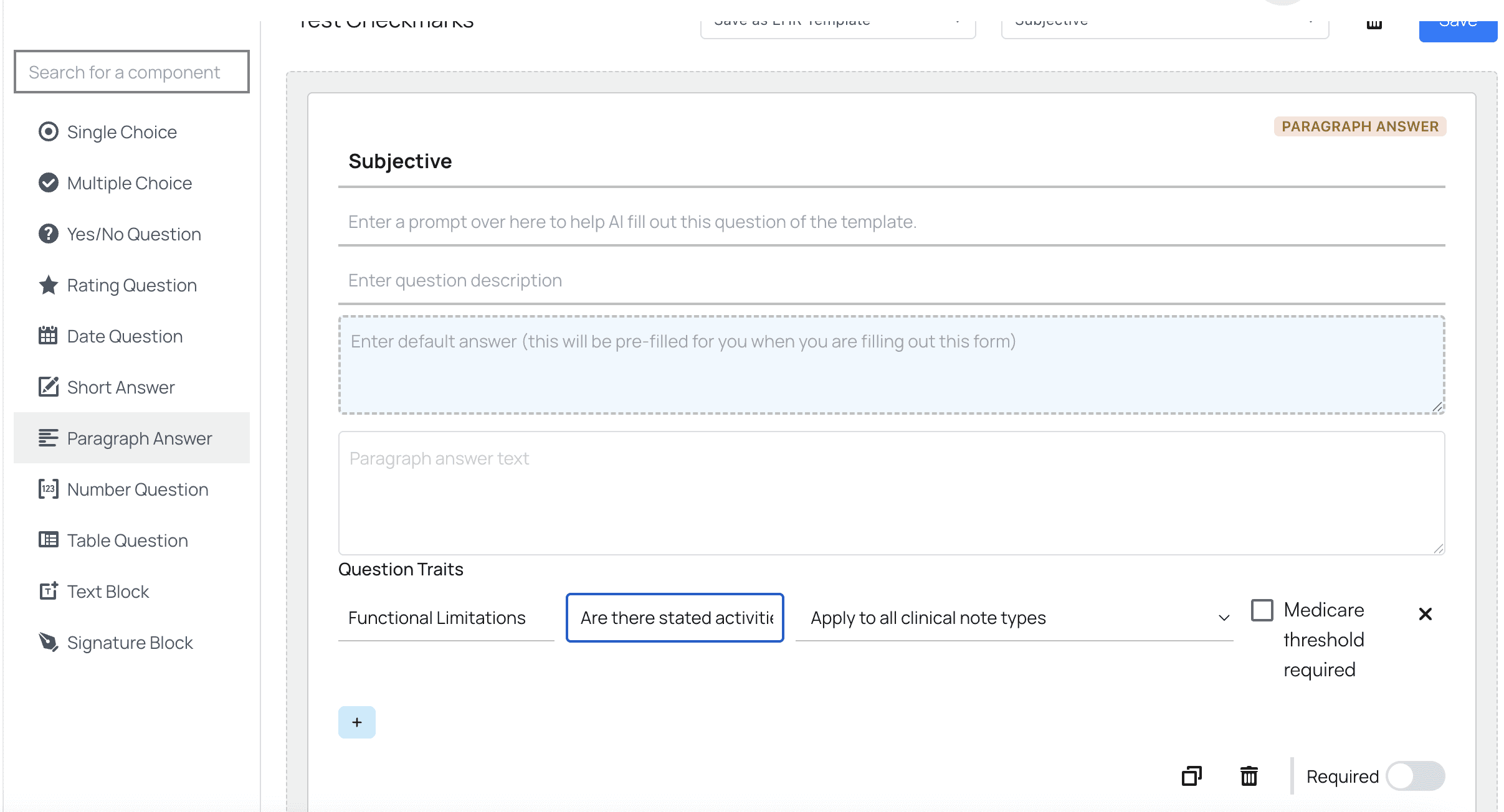

Check Mark Prompting Quick Tips
Compliance checks confirm whether required details are in your clinical note. Write each prompt so it can be answered Yes (True) or No (False). Tips- Be specific: Name the exact info to look for.
- Good: “Does the note list blood pressure and heart rate?”
- Poor: “Did you record vitals?”
- Use clinical language: Match your documentation style.
- Good: “Is a follow-up plan documented in the Plan section?”
- One item per prompt: Split multiple checks into separate prompts.
- Keep it yes/no: Avoid open-ended questions. Examples
- “Is the patient’s chief complaint documented?”
- “Are range-of-motion measurements included?”
- “Is a diagnosis listed in the Assessment section?”
- “Are follow-up instructions included?”