
Customizing start & end times
To modify the start and end times, head to Preferences → Calendar → Start & End Times. Here you can select the starting time and the ending time.Default start & end times
By default, the calendar start and end times are set to display 06:00am to 08:00pm and this is applied at a site level (meaning all facilities adopt the same times). You can choose to set one site-wide start & end time or set specific times for specific facilities.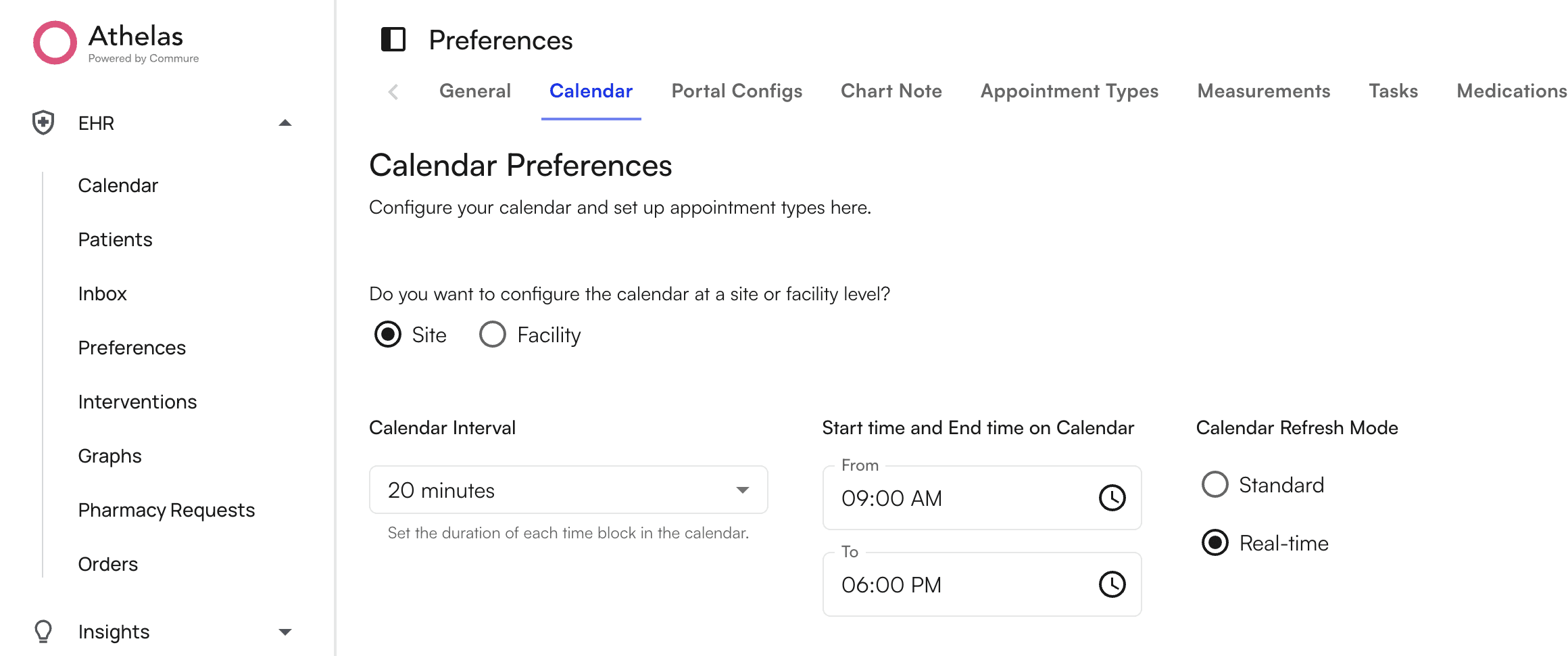
Applying unique start & end times to various facilities
If you wish to specify unique start & end times to specific facilities, select the “Facility” option and a table should appear below. On this table, selecting any facility will make its start & end time controls appear on the right. Select multiple facilities to modify multiple facilities at once.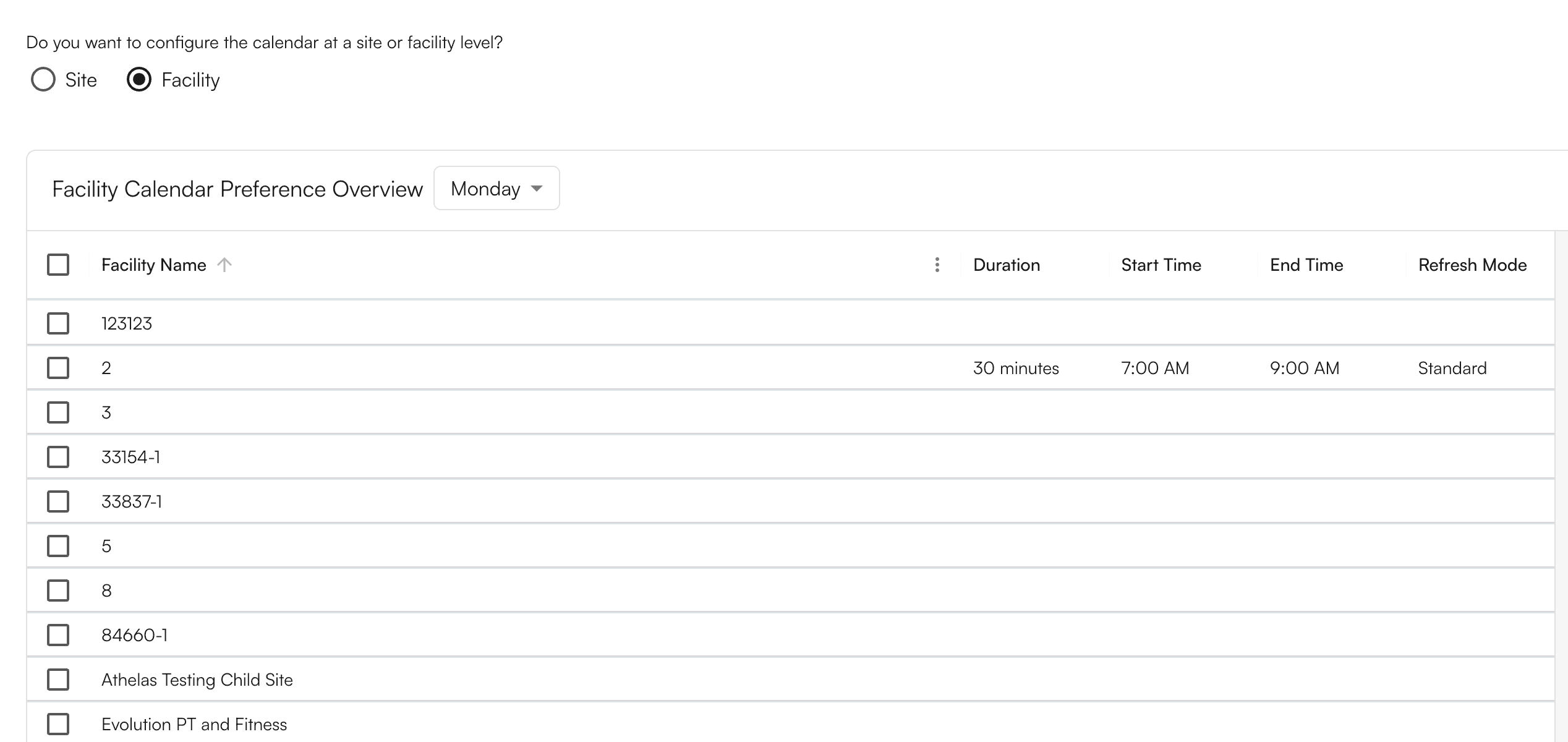
Considerations when choosing start & end times
Modifying the start & end times on calendar will impact how your calendar appears depending on the viewing mode selected.- On “Standard” view, widening the start & end times will increase the length of the calendar.
- On “Fit to Screen” view, widening the start & end times will make all calendar blocks smaller.