
At a Glance
In the world of medical billing, perhaps the two most important questions you can answer are:- How much have payers told us we’ve been reimbursed?
- How much of that has actually arrived in our bank account? Getting a clear answer to #1 can be challenging enough, but some practices are forced to spend tremendous amounts of time manually matching up bank deposits with EOBs in order to make sense of what they’ve been paid and find out what payments are missing.
Best Practices
1. While Insights will be able to automatically match the majority of your remits/deposits, some portion will still need to be manually matched. For this reason it’s worth reviewing your unmatched remittances/deposits at least every 2 weeks to keep the volume of unmatched pairs manageable. 2. Often remittances will arrive a few days before payments hit the bank, so for any remittances younger than 5 days old, don’t be too worried if there’s no corresponding deposit in your bank account just yet. 3. When you deposit multiple checks at once, your bank will usually sum them all up into a single deposit which makes it hard to match them against individual remittances. When you’re looking for payments that correspond to orphaned remittances, this is often a good place to start.🌐 Core Feature Walkthrough
View All Remittances
Even before you connect your bank account, you’ll be able to view a list of all your recent remittances in chronological order (or a different order if you care to re-sort them).
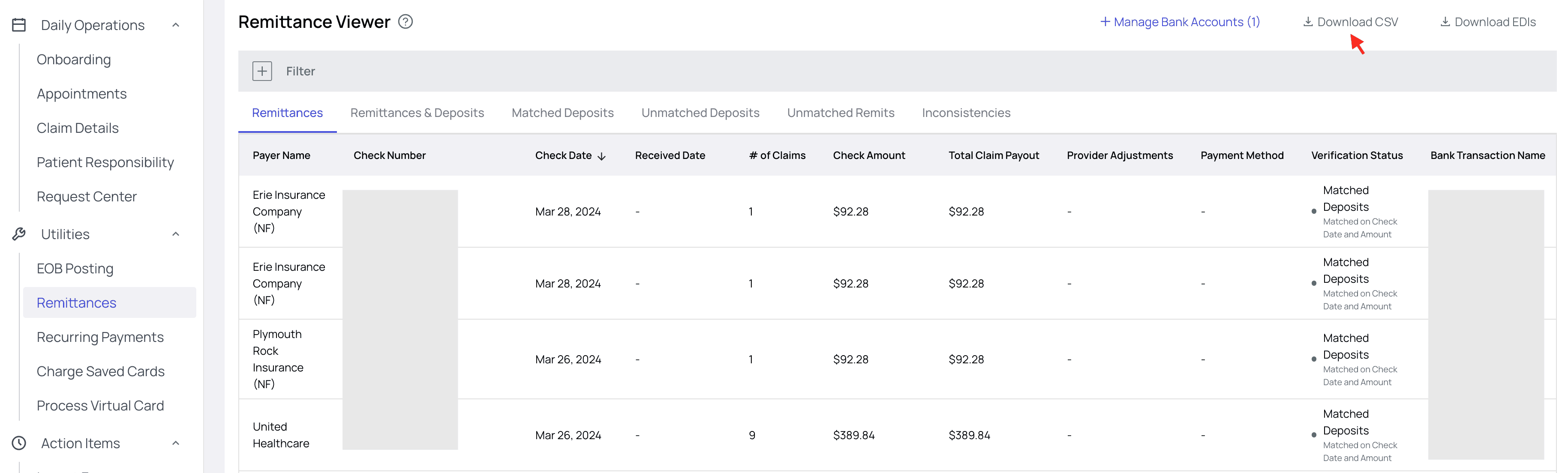
- Download CSV — for some folks, there’s no place like Excel. If you happen to be a spreadsheet jockey, you’ve got the option to download all the data in this tab. That way you can work in your data manipulation tool of choice.
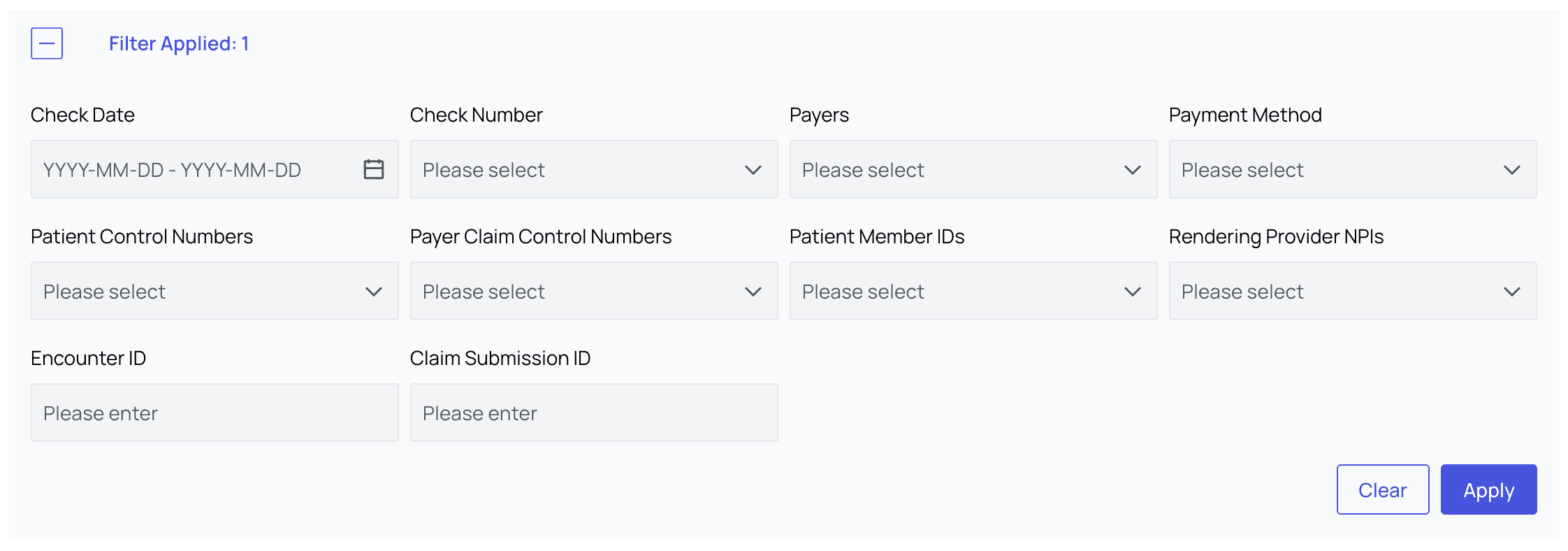
- Filter Remittances — we’ve also provided a wide variety of filters to help you narrow down to just the subset of remittances you’re looking for. This is particularly helpful when investigating missing deposits.
Connect Your Bank Account
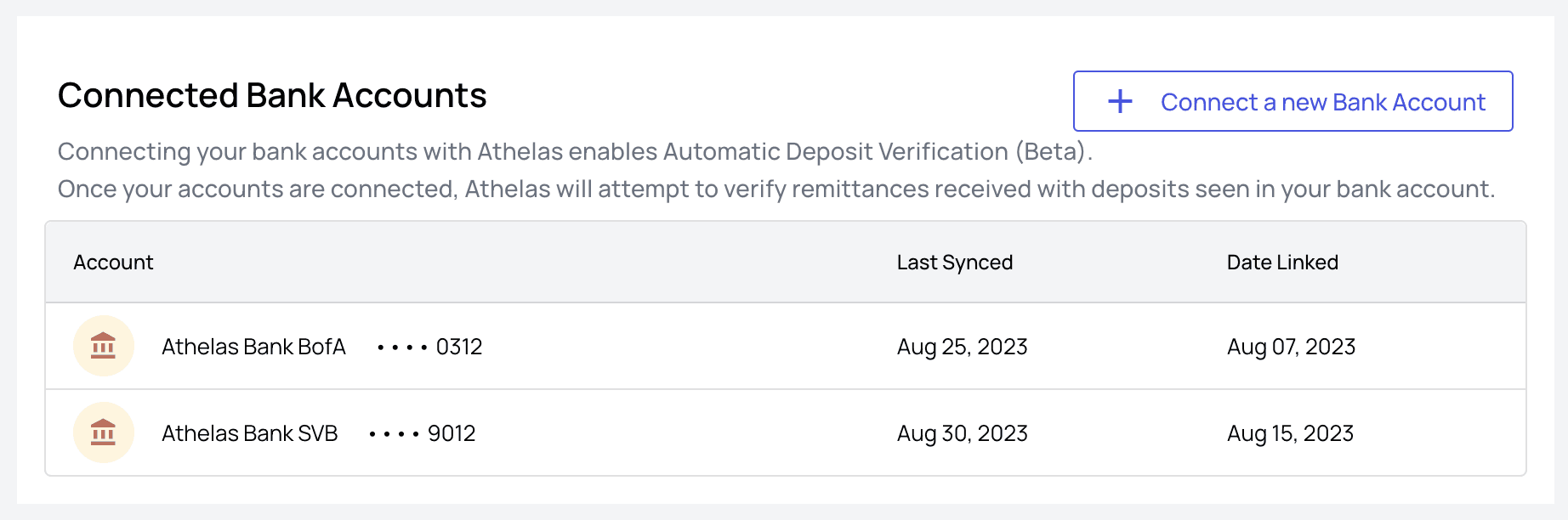
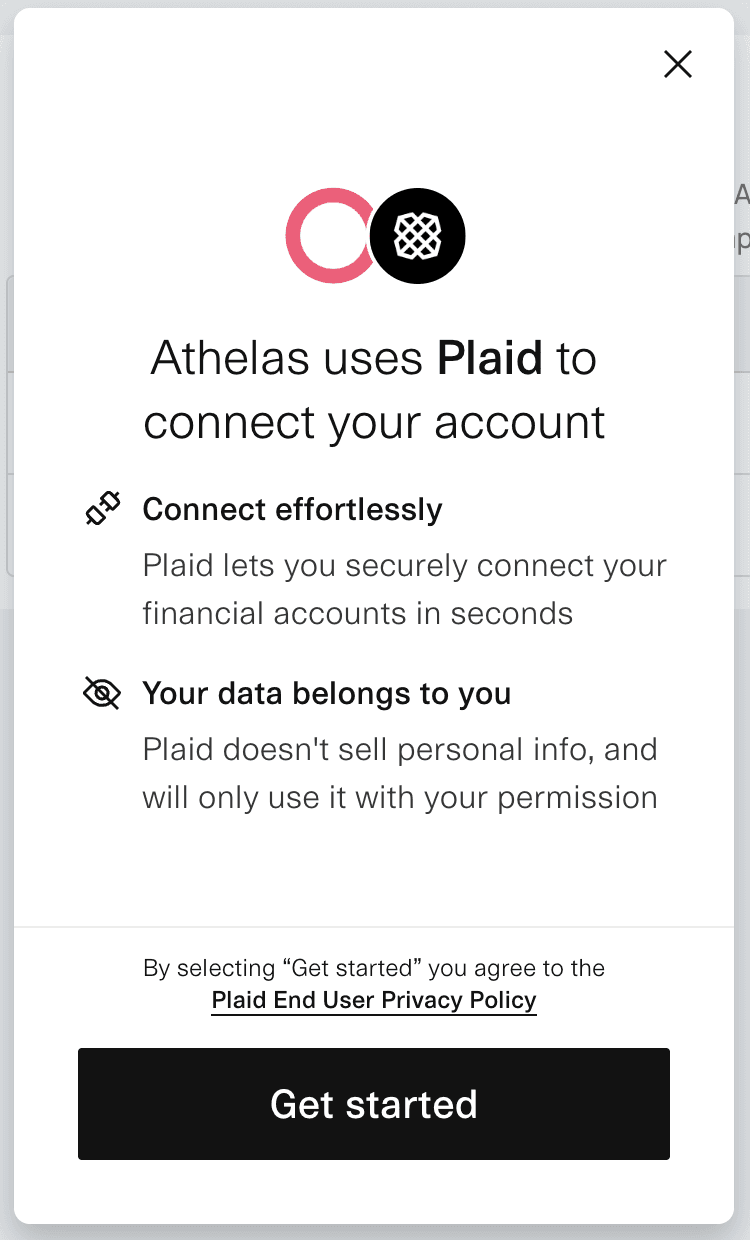
Once you’re ready to start automatically matching remittances and deposits we’ll need to connect to your bank account via the Insights/Plaid integration. Here’s how to do it: From the main Remittances tab, click theConnect Bank Accounts button. This will take you to the linked accounts screen.
Refresh or Delete a Bank Account
To refresh or remove an account, simply click ‘Manage Bank Accounts’ on the Remittances page, then click either the Refresh or Delete icon for that account.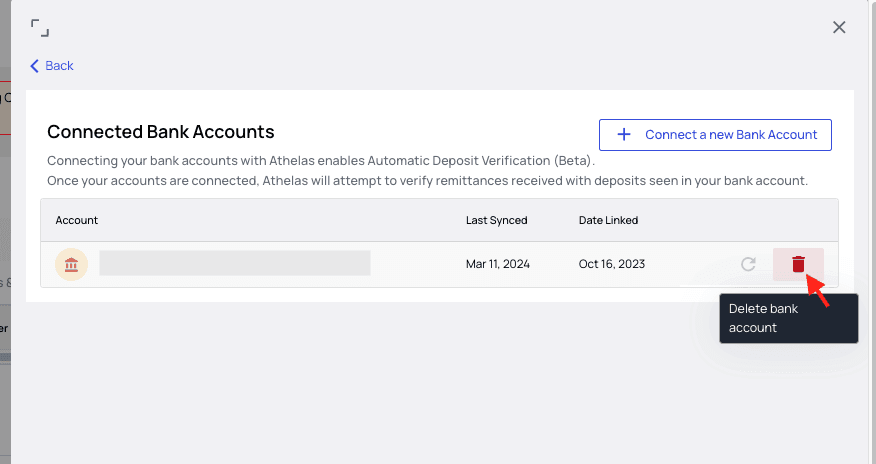
Analyze Matches / Missing Deposits
Now that your bank account is hooked up and Insights has had time to run our algorithmic matching protocol, the fun really begins. You now have 5 different ways to segment your data, depending on your objective:
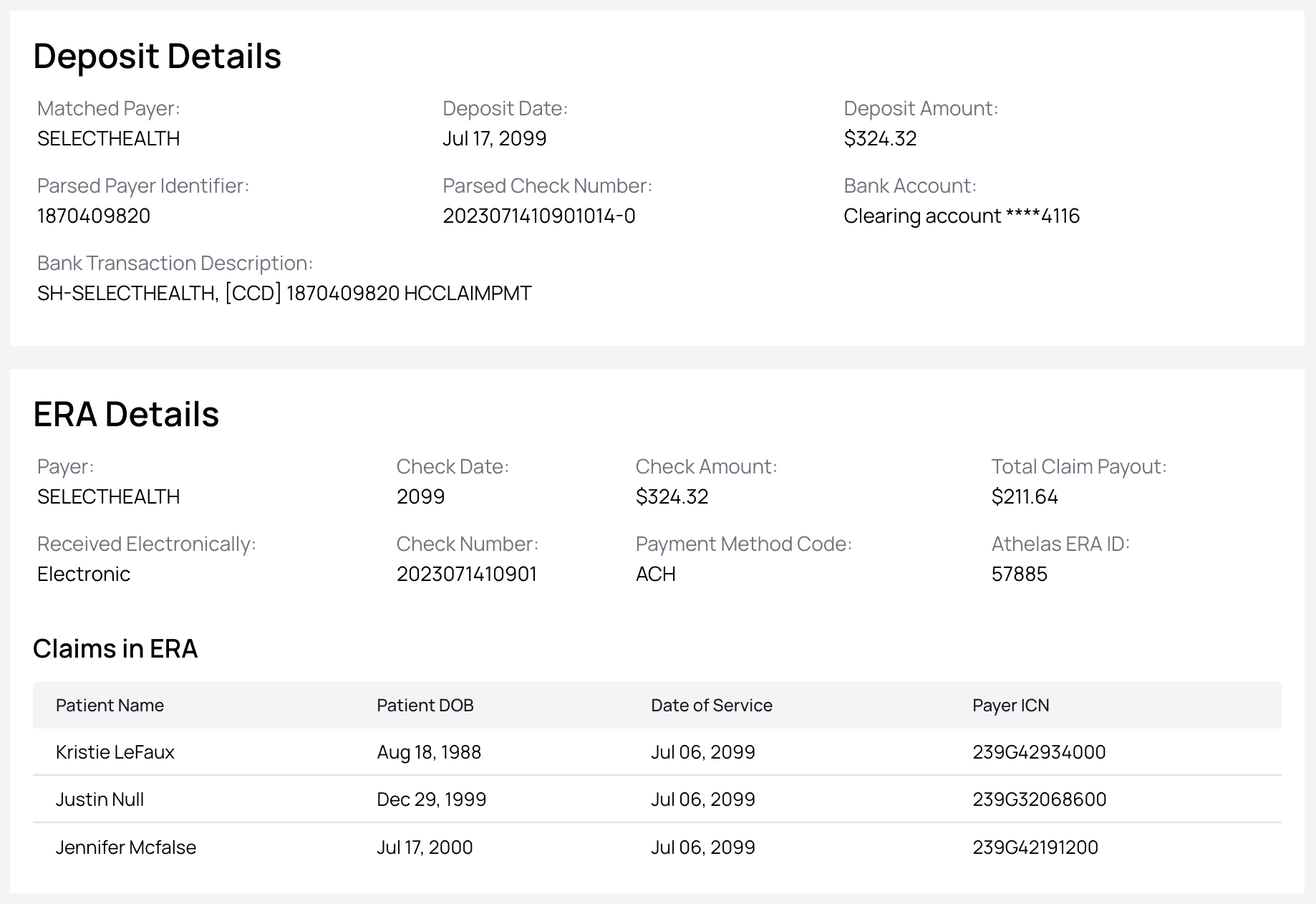
- View All — in this view you’ll see a combination of both remittances and deposits. Any that have been matched will appear combined into a single line item, but you’ll also see rows for unmatched remittances and unmatched deposits.
- Missing ERAs — here you’ll see any deposit for which Insights couldn’t find a corresponding remittance to match it to.
- Missing Payment — on the flip side, this view shows remittances with no payments that could be directly matched to them
- Inconsistencies — here Insights was able to match a remittance to a deposit, but there’s some discrepancy between the two.
- Generally this a difference in payment amount (often only a few cents), but each row will specify that the inconsistency in the match is.
- Matched Deposits — as you might expect, this view holds all our unproblematic matches where a remittance clearly belongs with a given deposit and the numbers all line up nicely.
In Conclusion
With these tools in hand, the process of tracking down missing payments and missing remittances becomes a lot simpler. As we continue to refine our matching algorithm there will be more and more matches generated automatically.FAQ
What should I do if my bank doesn't integrate with Plaid?
What should I do if my bank doesn't integrate with Plaid?
Reach out to support@getathelas.com and we’ll see if we can manage an alternate method of importing your deposit list. Occasionally this isn’t possible, but often we’re able to find a suitable workaround.
- Plaid
- Stripe