Problem Statement
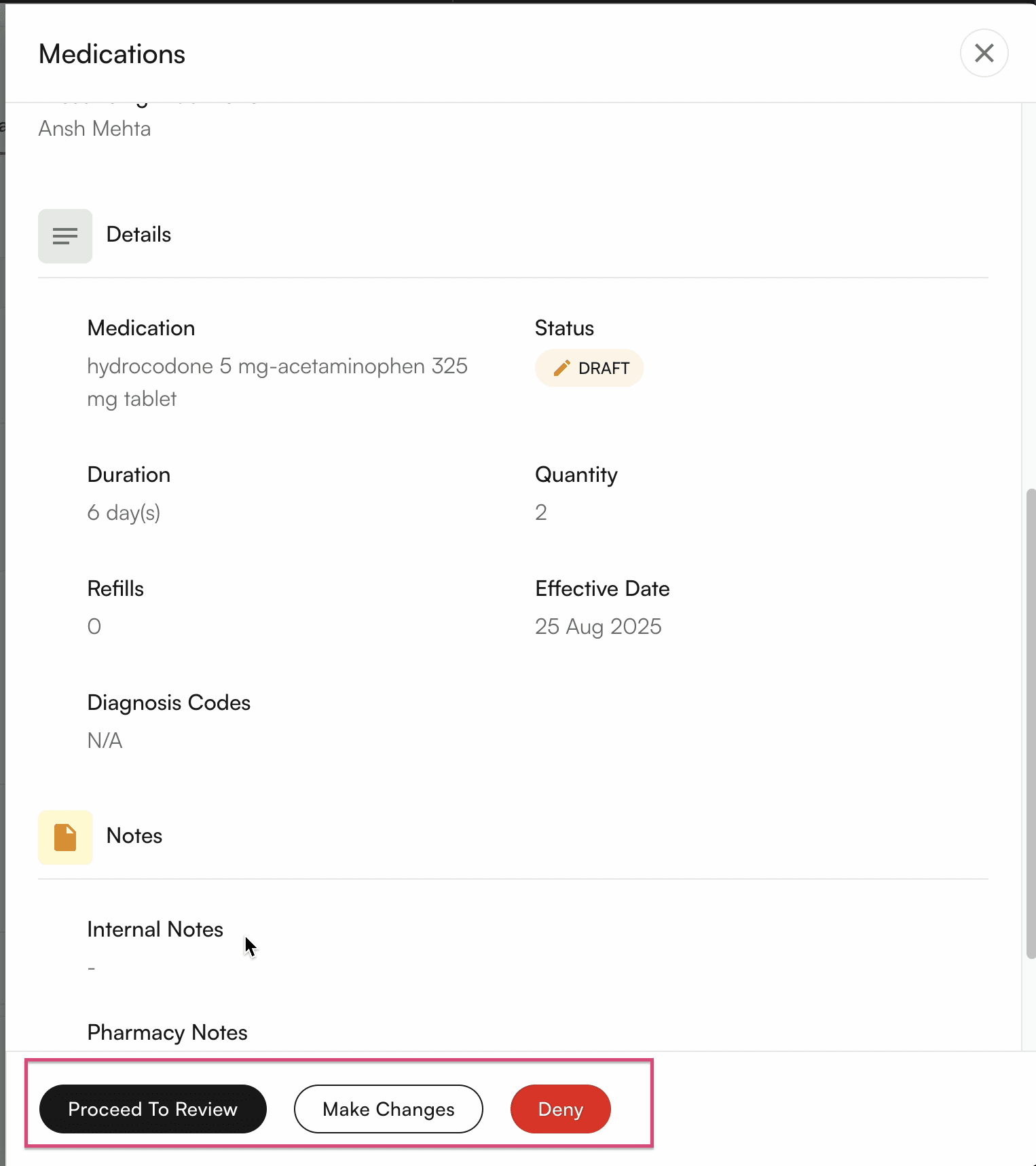
Providers can prescribe medications in Insights, but given their busy schedules, they often don’t have time to fill out multiple fields and submit prescriptions themselves. Instead, they rely on staff, typically MAs, to draft prescriptions for later review and sign-off, or to directly prescribe when the medications are not controlled.Solution
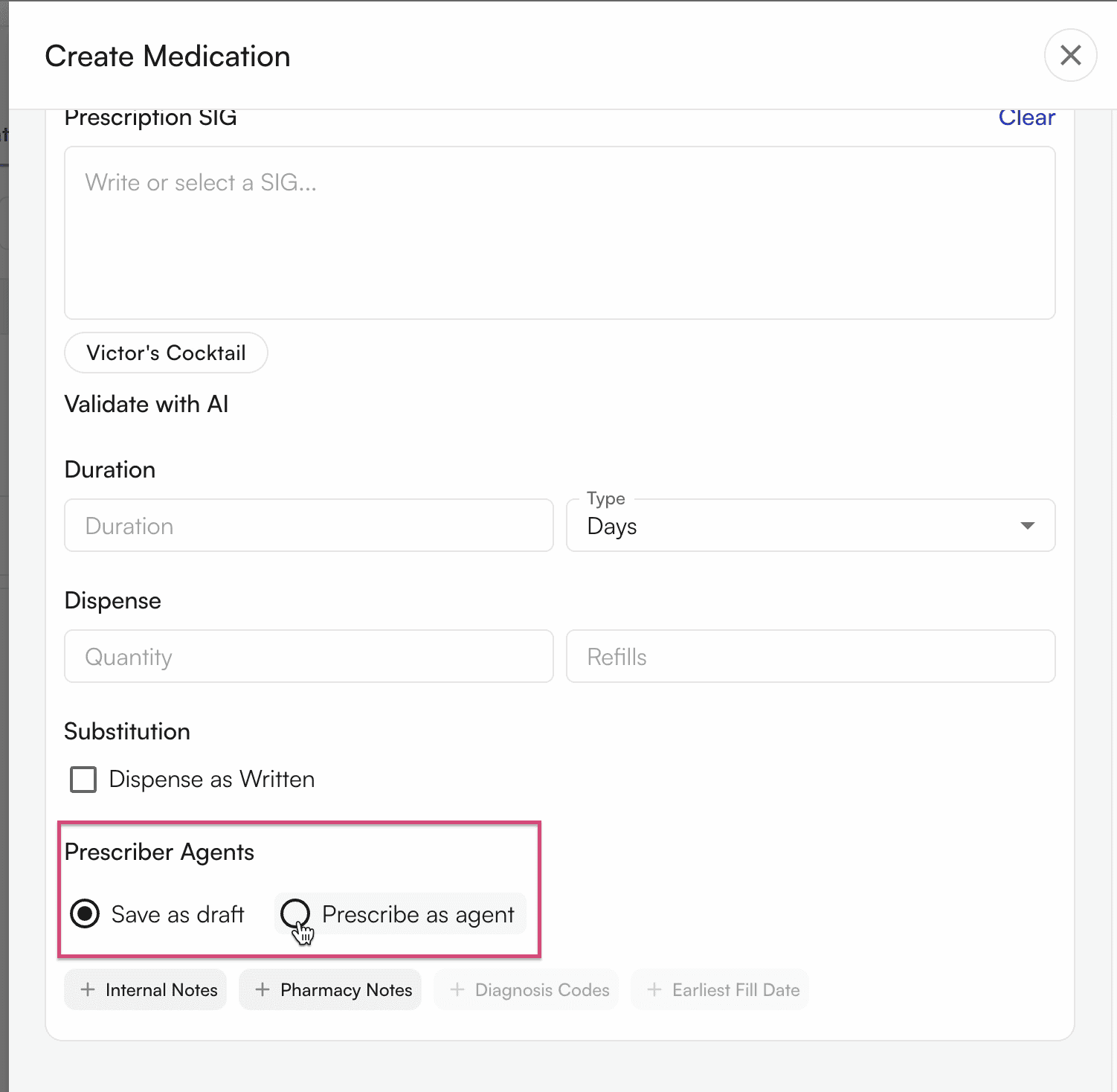
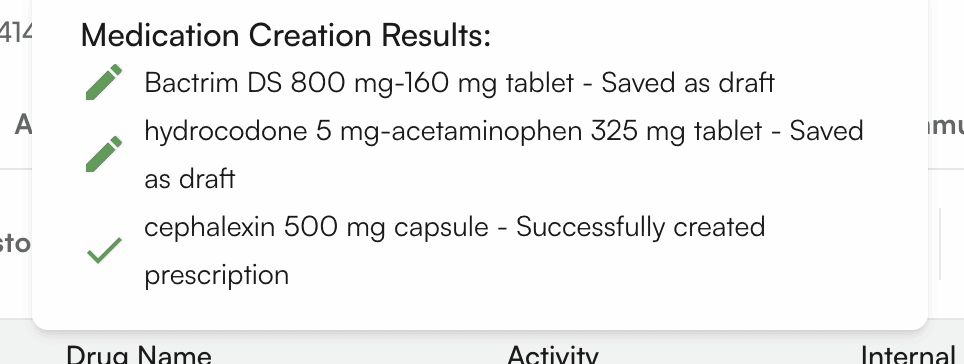
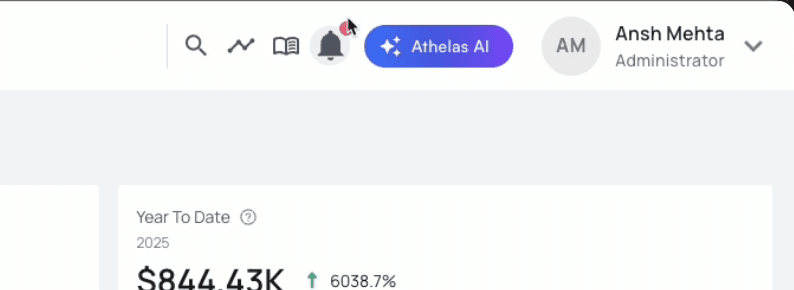
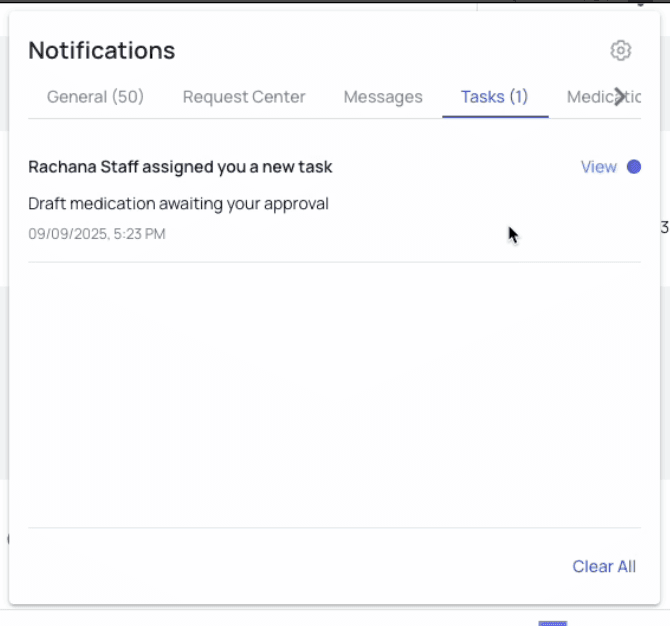
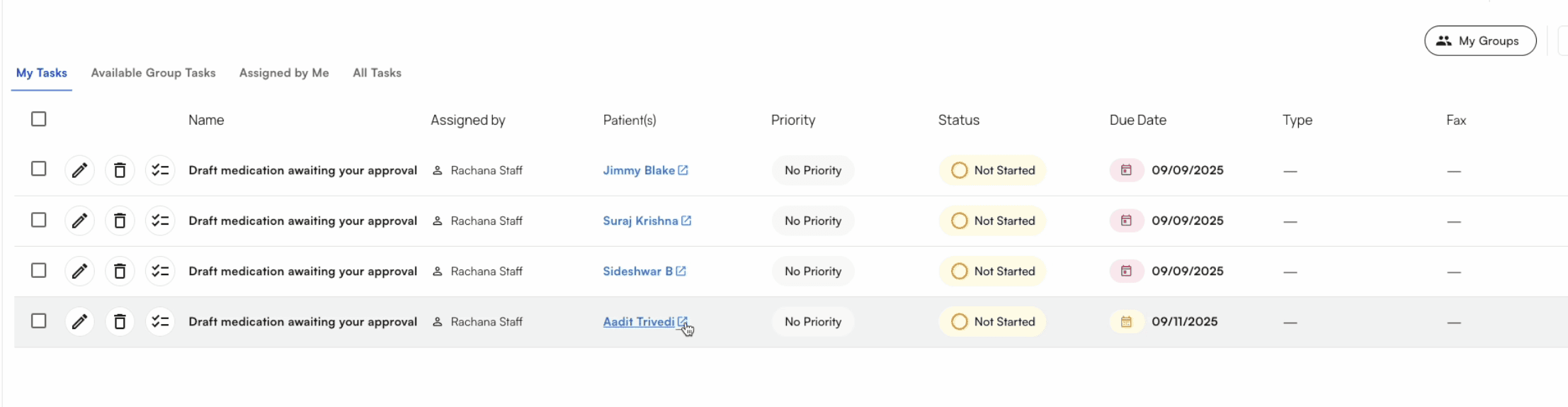
Providers can designate staff members as prescriber agents, granting them the ability to draft prescriptions for controlled medications and prescribe non-controlled medications on their behalf. Providers can assign prescriber agents by facility and set permissions for whether they can only create draft prescriptions or also prescribe medications. When a draft prescription is created, providers receive a task notification on the notification bell. Clicking the notification takes them to the Tasks page, where they can view the associated patient profile. From there, they can navigate to the patient’s profile page and review the draft prescriptions under the Medications section.How it helps?
Providers save time by just signing off on medications instead of creating them. As part of MA’s day to day tasks, they create medications via this feature.How to use this feature?
Prerequisite
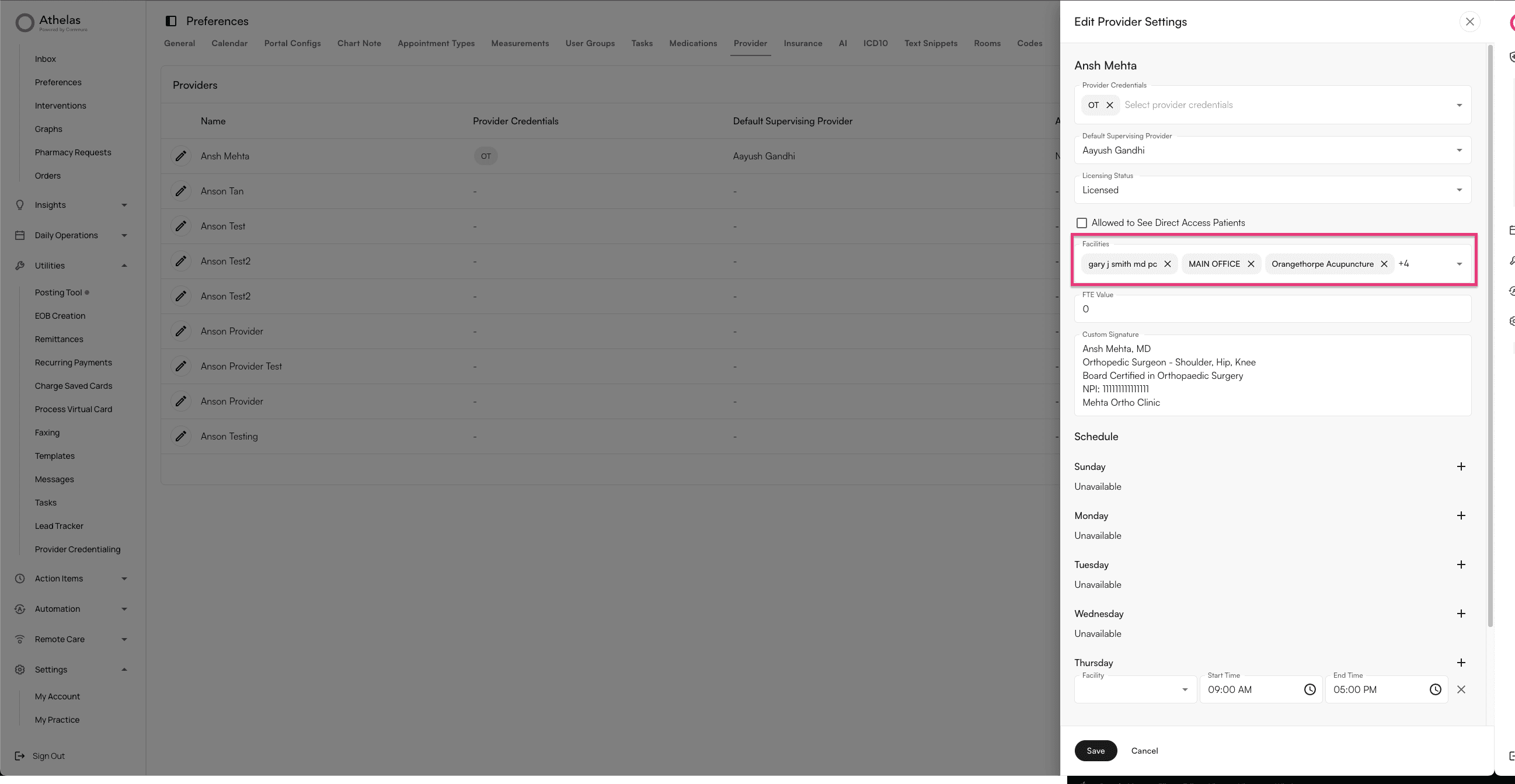
- Provider should have the facilities they want to prescribe for: EHR > Preferences > Provider
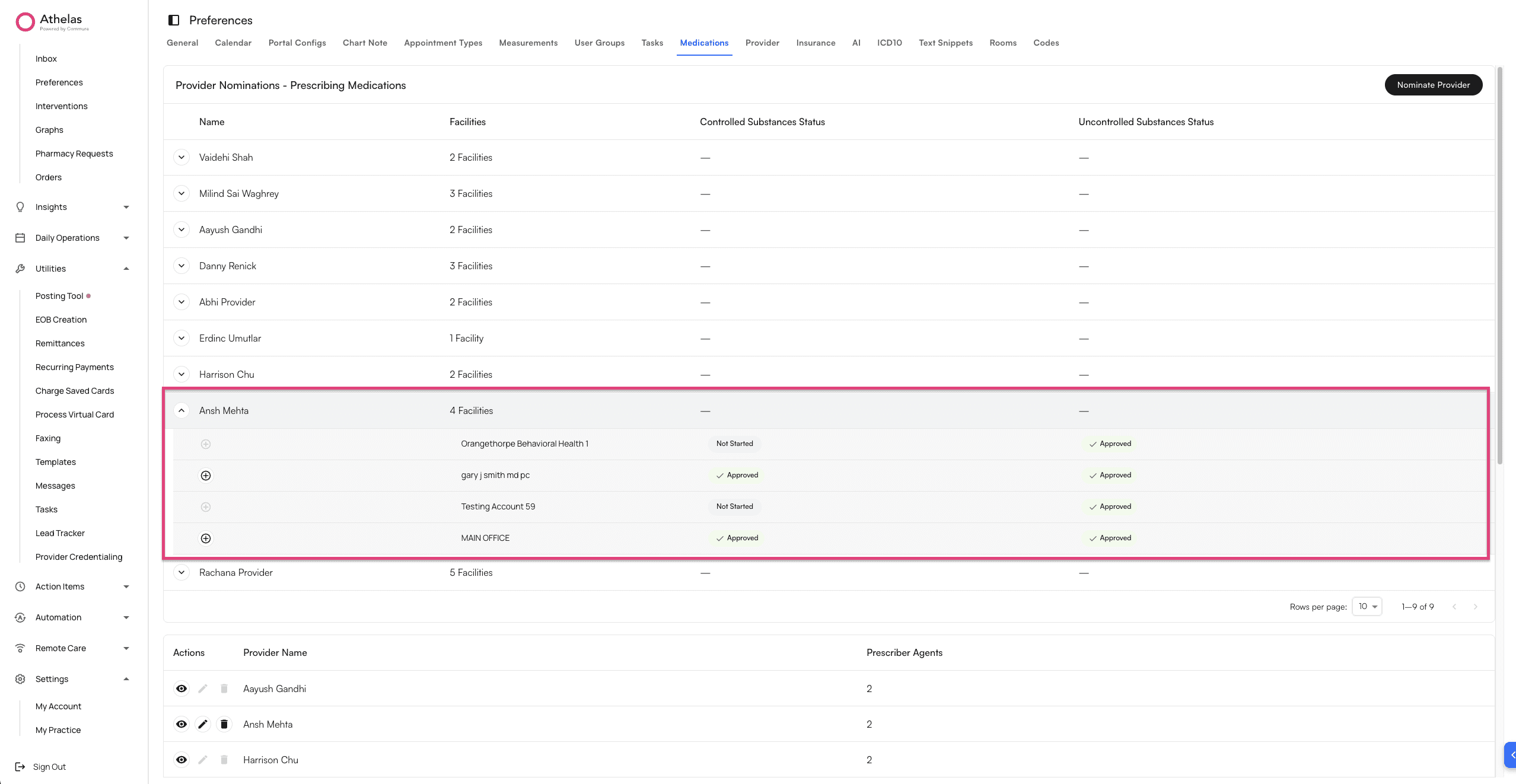
- Provider should be nominated for the facilities they want to prescribe medications -EHR > Preferences > Medications > Provider Nominations
Step 1 - Add prescriber agents for the provider
Go to: EHR > Preferences > Medications > Prescriber Agents Click on “Add Prescriber Agent”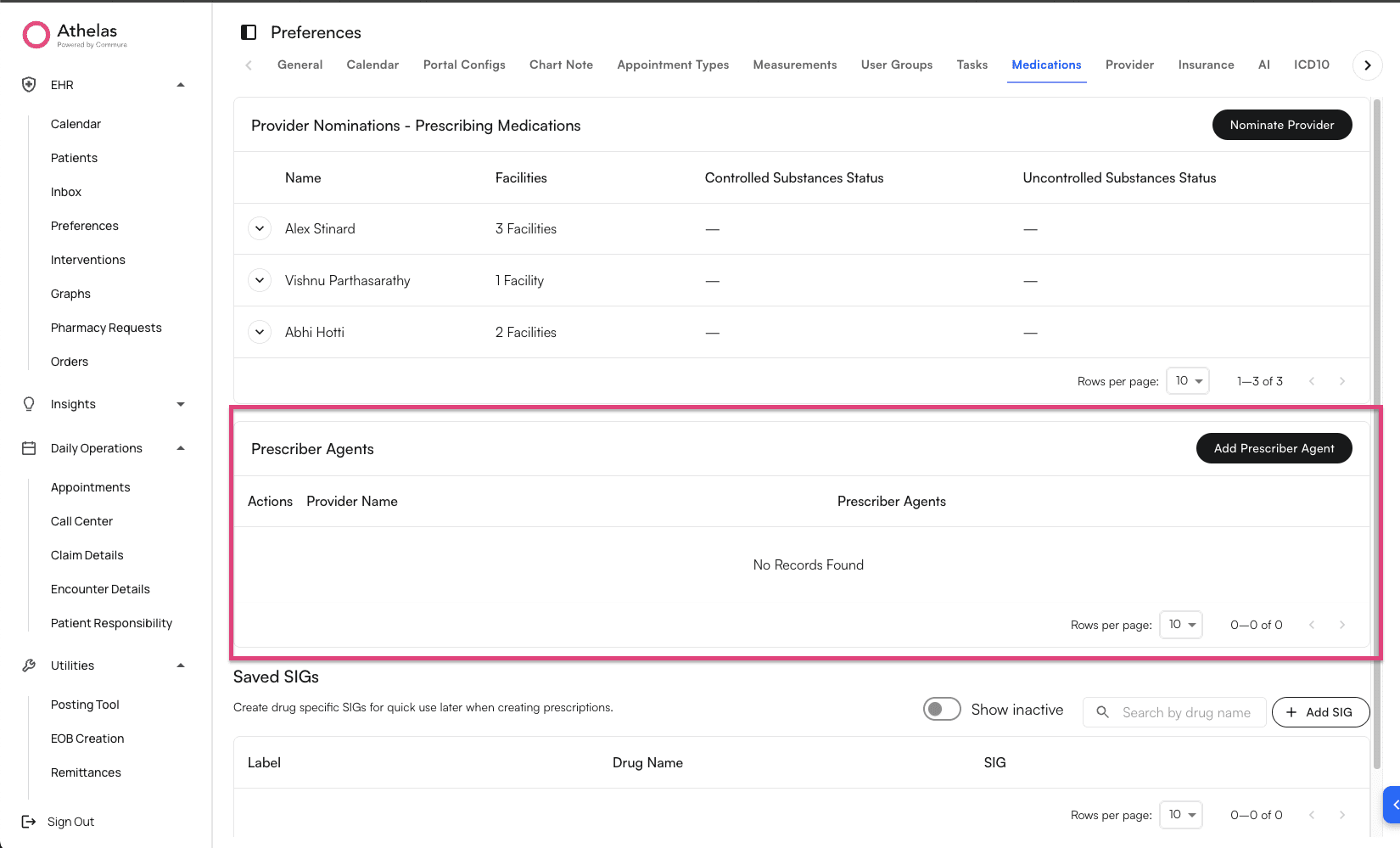
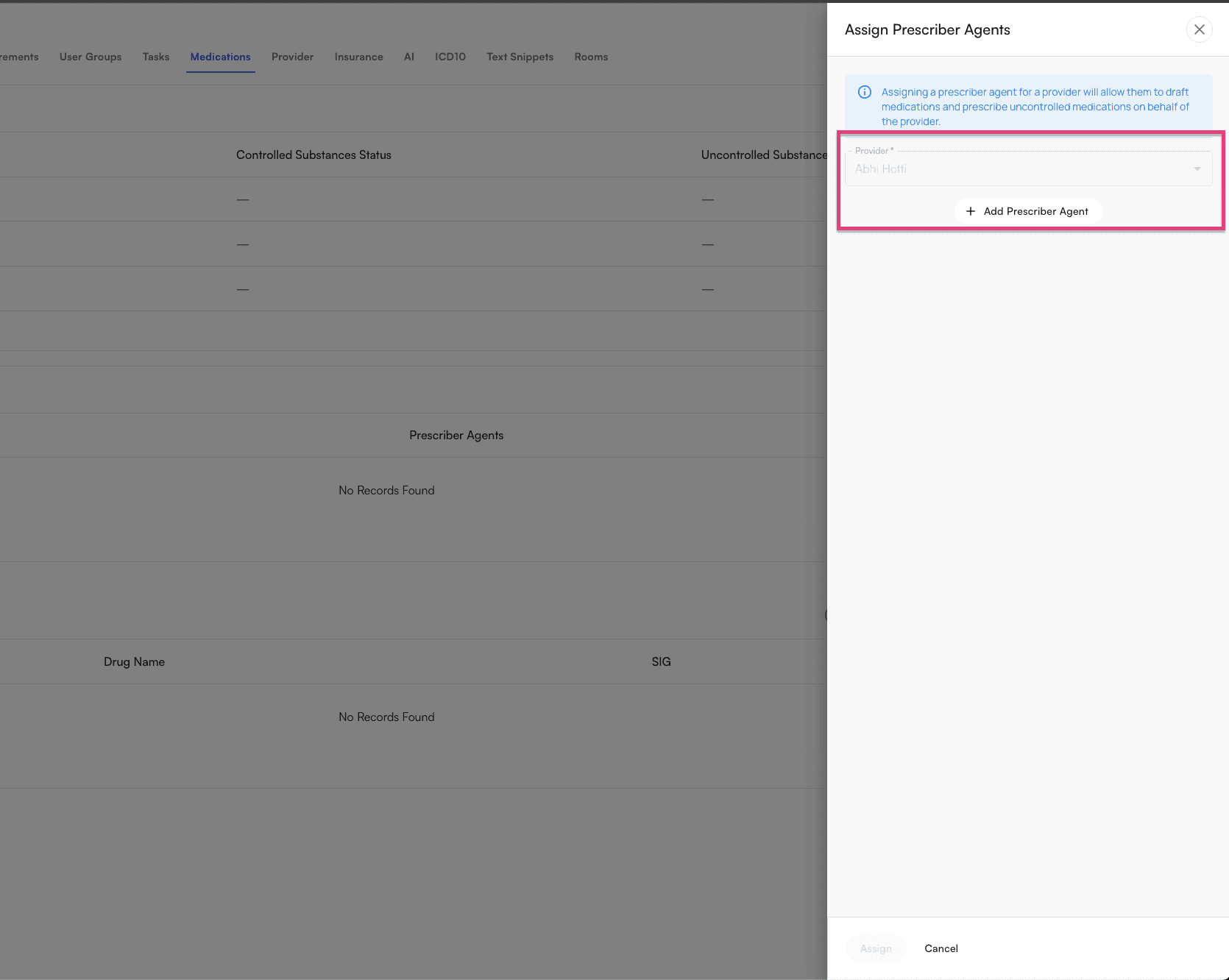
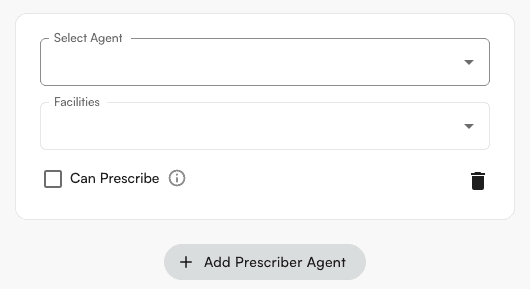
Step 2 - Create medications as prescriber agent
Prescriber Agent can go to the patient profile page, and select medications tab. Create a medication order.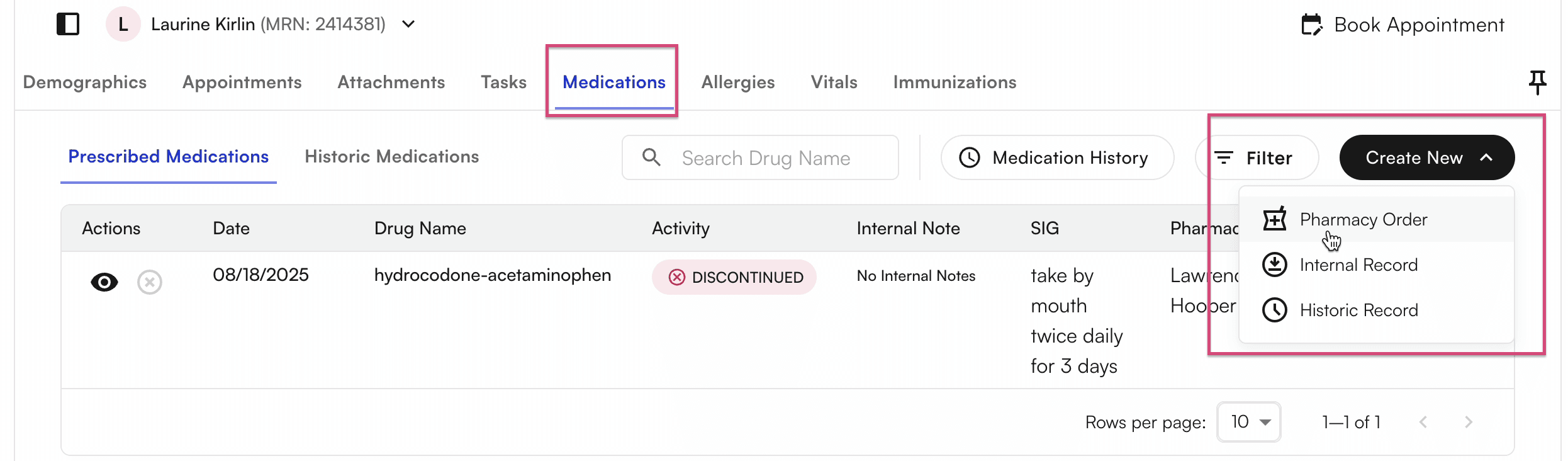
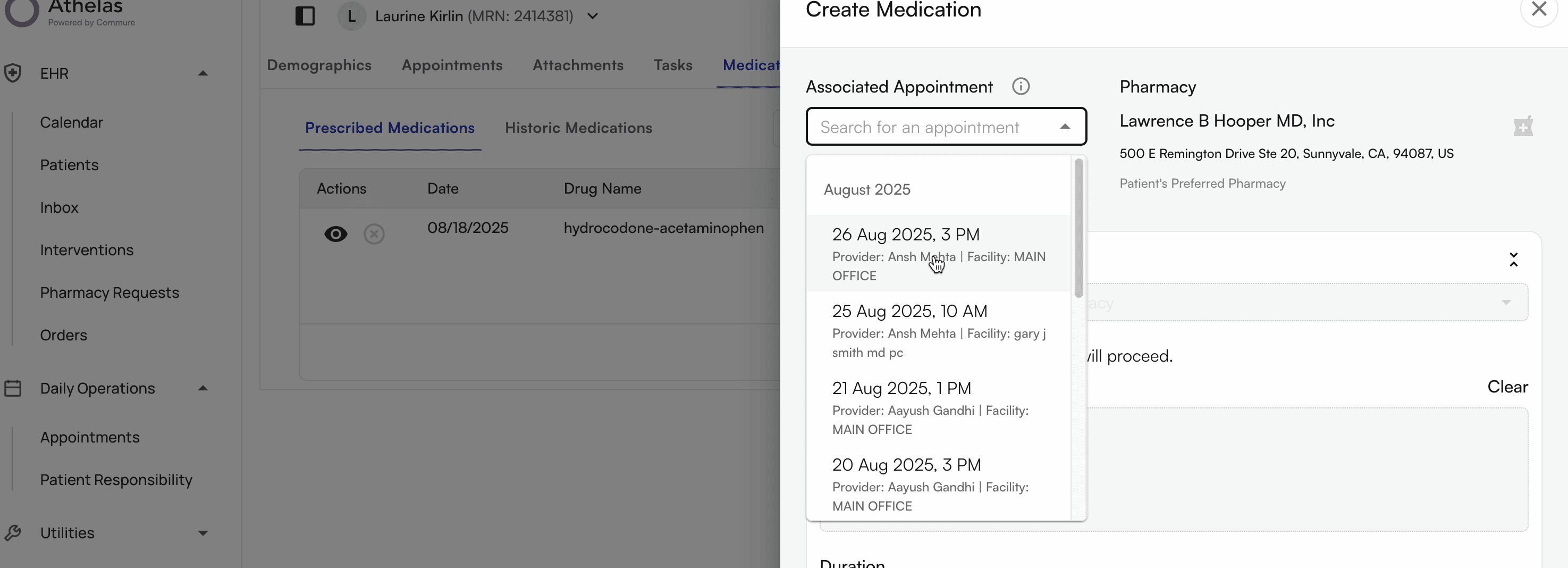
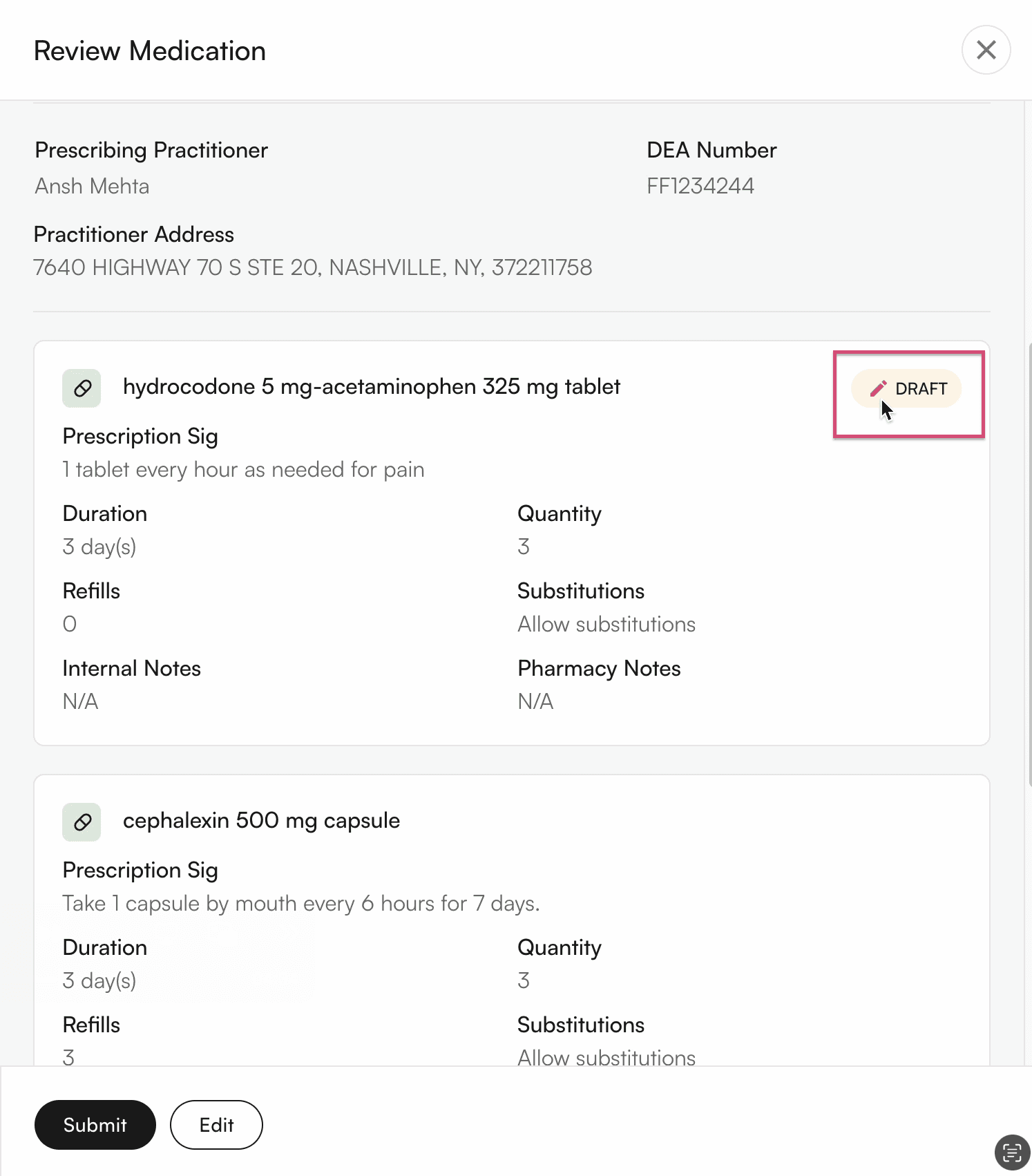
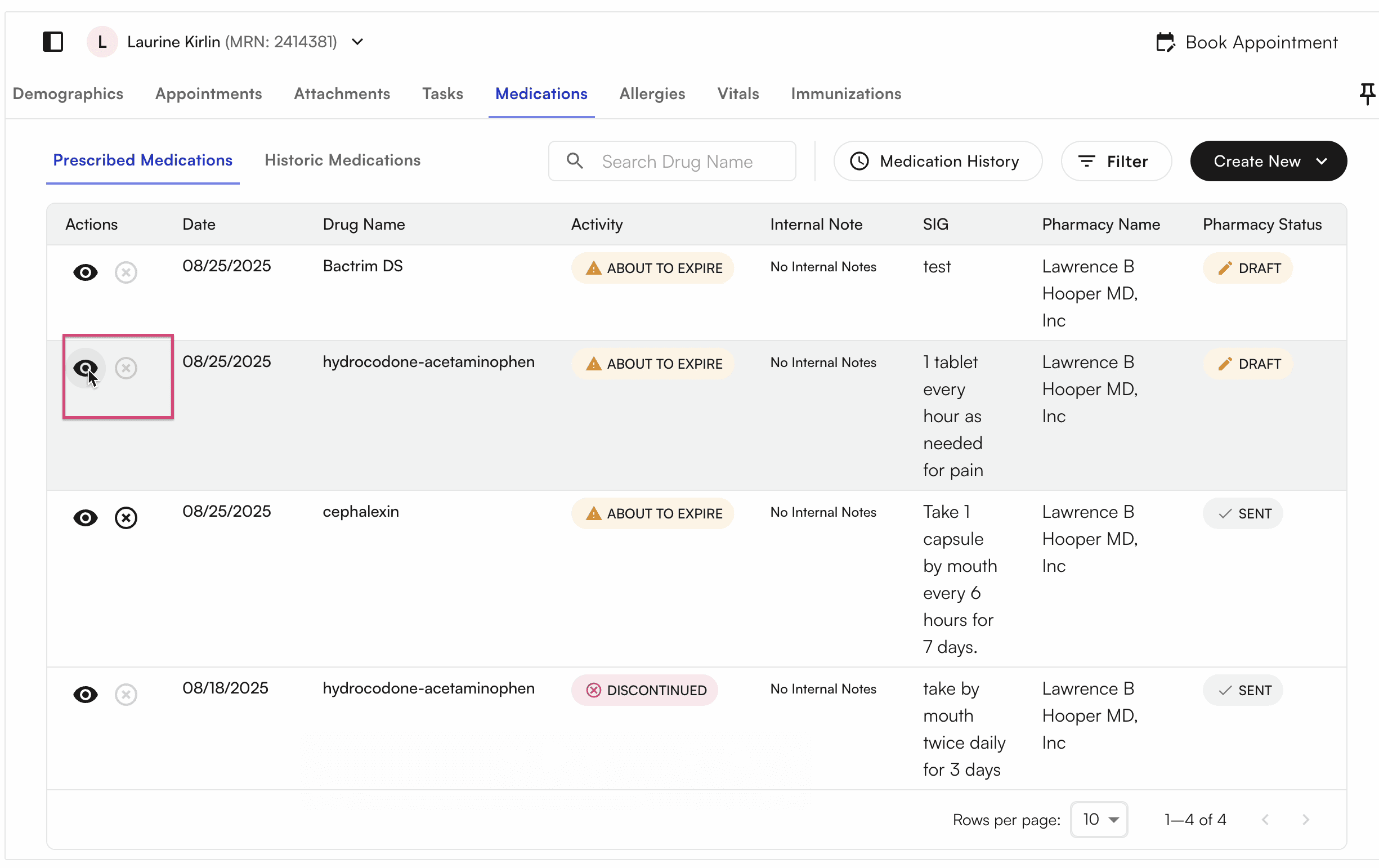
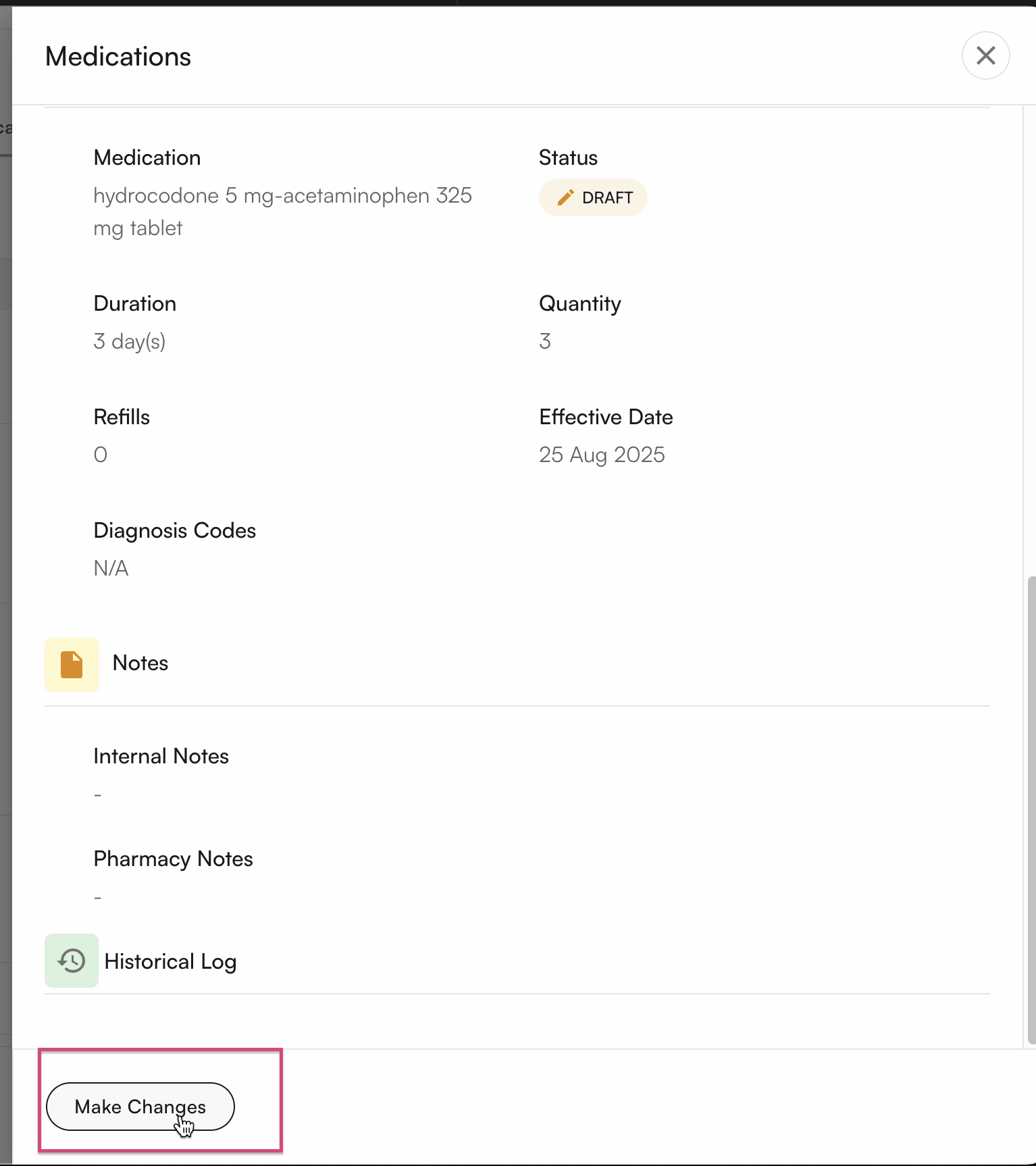
Providers can also make changes to draft, but they cannot save drafts, they can only prescribe them directly.