
What is Athelas AI?
An intelligent RCM assistant designed to streamline your daily billing and administrative workflows. Now available to everyone on insights.athelas.com, Athelas AI helps your team navigate operations with speed, precision, and ease.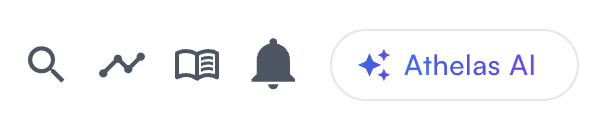



How to Get Started
- Access — Open Athelas AI in the top-right corner of Insights.
- Check Features — Ask “What can you do?” to view current functions.
- Analyze — Ask questions about claims, balances, and more to get instant insights.
- Take Action — The assistant can both provide information and execute tasks.
- Get Support — Create support tickets directly through the assistant when needed.
- Share Messages — Share, copy, or download responses instantly.
- Give Feedback — Use the thumbs up/down to help us improve responses.
User Guidelines
- Always confirm actions when prompted — Athelas AI never performs financial actions without explicit approval.
- Refresh your page after updates to see recent changes.
- Ask clear, specific questions, and follow up naturally.
- Include dates or date ranges when relevant.
- Use action verbs: “Show,” “Explain,” “Update,” “Process.”
- Professional use only: Athelas AI is built for RCM operations — not general inquiries.
Pro Tips for Maximum Efficiency
Be Specific
Good: “Show me patient John Smith’s appointments for October 2024.” Avoid: “Show me some appointments.”Use Exact Information
- “Find patient [name], DOB 03/15/1985.”
- “Refund $75.50 for date of service 11/09/2025.”
Combine Related Tasks
- “Find patient Sarah Wilson and show me her balance breakdown and recent appointments.”
- “Get encounter [ID] details and show me submission options.”
Ask for Explanations
- “Why is encounter [ID] currently denied?”
- “Explain the charge breakdown for this patient.”
- “What’s the next step for this claim?”
Common Workflow Examples
Daily Balance Review
- “Show all patients with balances over $200.”
- “For patient [name], show complete charge breakdown.”
- “What payment options are available for this balance?”
Claim Follow-Up
- “Find all encounters from last week with pending claims.”
- “Show details for encounter [ID] including submission status.”
- “Why did patient [ID] start getting denied this month?”
Patient Account Resolution
- “Patient [name] called about their bill — show their account details.”
- “Analyze all charges and payments for recent visits.”
- “Write off $50 balance due to financial hardship.”
Insurance Verification
- “Find patient [name] and show insurance information.”
- “Update primary insurance to [new name].”
- “Resubmit recent claims with updated insurance.”
Questions or Issues
If you have questions or encounter issues:- Ask Athelas AI directly for help
- Create a support ticket through the assistant
- Contact your billing team leads Athelas AI is built to make every day faster, smarter, and simpler — enhancing your revenue cycle efficiency and patient experience.