At a Glance
Prior authorization must be present in many circumstances in order for insurers to pay out claims. This guide details where to enter and update this information in Insights.What Is Prior Authorization?
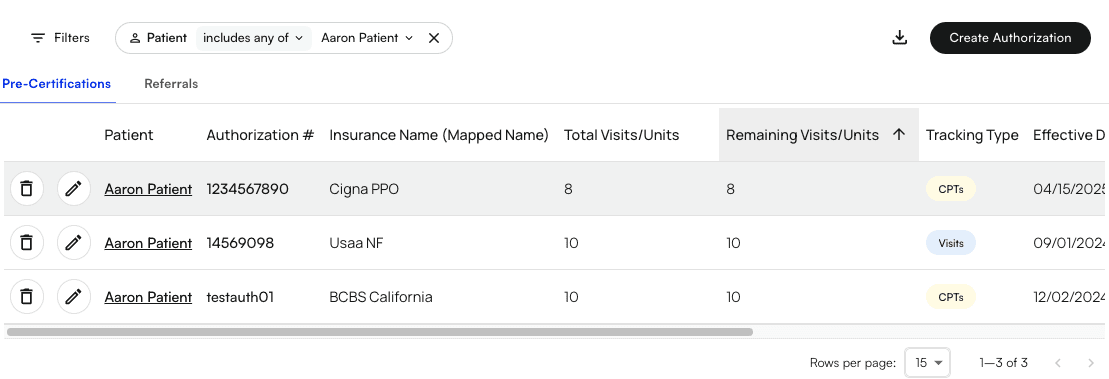
Before providing treatment or prescribing medication, physicians need to obtain approval from an insurer. This tactic, used by insurance companies to control costs, is called prior authorization. Without prior authorization, a health plan may not pay for treatment or medication. Emergency care doesn’t need prior authorization.Here is the Prior Authorizations page.
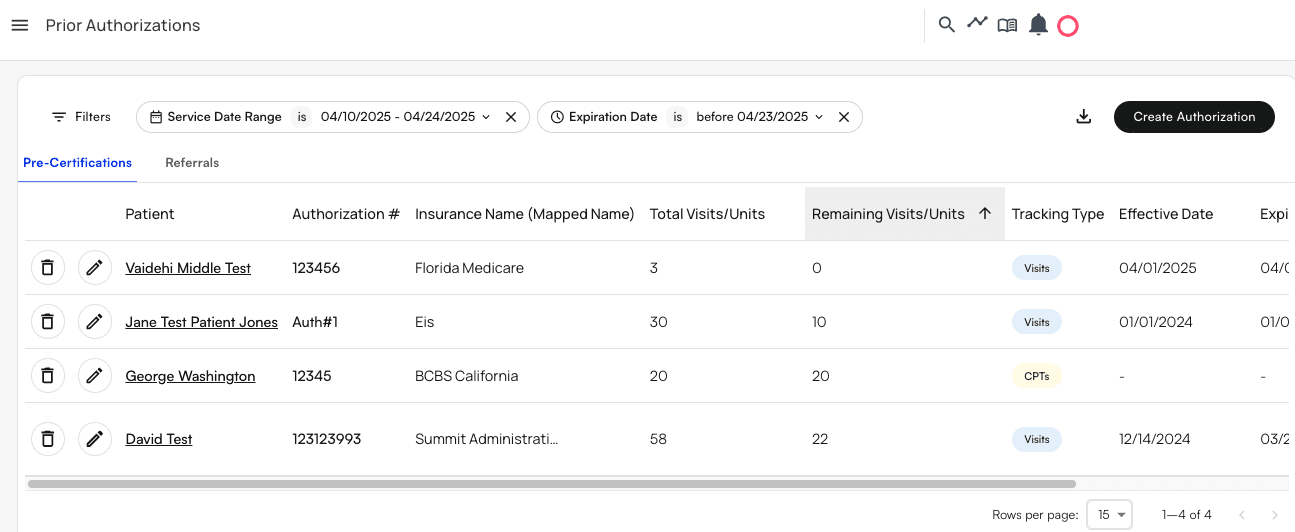
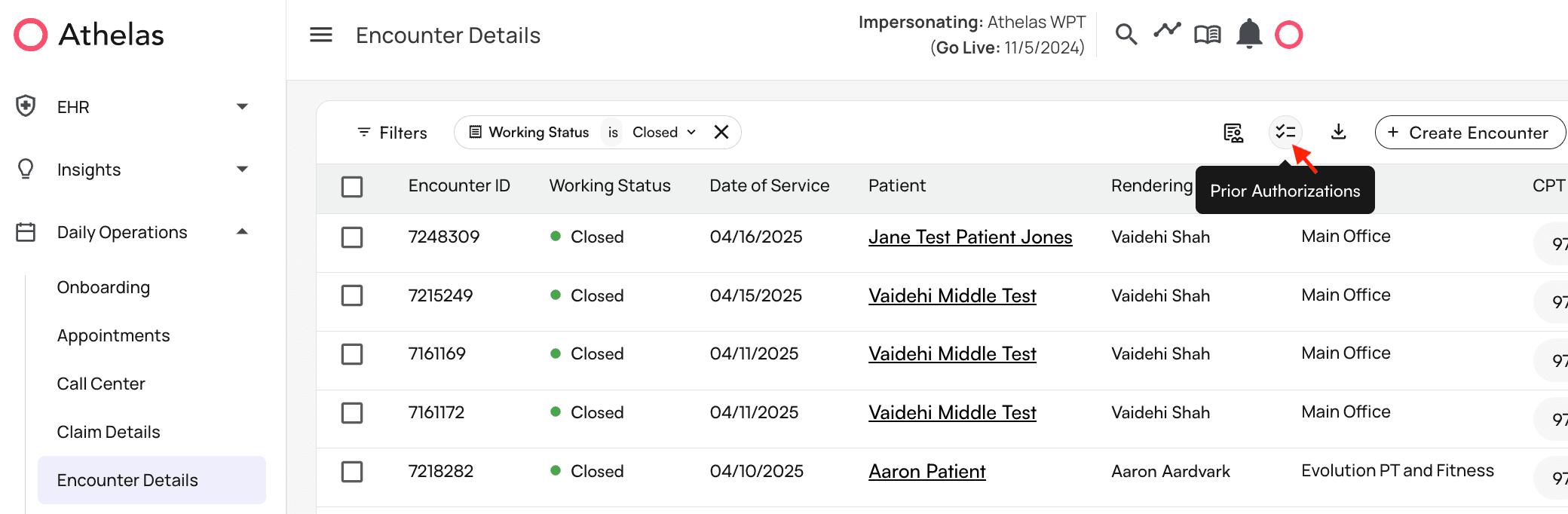
Page Header Features

- Set filters to show you only certain authorizations. For example, you can filter for a particular patient or authorizations set to expire by a certain date.
- Download a CSV file so you can view the data in a spreadsheet.
- Create a new authorization. Just below the page header, you can click the following column headers to re-sort the list of authorizations in either ascending or descending order:

- Total Visits/Units
- Remaining Visits/Units
- Effective Date
- Expiry Date These walkthroughs focus on how to add or update prior auth through this page only.
How to Add a New Prior Authorization
We’ll begin by clickingCreate Authorization.

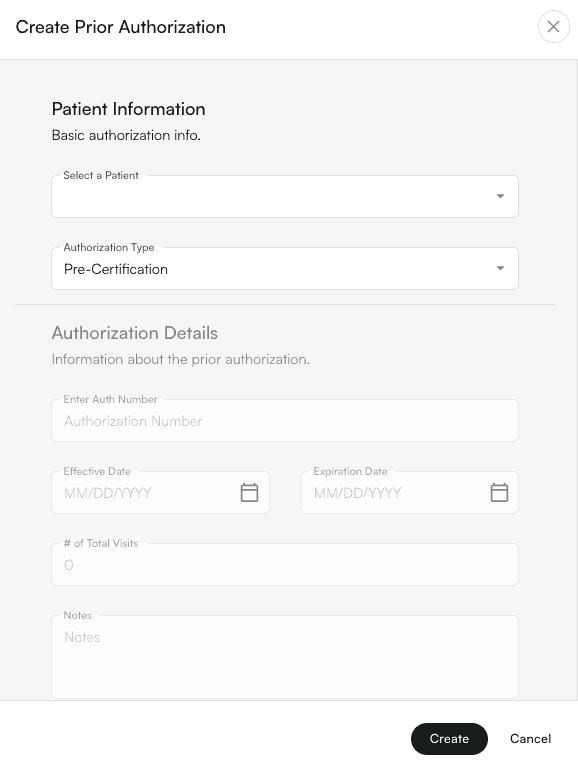
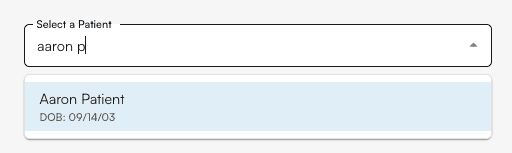
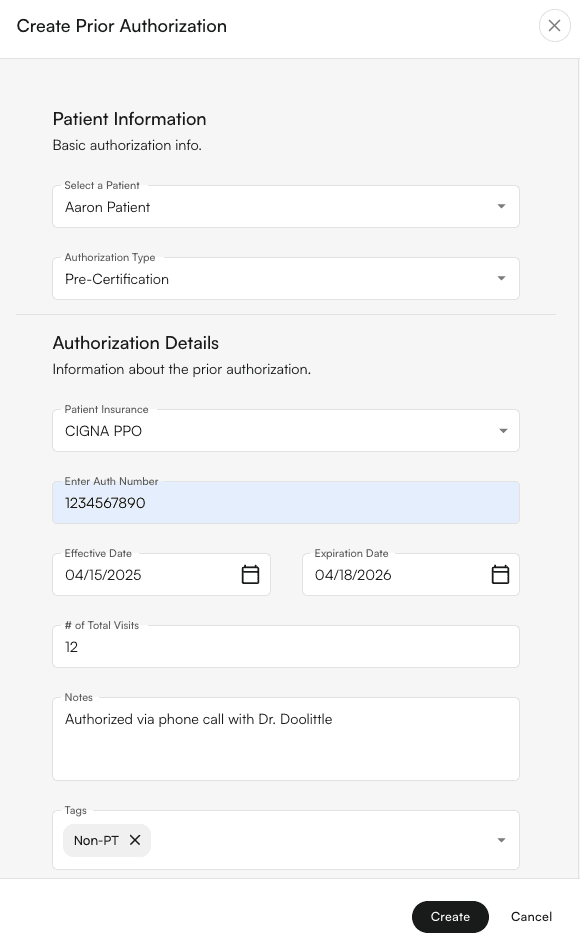
Create and you’re done! You can now see your new authorization in the table. It may help to filter for it if there are many other authorizations.
How to Update Existing Prior Authorization
Filter for the authorization you would like to update and click the pencil icon.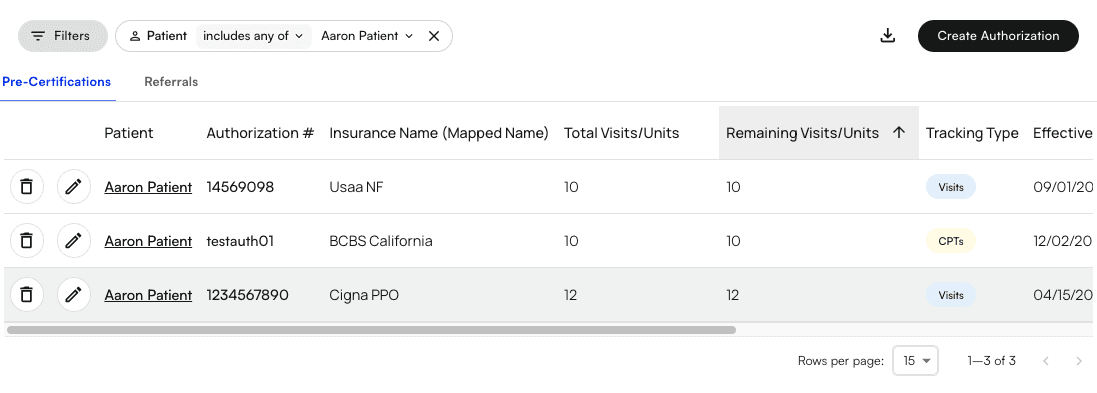
Update.
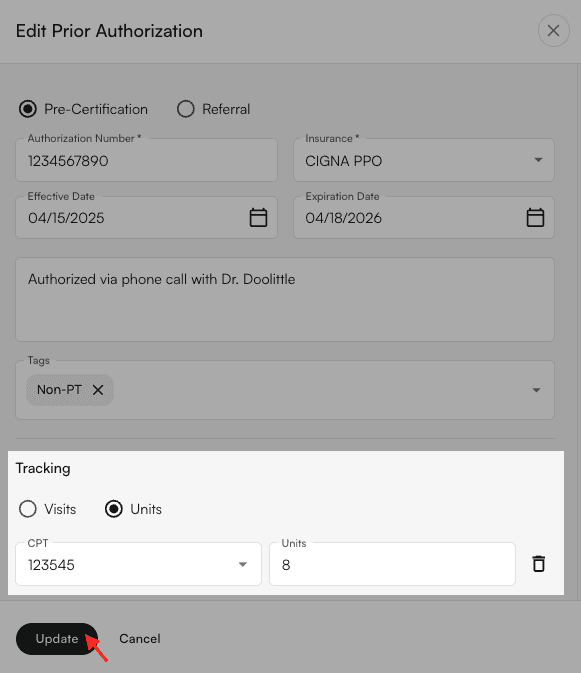
Other Ways to Update Prior Authorization in Insights
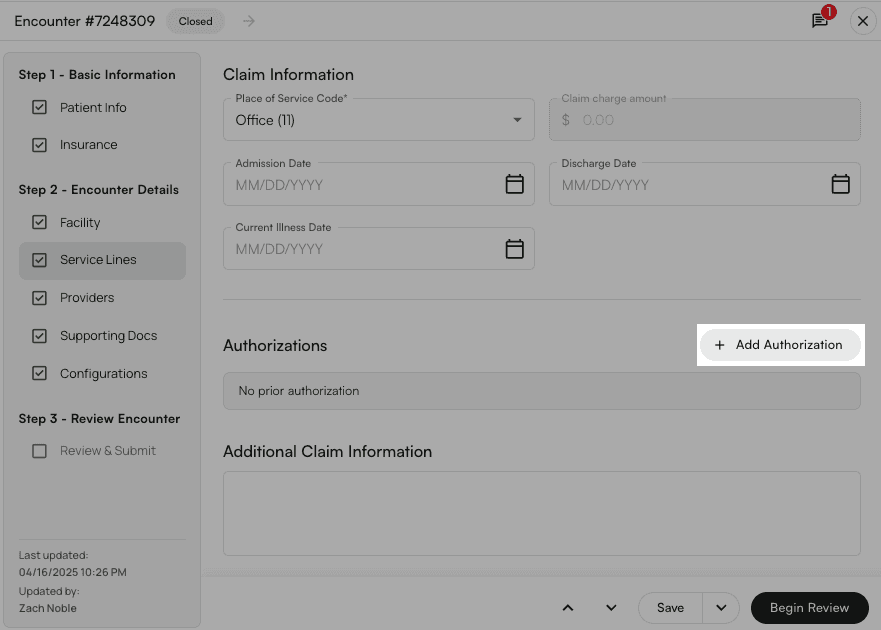
You can update prior auth in two other places in Insights:- The ‘Prior Authorizations’ tab on the patient’s profile
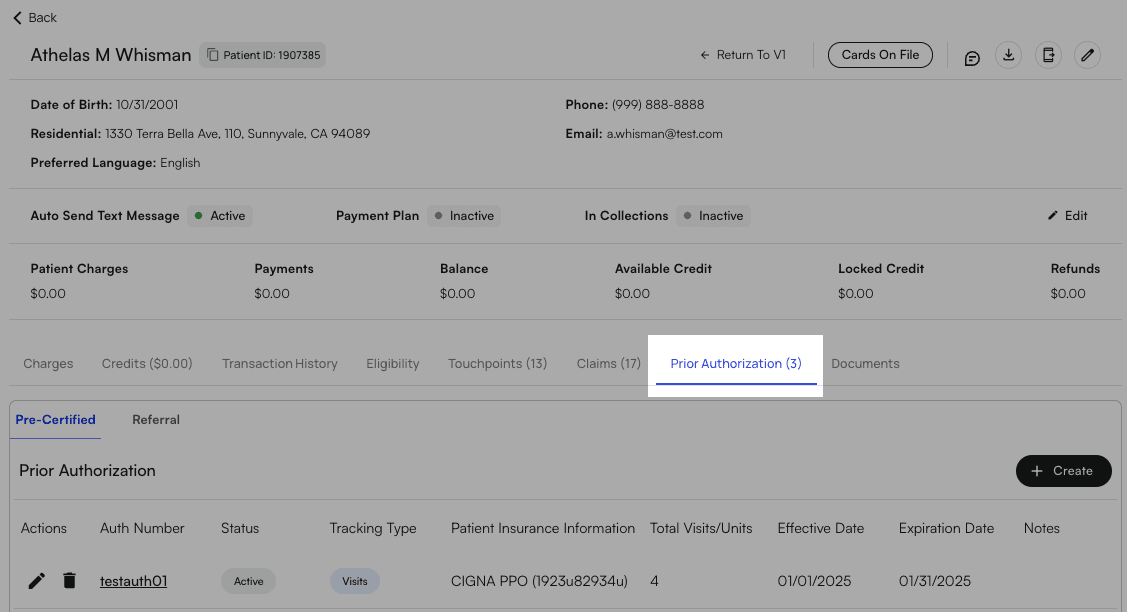
- Editing the Service Lines section of the corresponding encounter on the Encounter Details page