
At a Glance
Establishing Suggested PR Rules can save your staff a lot of time, as they’ll no longer need to manually look up or compare fee schedules and insurance information. These rules determine things like suggested copay, coinsurance, the prioritization of deductible or copay, etc. based on your criteria.Walkthrough: How to Set Suggested Charge Rules
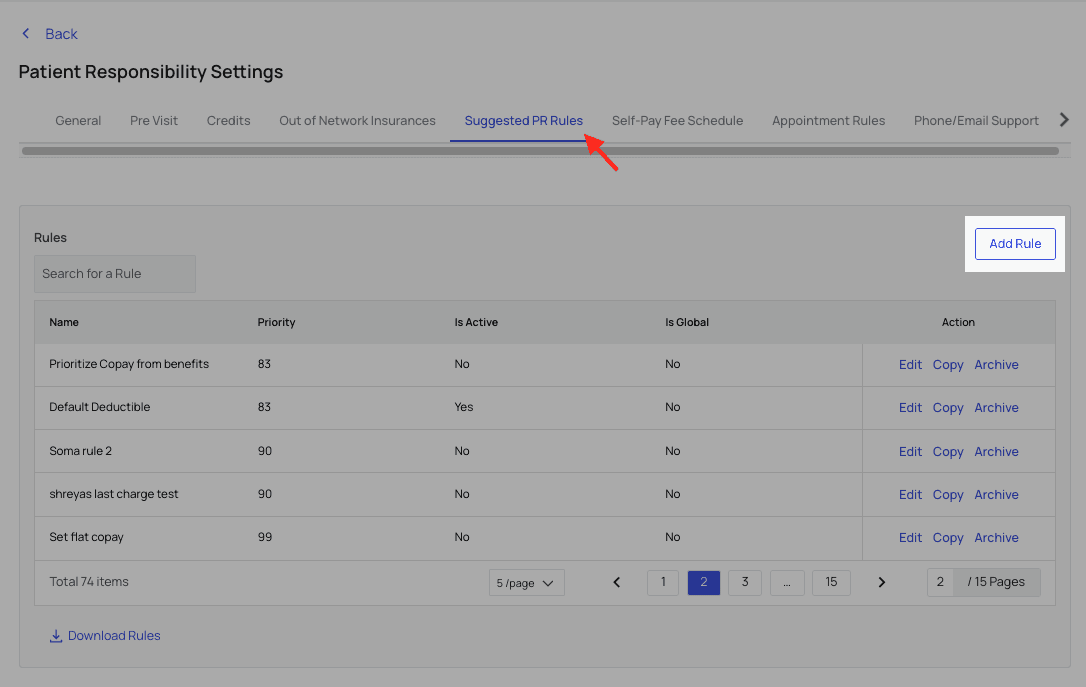
Currently, you can set Suggested Charge Rules via the Suggested PR Rules tab in Patient Responsibility Settings. ClickAdd Rule.
- Sets a $10 copay that prioritizes any remaining family deductible, but
- Only for patients 65 years of age or older, and
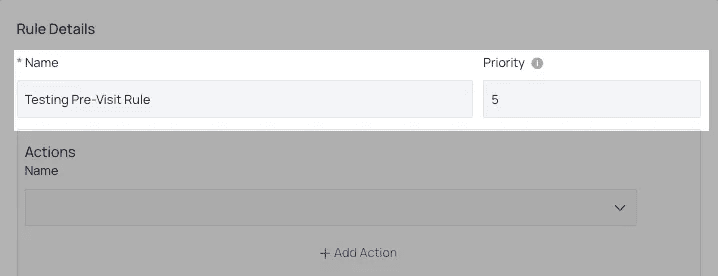
- To only apply when the appointment is for a Diagnostic X-Ray. To begin, give your rule a name and level of priority.
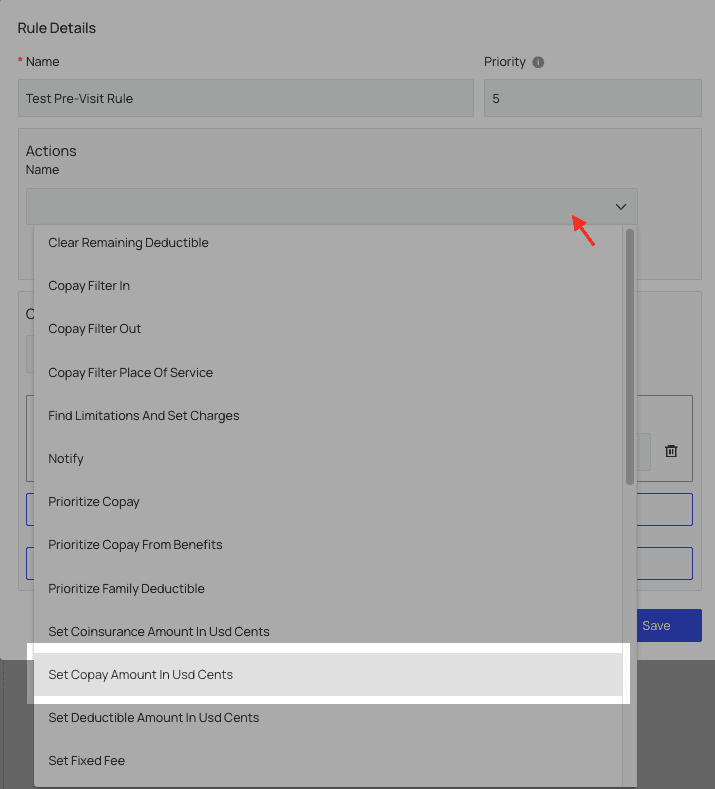
Set Copay Amount in USD Cents and enter 1000, to equal $10.
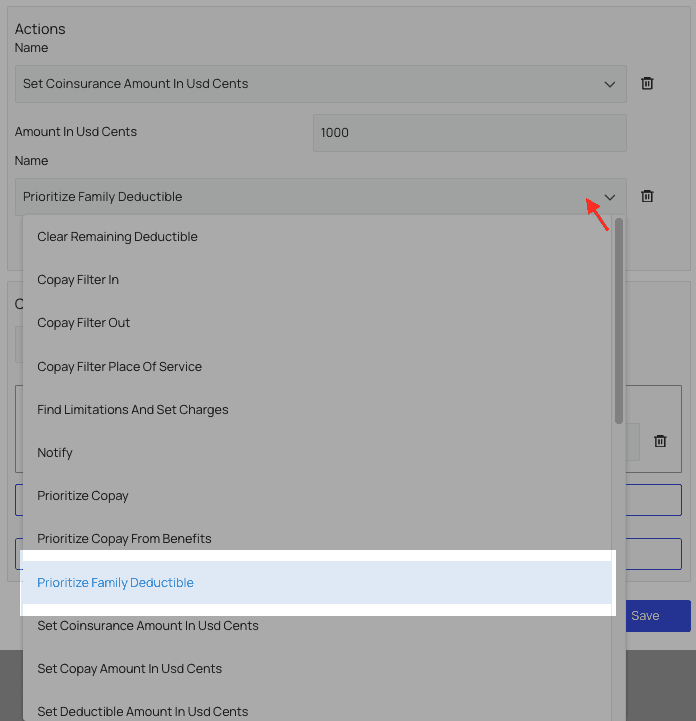
Add Action and select ‘Prioritize Family Deductible’ from the new dropdown menu.
Condition Type, in this case, you may choose ‘All’ or ‘Any,’ as we will use a multi-statement condition anyway. If you need to edit the rule later, you can change whether ‘All’ conditions must be met or if only ‘Any’ conditions must be met to activate the rule.
Under Variable, choose ‘Patient Age’ and set it greater than or equal to 65.
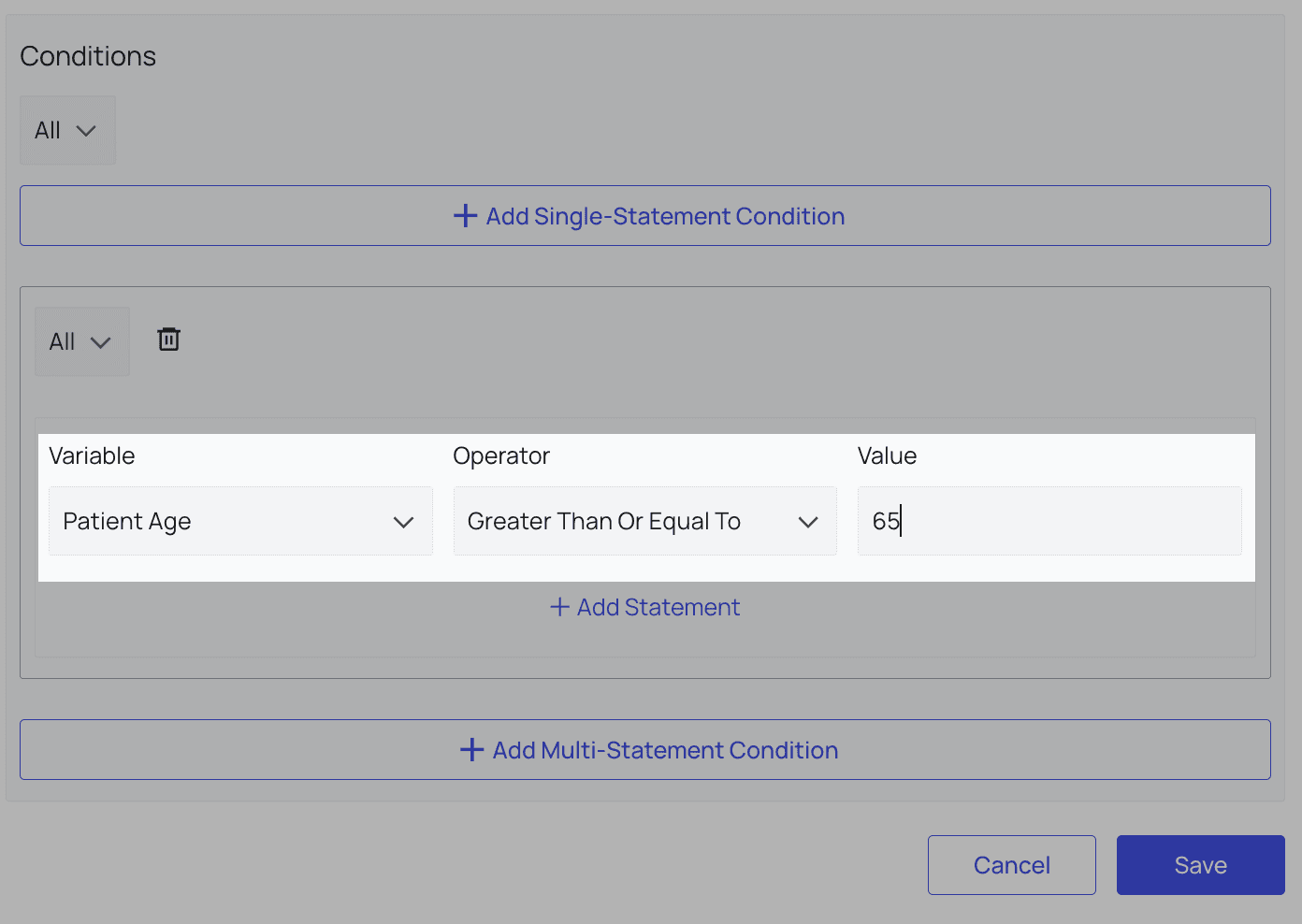
Add Statement.
For this Variable, choose Appointment Type and set it equal to 4 (the STC for Diagnostic X-Ray. Be sure to look up and enter the proper STC for your rule if you use this or a related variable).
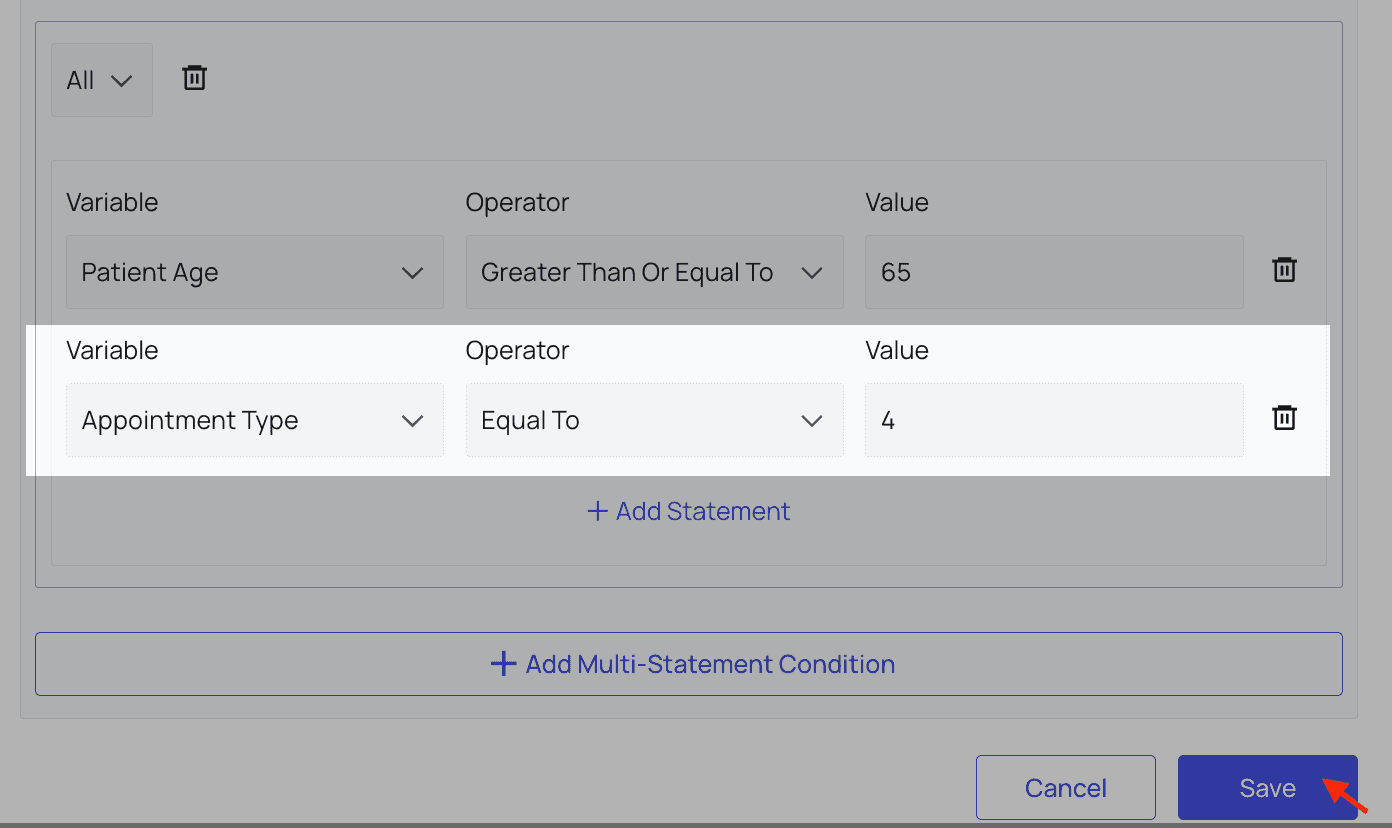
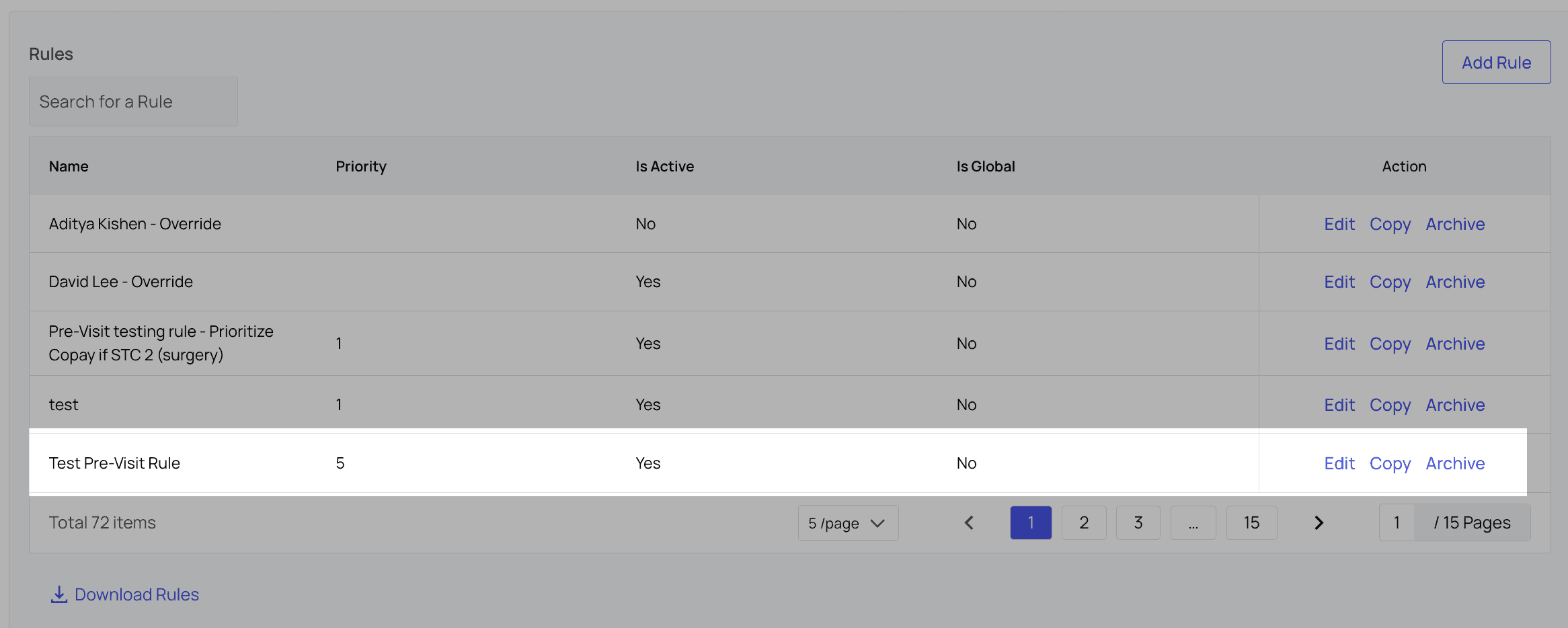
Save. Now you can view your rule in the Rules list, and edit, copy or archive it from there.
Suggested Charges Features
Features Supported:- Pre-visit rules to customize suggested charge
- ability to suggest last remit amount
- Incorporating benefits into final charge
- Autofilling suggested charges at checkout Features In Development:
- Dynamic deductible rules Features Not Supported:
- Procedure based charges
Suggested Charge Rules: Actions and Conditions Reference List
Below is a list of all Actions and Conditions currently available for Suggested Charge Rules. If you would like more options, please contact your account manager.| Action | Definition |
|---|---|
| 1. Copay Filter In | Pulls in the chosen text from the eligibility response to be displayed as a payment recommendation. |
- Appointment Reason
- Appointment Type
- Coinsurance Percentage
- Copay in USD Cents
- Facility
- Has QMB Insurance
- Limitations Payer Notes
- Patient Age
- Patient Date of Birth
- Primary Group Name
- Primary Input Insurance Name
- Primary Insurance Company Type
- Primary Member ID
- Primary Payer
- Primary Payer Patient Is Dependent
- Primary Plan Description
- Remaining Deductible in USD Cents
- Remaining Family Out of Pocket in USD Cents
- Remaining Out of Pocket in USD Cents
- Secondary Input Insurance Name
- Secondary Insurance Company Type
- Secondary Member ID
- Secondary Payer
Service Charges Features
Features Supported:- Service - payer - charge mappings set internally
- Users can select service and payer to collect the mapped amount
- Line item customization