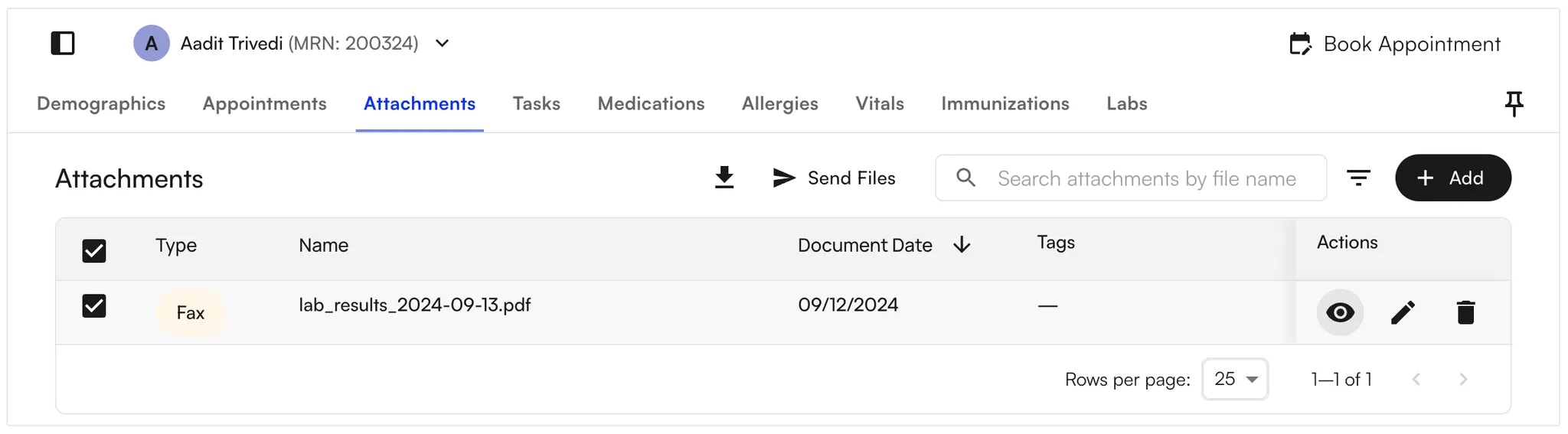
- Open the Attachments tab at the top
- Search for documents using the search bar, or filter by document type. For example, filter by Faxed documents.
-
Air adds (Discharged) to discharged-case labels in filters, grouped headings, and case entries. Attachments linked to a discharged case show Case (Discharged) in the Type column.
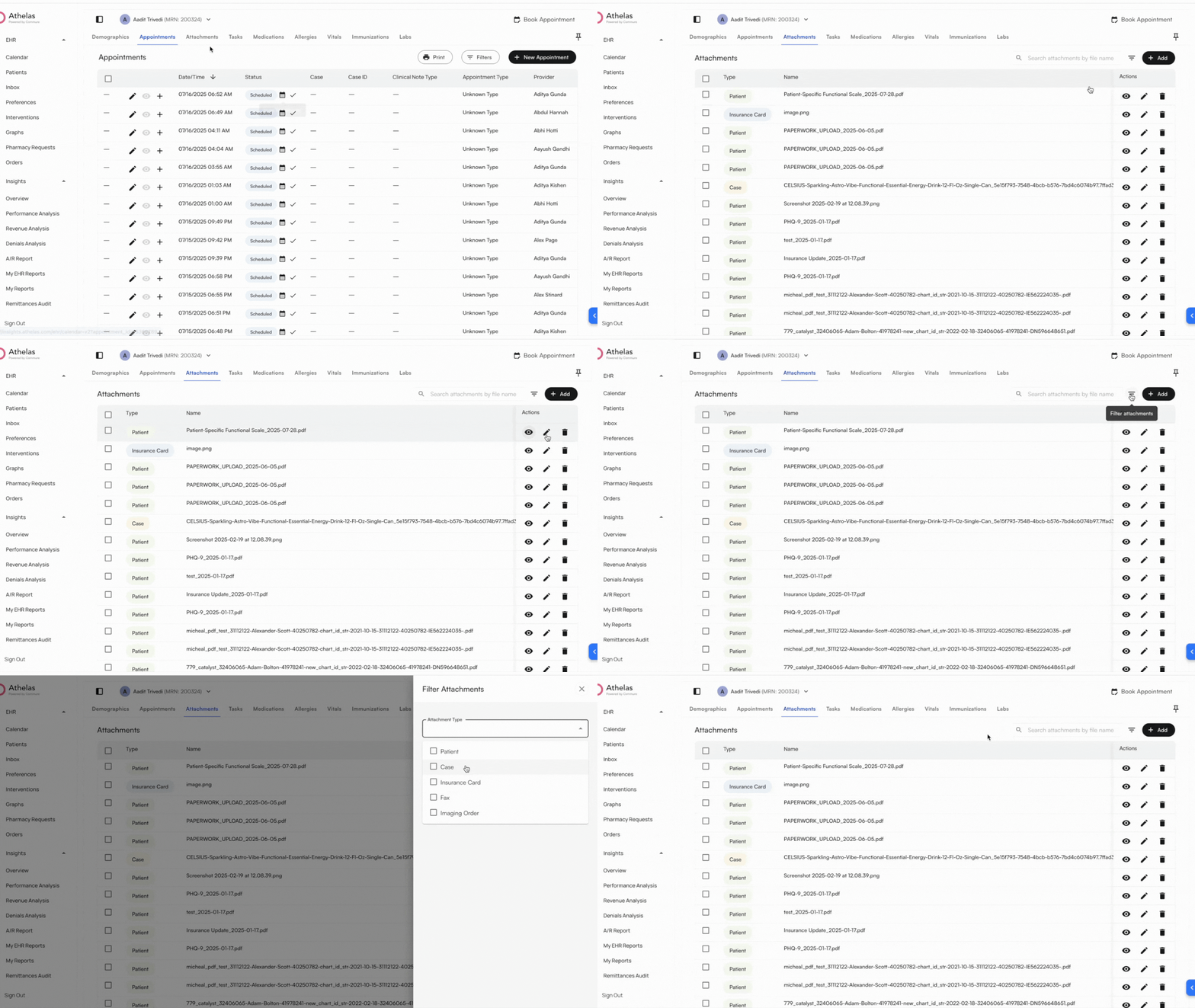
- Download files by selecting the checkbox and clicking the Download button to the right of the search box.
-
View a file by clicking the Black Eye icon to the right of the selected file.