
Overview
Automatic lead creation turns inbound referral faxes into Lead Tracker leads without any manual data entry. When a referral fax arrives, Air scans it, pulls out the patient’s details (name, date of birth, and contact information), and creates a lead linked back to the original fax.Getting started
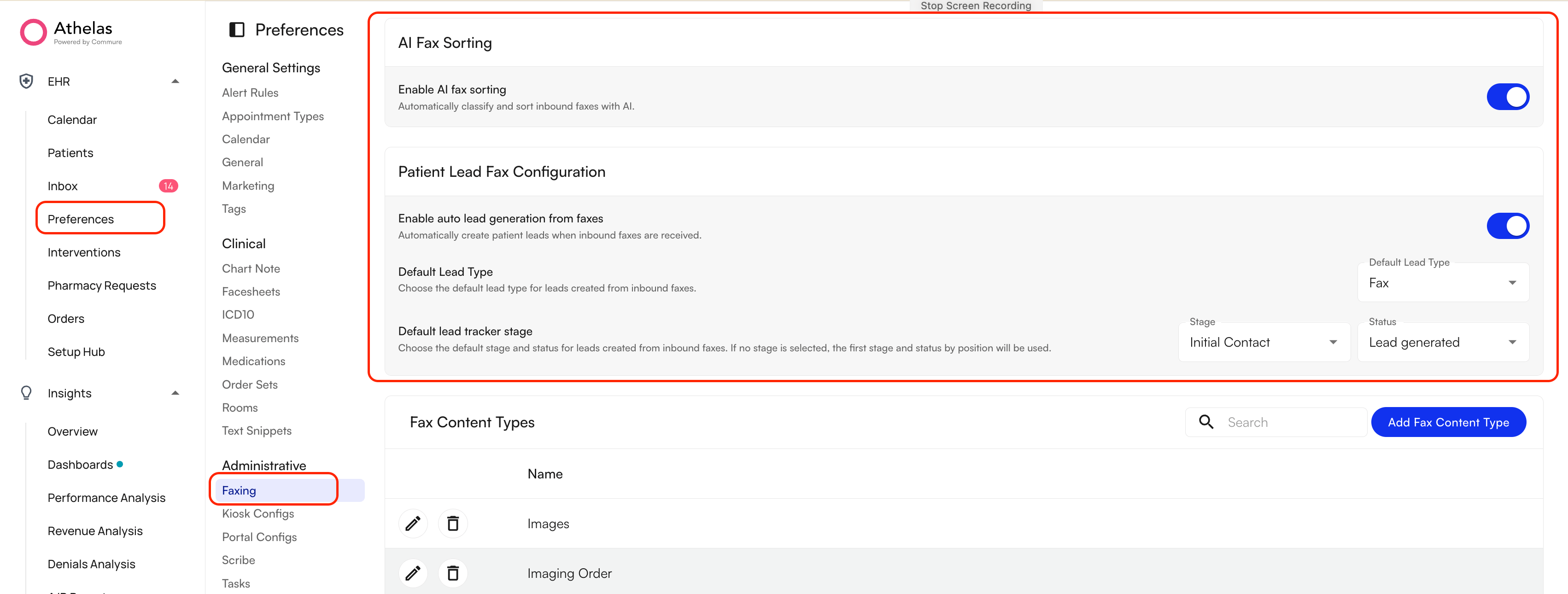
Automatic lead creation is controlled per site from your faxing preferences.- Go to Preferences → Administrative → Faxing.
- Under Patient Lead Fax Configuration, turn on Enable auto lead generation from faxes.
- Set Default Lead Type & Stage to the lead type you want applied to leads created this way (for example
Fax).
Lead generation logic
To generate a lead, the automated system works through these steps:- Initial scan — every inbound fax is scanned to determine what kind of document it is.
- Referral identification — if the fax contains a referral section, Air extracts the patient’s first name, last name, and date of birth, plus phone number where one is available.
- Lead creation — if the required fields (first name, last name, and date of birth) are all found, Air creates a lead in the Lead Tracker with:
- The Lead Type set to your Default Lead Type
- The lead placed in your first referral stage, ready for review
- A note recording that it was imported automatically from an inbound fax
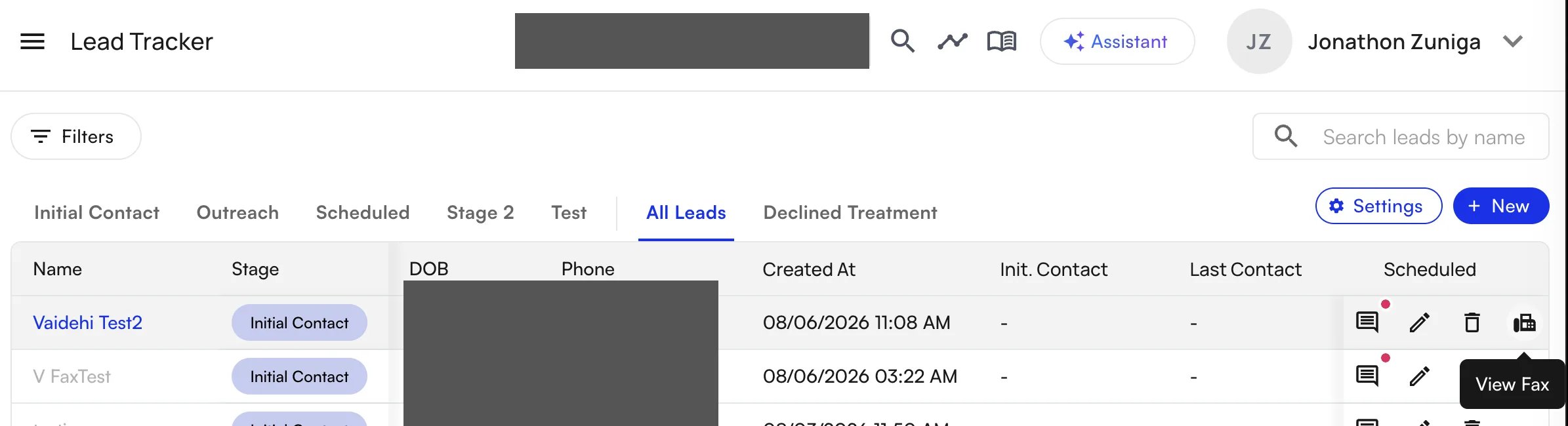
- A link back to the original fax, so you can always trace a lead to its source document
- Duplicate protection — if a referral matches the name and date of birth of a patient who already has an open case, or if a lead was recently created from another fax for the same person, Air skips creating a second lead.
Creating a lead manually from a fax
If the system misses a referral, or you would rather not turn the automation on, you can still create and link leads yourself:- Open the fax from your Faxing tab.
- Use the Create Lead action.
- Choose to create a new lead, or link the fax to a lead that is already in the Lead Tracker.
FAQ
Will this create leads from every fax we receive?
Will this create leads from every fax we receive?
No. Only faxes that Air identifies as referrals, and that carry at least a first name, last name, and date of birth, generate a lead.
What if the AI gets a detail wrong?
What if the AI gets a detail wrong?
Open the lead in the Lead Tracker and edit it, the same as any lead you created by hand. Check new fax-generated leads before contacting the patient.
Can we turn this off?
Can we turn this off?
Yes. Go to Preferences → Administrative → Faxing and turn off Enable auto lead generation from faxes at any time.
What happens to the original fax?
What happens to the original fax?
Nothing about how faxes are stored or displayed changes. This feature only adds a lead, and a link between that lead and the fax it came from.