
How Scribe Retention Works
- Site-level configuration. Retention policies are set per site from your administrative settings.
- What gets deleted. Once a policy is active, AI Scribe audio recordings, transcriptions, and other associated context older than the configured window are removed.
- Automatic, nightly cleanup. Data that has aged past the retention window is deleted during the next nightly cleanup—no manual action is required.
- Minimum window of 1 day. The shortest retention window you can set is 1 day.
- Deletion is permanent. Deleted AI Scribe data cannot be recovered.
- Default is unchanged. Sites without a configured retention policy continue to retain data as they do today—no deletion occurs.
Configure a Retention Policy
To open the setting, navigate to EHR Preferences → Administrative → Scribe.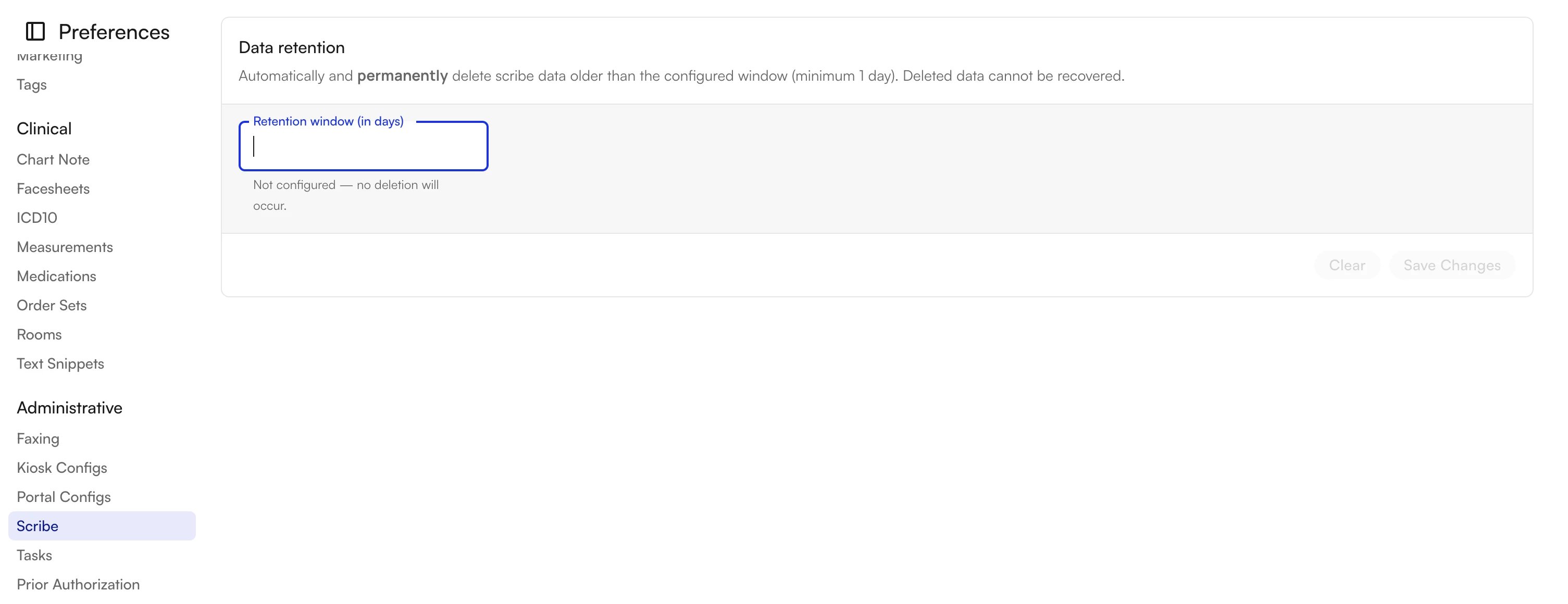
Set a Retention Window
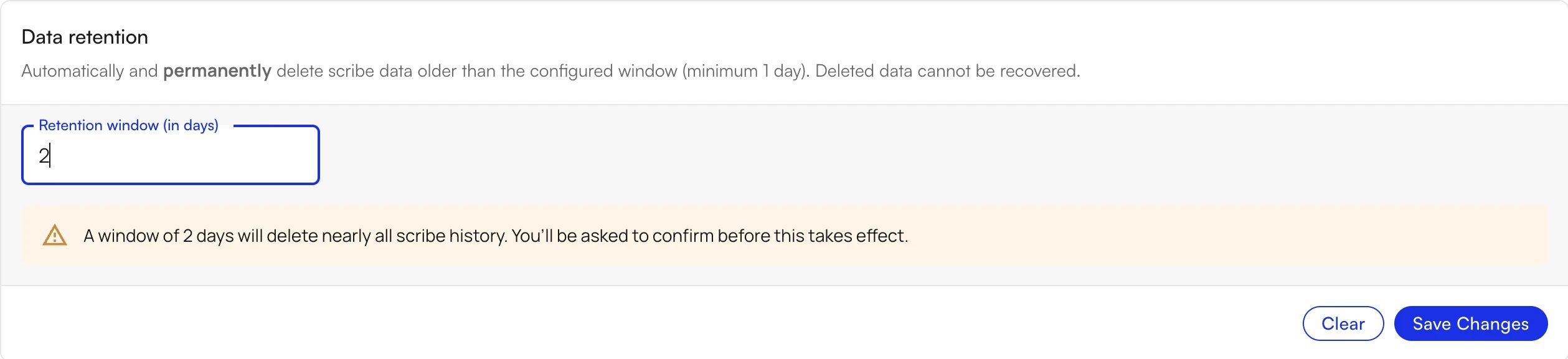
- In the Retention window (in days) field, enter the number of days to keep AI Scribe data (minimum 1).
- Review any on-screen guidance:
- A very short window shows a warning that it will delete nearly all scribe history.
- A standard window shows no warning.
- Click Save Changes.

Confirm the Change
When you save, a confirmation dialog summarizes exactly what will be removed: all scribe data (audio, transcriptions, and additional context) older than your configured window will be permanently deleted during the next nightly cleanup. Click Confirm to activate the policy, or Cancel to keep your current settings.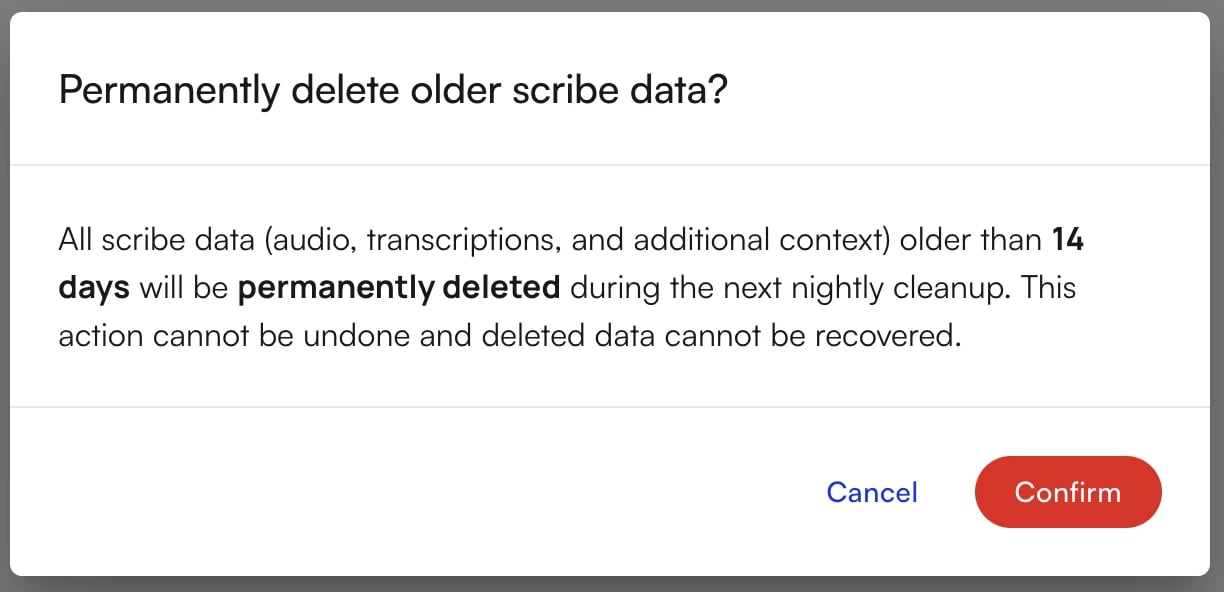
Clear a Retention Policy
To stop automatic deletion, open Data retention and click Clear. The retention window returns to Not configured — no deletion will occur, and your site resumes retaining all scribe data going forward. Note: Clearing the policy stops future deletions but does not restore data that was already deleted under a previous policy.FAQ
What scribe data does the retention policy delete?
What scribe data does the retention policy delete?
When a retention window is active, all AI Scribe data older than the configured number of days is removed. This includes audio recordings, transcriptions, and other associated context generated by AI Scribe.
When does deletion actually happen?
When does deletion actually happen?
Data that has aged past your retention window is deleted during the next nightly cleanup. You do not need to trigger deletion manually.
What is the shortest retention window I can set?
What is the shortest retention window I can set?
The minimum retention window is 1 day. If you enter a very short window, the platform warns you that it will delete nearly all scribe history and asks you to confirm before the change takes effect.
Can I recover scribe data after it is deleted?
Can I recover scribe data after it is deleted?
No. Deletion is permanent and cannot be undone. Once data is removed during the nightly cleanup, it cannot be recovered.
What happens if I never configure a retention policy?
What happens if I never configure a retention policy?
Nothing changes. Sites without a configured retention policy continue to retain AI Scribe data exactly as they do today—no automatic deletion occurs.