
This feature is enabled in OPS with the
scribe_audit feature flag and is included for all AIR users.Overview
The Audit Dashboard is built to:- Standardize compliance across providers and locations
- Support audit readiness for Medicare and commercial payers
- Provide objective, consistent scoring of documentation
- Enable continuous improvement through actionable feedback
Why Use the Audit Dashboard?
Documentation is directly tied to:- Revenue
- Compliance
- Audit defensibility
- Operational performance
- Medicare Compliance Support: Built-in compliance logic aligned with Medicare requirements, with flexibility for site-specific customization
- Pre- and Post-Submission Audits: Catch issues before signing and analyze performance after submission
- Objective, Standardized Scoring: Remove subjectivity and improve consistency across providers
- Full Visibility Across the Organization: Track performance at system, provider, and note level
- Actionable Feedback for Improvement: Identify strengths, gaps, and specific areas for correction
- Customizable Compliance Framework: Add organization-specific rules and requirements
- Scalable Across Specialties: Supports physical therapy today and expands with tailored templates
- Reduced Manual Audit Burden: Replace periodic manual reviews with continuous monitoring
How to Access the Audit Dashboard
Access depends on your site’s AIR and OPS configuration:- Confirm the
scribe_auditfeature flag is enabled in OPS. - Open the AIR Audit Dashboard in your AIR environment.
- Use date-range and provider-level views to begin reviewing compliance performance.
Adding Custom Questions
The dashboard includes pre-configured Medicare compliance questions, and you can define additional organization-specific requirements.How to add a custom question
- Go to Audit Questions in the Admin Panel.
- Select a note type (for example, Initial Evaluation or Progress Note).
- Click the pencil icon.
- Select Add Question.
- Enter the requirement (for example, “Ensure height and weight are recorded”).
- Assign an importance level.
- Define where the AI should evaluate it (Subjective, Objective, Assessment, or Plan).
- Optionally link the question to other appointment types via the three-dot menu and Link to Other Appointments.
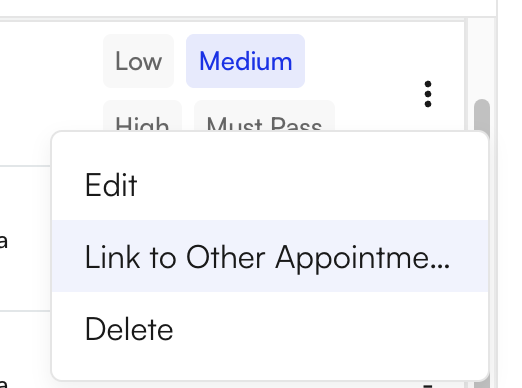
Video walkthrough (Custom Questions)
Compressed walkthrough video (under 4 MB)Why custom questions matter
Custom questions help organizations:- Enforce internal documentation standards
- Meet contractual or payer-specific requirements
- Align documentation with clinical workflows
- Support strategic initiatives and quality programs
Must Pass rules act as hard stops to ensure critical documentation elements are not missed.
How to Use the Audit Dashboard
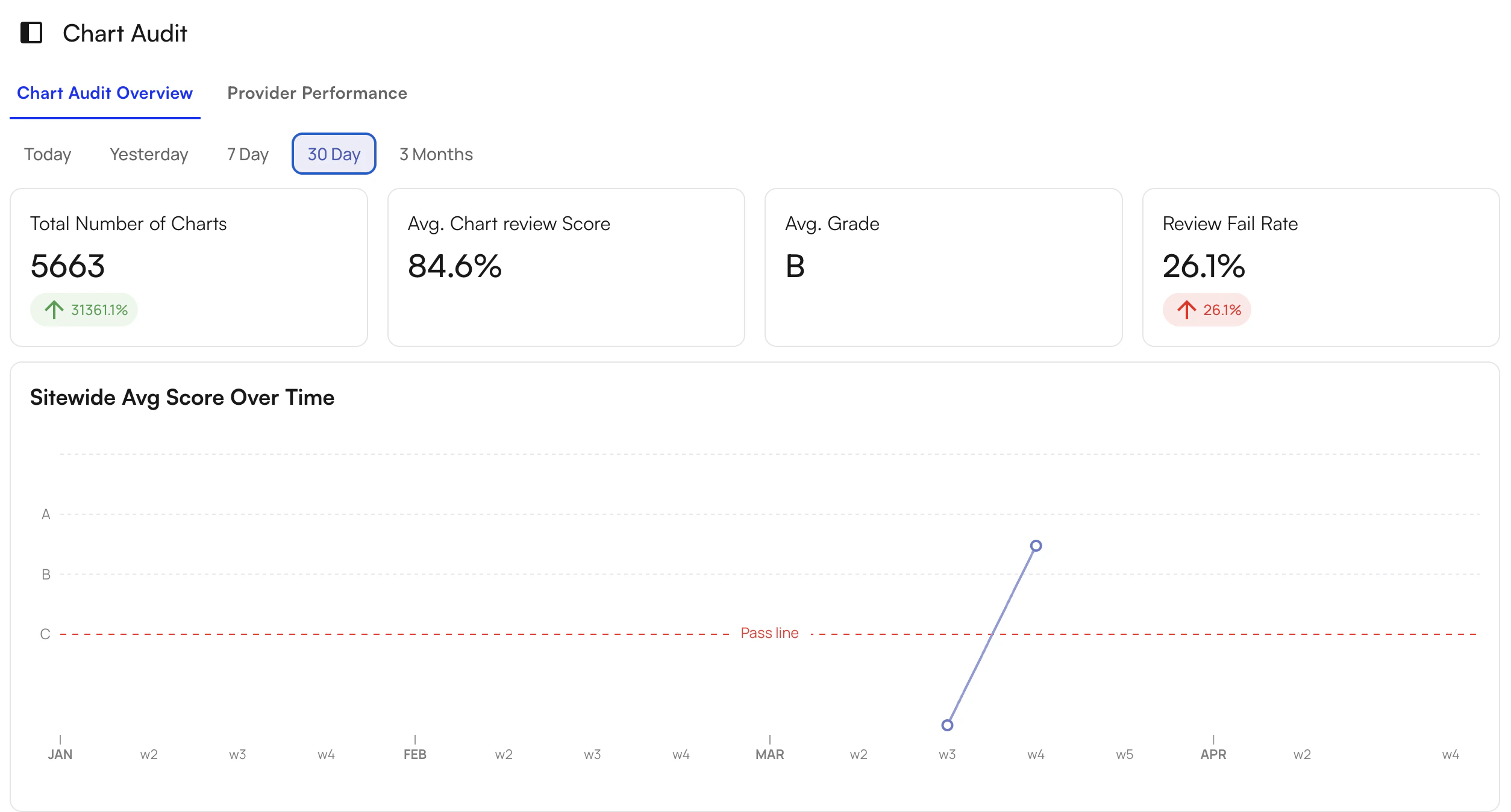
The dashboard provides a system-wide view of documentation performance, enabling real-time tracking of compliance and quality across your organization.Key metrics and views
- Total audited notes
- Average score and grade
- Fail rate
- Performance trends over time
- Time views: Daily, 7-day, 30-day, and 90-day (episode-of-care level)
Common use cases
- Quarterly compliance reviews: Replace manual audit cycles with continuous, real-time data
- Operational oversight: Monitor documentation quality across the organization
- Performance tracking: Evaluate trends over time and by provider
- Compliance readiness: Ensure documentation supports billing, audits, and payer requirements
Provider-level review
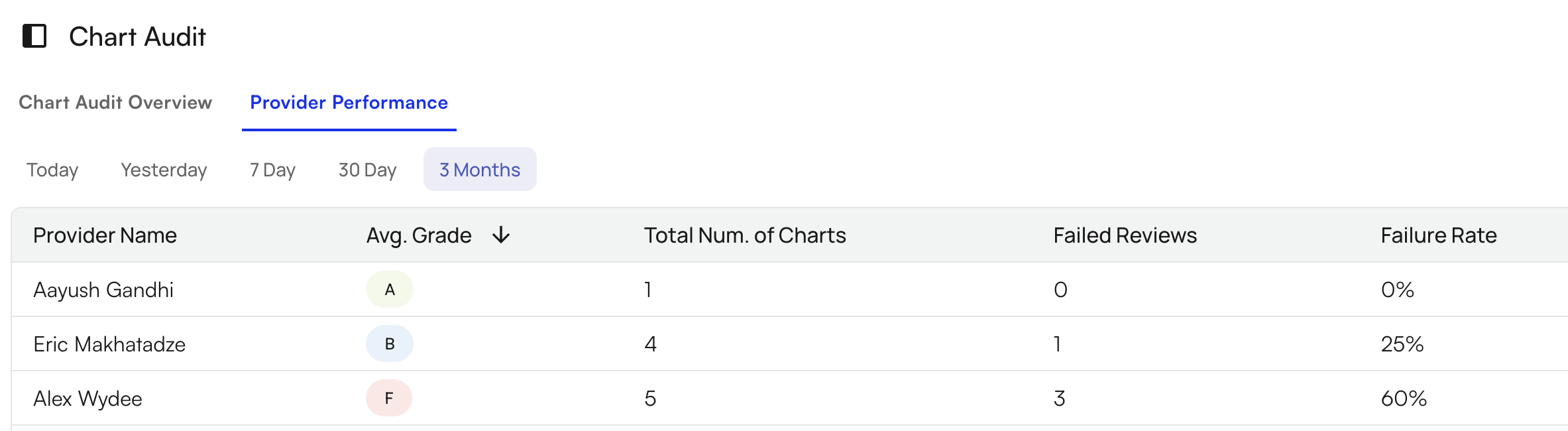
You can break down performance by provider and review:- Number of audited notes
- Average score and grade
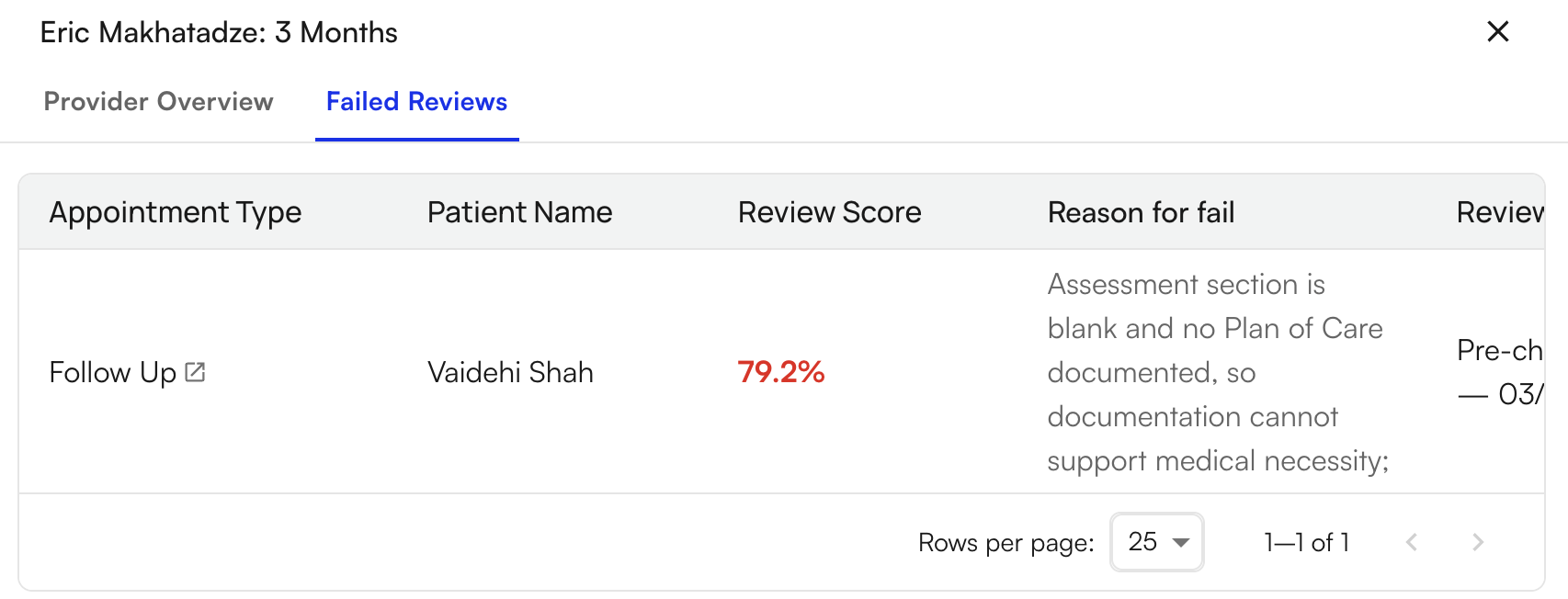
- Failed reviews
- Failure rate
- Select a provider.
- Review performance metrics.
- Identify trends and gaps.
Note-level review
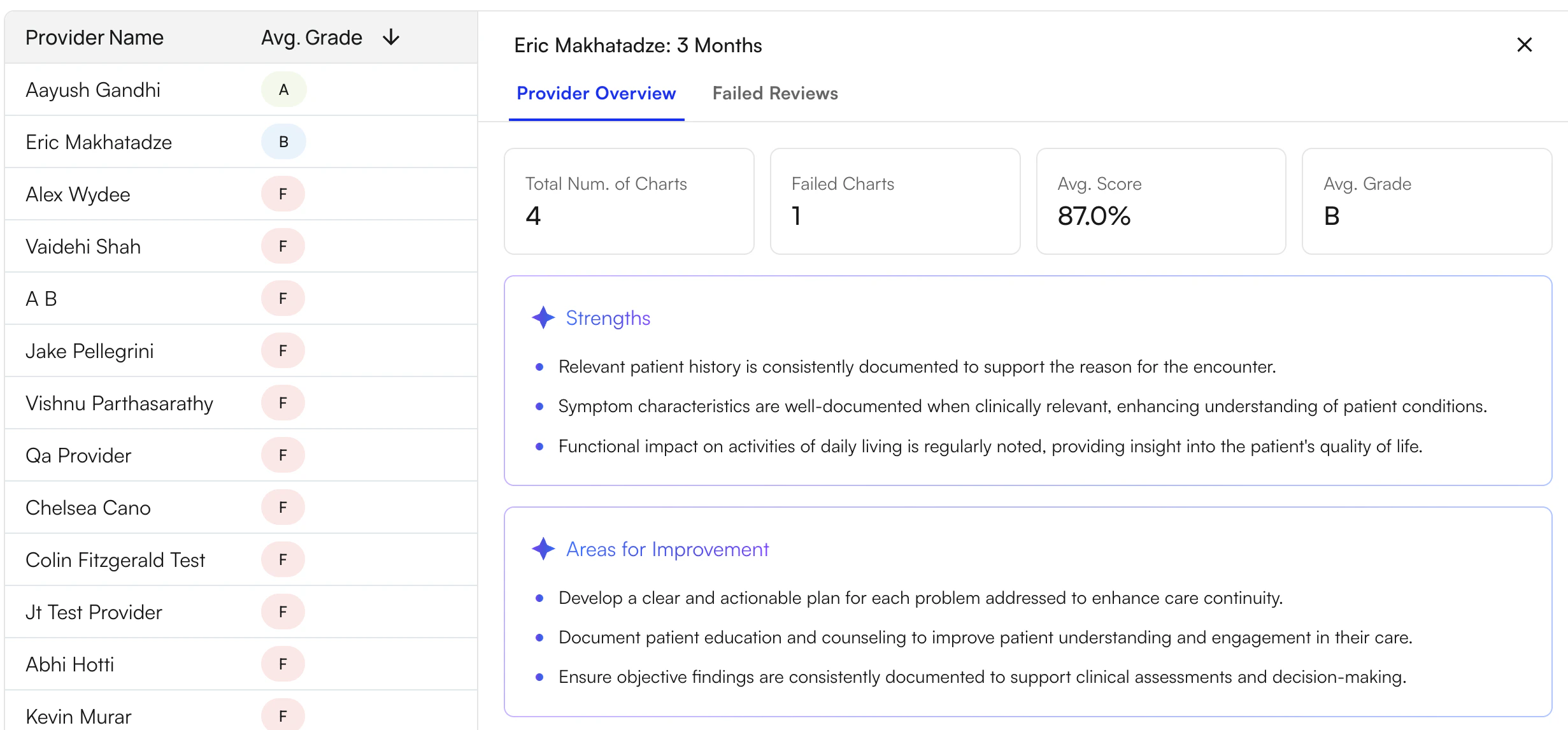
Each audit can be reviewed at the note level, including:- Full documentation
- Audit score and grade
- Strengths
- Areas for improvement
- Failure reasons (if applicable)
- Evaluation timestamp
AI Chart Review Perspectives
Medicare Auditor Perspective
From a Medicare audit standpoint, documentation must clearly support medical necessity, skilled services, and regulatory compliance. AI Chart Review ensures each note is evaluated against standardized Medicare criteria to reduce variability and risk. What this provides:- Consistent application of Medicare compliance rules
- Verification that documentation supports billed services
- Identification of missing audit-required elements
- Clear pass/fail signals aligned with audit expectations
Practice Owner Perspective
From a practice owner’s perspective, documentation quality affects revenue, compliance risk, and performance. AI Chart Review provides visibility into documentation quality and improvement opportunities. What this provides:- System-wide visibility into compliance and quality
- Insight into revenue risk from poor documentation
- Provider-level performance tracking and trends
- Reduced manual audit burden
- Tools for targeted coaching and improvement
Provider Perspective
From a provider’s perspective, documentation can be complex and inconsistent. AI Chart Review provides real-time feedback to improve accuracy and compliance. What this provides:- Immediate feedback on strengths and gaps
- Clear expectations for compliant documentation
- Reduced guesswork and subjective feedback
- Ability to correct issues pre- or post-submission
- Ongoing support for improvement
Workflow Integration and Summary
The Audit Dashboard integrates with existing workflows by enhancing visibility across documentation and providing continuous, automated audit coverage without replacing current systems. Instead of periodic manual reviews, teams gain ongoing, data-driven control over documentation quality. What this enables:- Real-time visibility into documentation performance
- Standardized, objective evaluation across providers
- Actionable insights for training and improvement
- Scalable compliance support across specialties