
- Step 1: Navigate to Customer Connect
- Step 2: Create an Account
- Click “Create an Account” (top right).
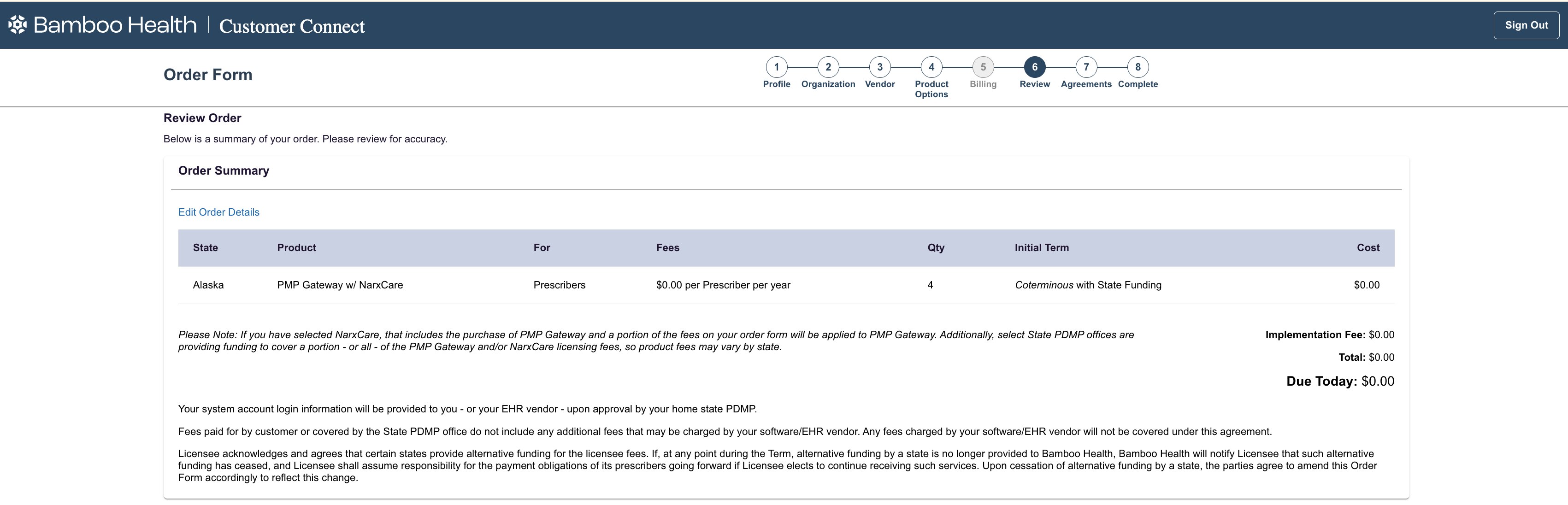
- Step 3: Complete the Application
- Enter the required details and follow the guided steps.
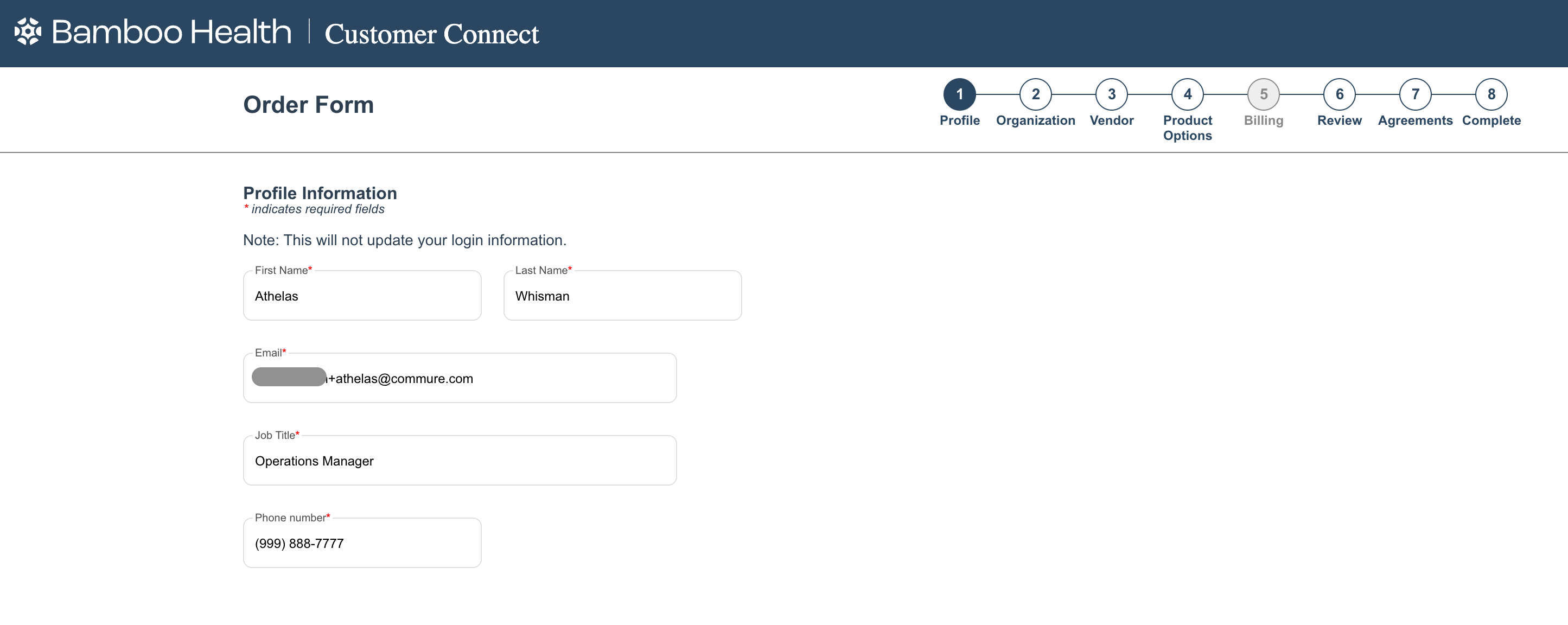
- Profile Information
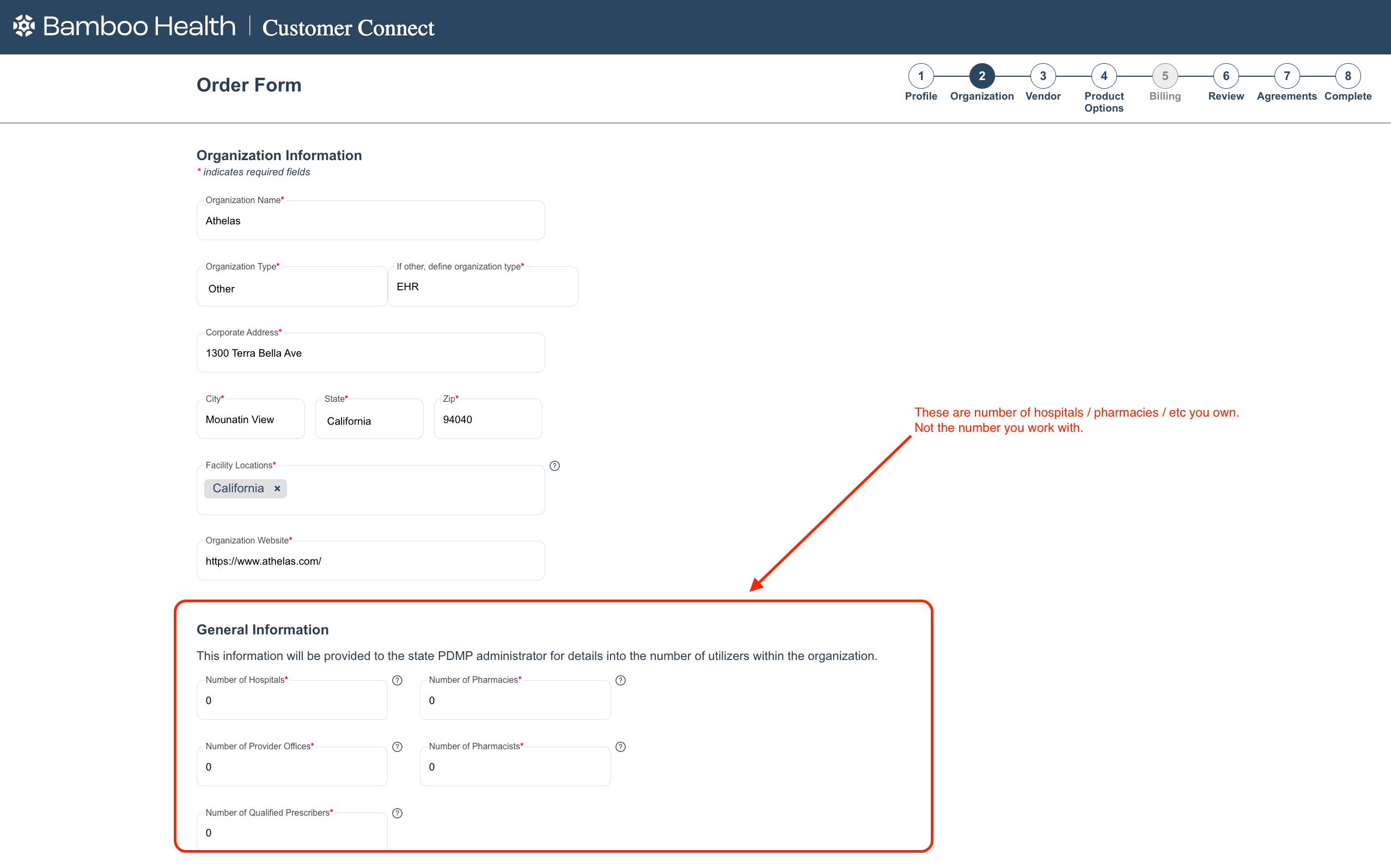
- Organization
- Vendor:
Commure Inc DBA Athelas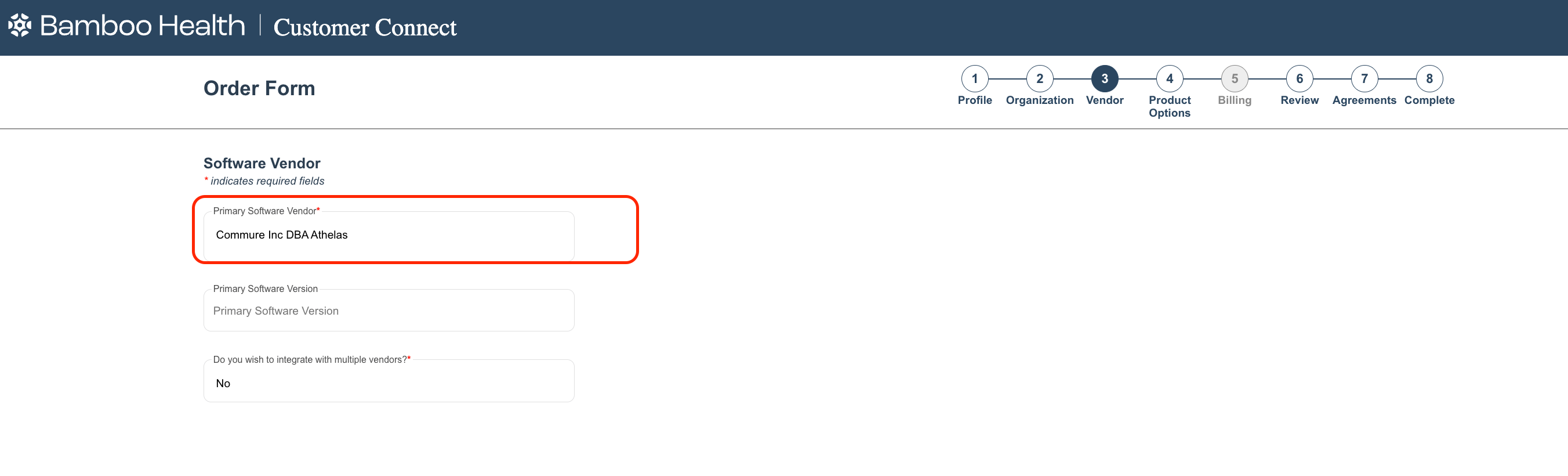
- Product Options
- Billing
- Profile Information
- Key notes:
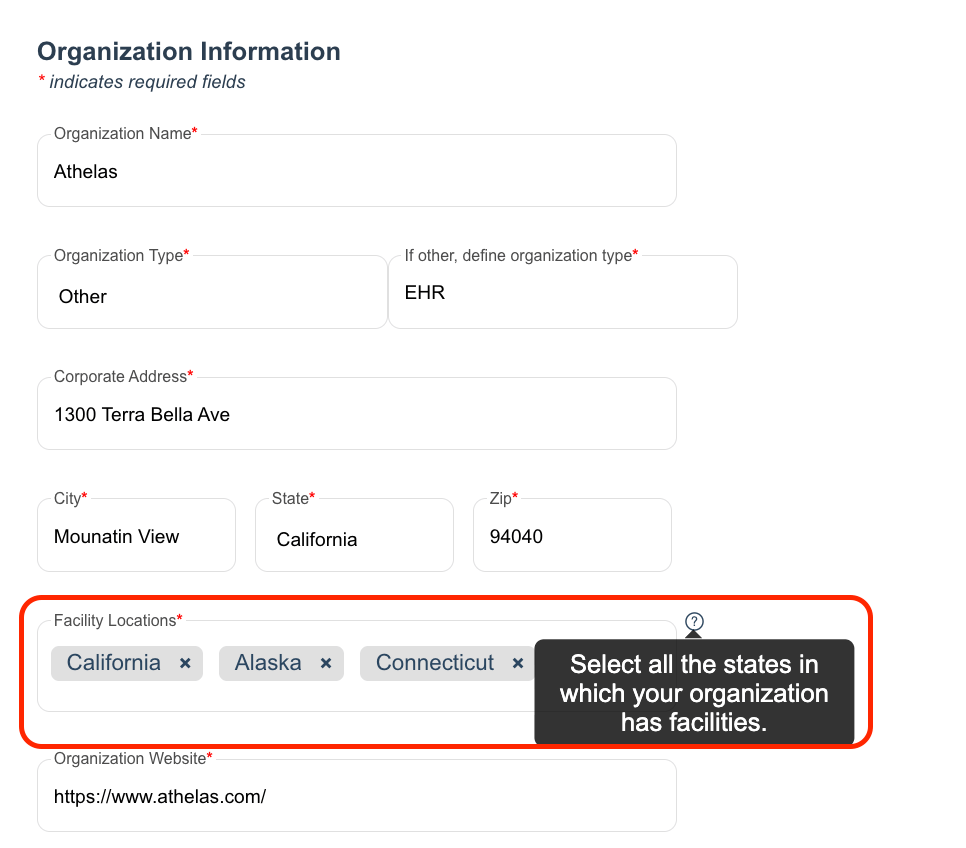
- Multi-state customers can sign up for all states at once.
- On the Organization screen, users select all facility location states.
- Customers may purchase services for non-funded states during this process
- Unless a custom onboarding process prohibits this. Non Funded State list (as of Y2026):
- California (CA) – non-funded (providers pay)
- Colorado (CO) – non-funded (providers pay)
- Hawaii (HI) – non-funded (providers pay)
- Kentucky (KY) – non-funded (providers pay)
- Maryland (MD) – non-funded (providers pay)
- Mississippi (MS) – non-funded (providers pay)
- Pennsylvania (PA) – non-funded (providers pay)
- Rhode Island (RI) – non-funded (providers pay)
- South Dakota (SD) – non-funded (providers pay)
- Texas (TX) – note: Texas historically was non-funded in some sources, but recent state-funded access may exist now — always confirm with Bamboo.
- Utah (UT) – non-funded or limited (providers pay for PMP data)
- Washington (WA) – non-funded (providers pay)
- Wyoming (WY) – non-funded (providers pay)
- Unless a custom onboarding process prohibits this. Non Funded State list (as of Y2026):
- Customer Connect dynamically shows available funding & products per state.
- Required documents (e.g., PMP Gateway Licensee Profile, EULA) appear within the workflow.
- Users may save progress and return later.
- After completion, Bamboo Health sends a PDMP query request to the state PDMP administrator.
- Accounts remain “pending” until state approval is complete.
- Enter the required details and follow the guided steps.
- Step 4: Credential Issuance
- Once approved (estimated 2–4 weeks):
- Credentials are issued to the EMR Integration Partner (Athelas Air) or the designated health-entity contact.
- Distribution depends on prior integration agreements.
PDMP Registration
These are the steps to set up Prescription Drug Monitoring within our system