> ## Documentation Index
> Fetch the complete documentation index at: https://docs.athelas.com/llms.txt
> Use this file to discover all available pages before exploring further.
# Setting up a Payment Plan
> Create a patient payment plan with a start date, schedule, amount, and payment method in Insights.
#### Here’s How to Do It
**Prerequisites:** Confirm the patient and the card you want to use for the plan. Your role must also allow you to manage payment plans. If you do not see **Set Up Payment Plan**, ask an administrator to update your role.
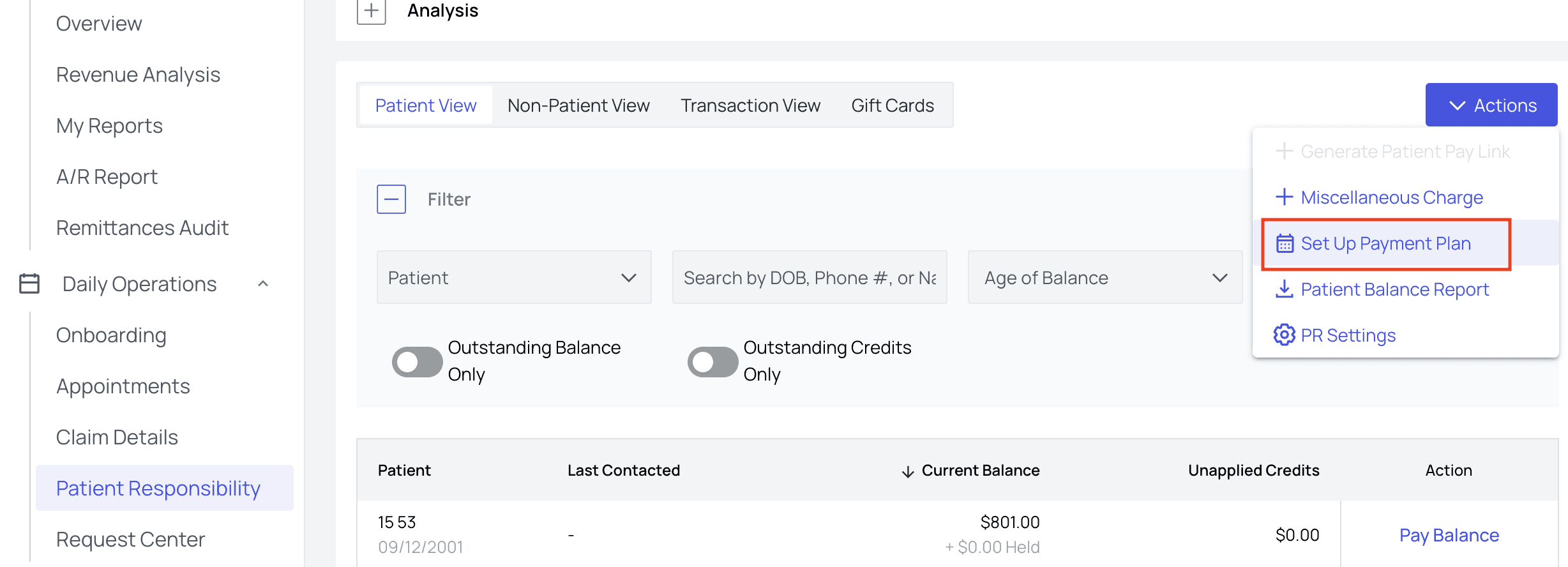
From the [Patient Responsibility](https://insights.athelas.com/v2/patient-responsibility) page, click on the Actions menu and choose Set Up Payment Plan.
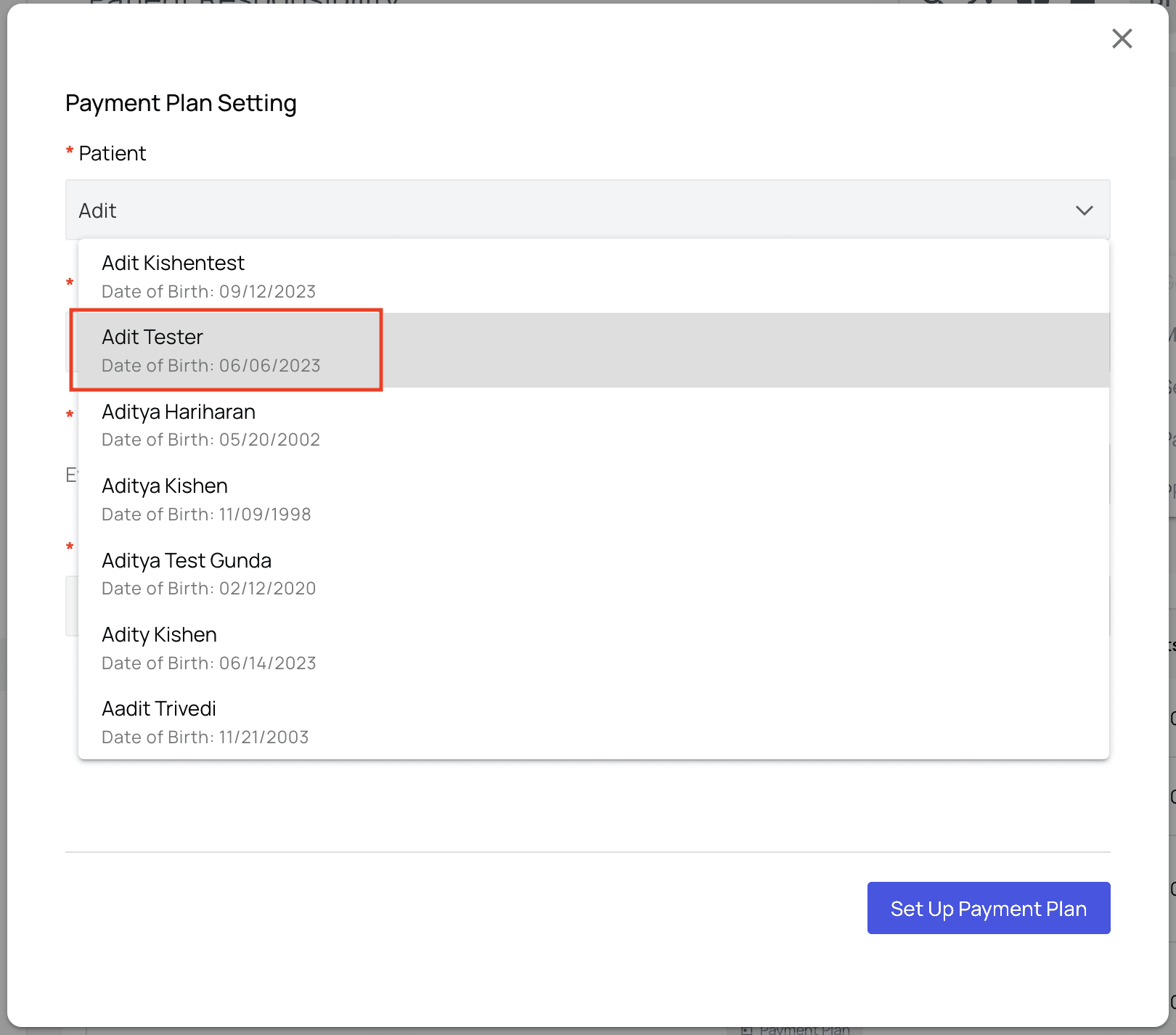
 In the popup, search for the patient in question.
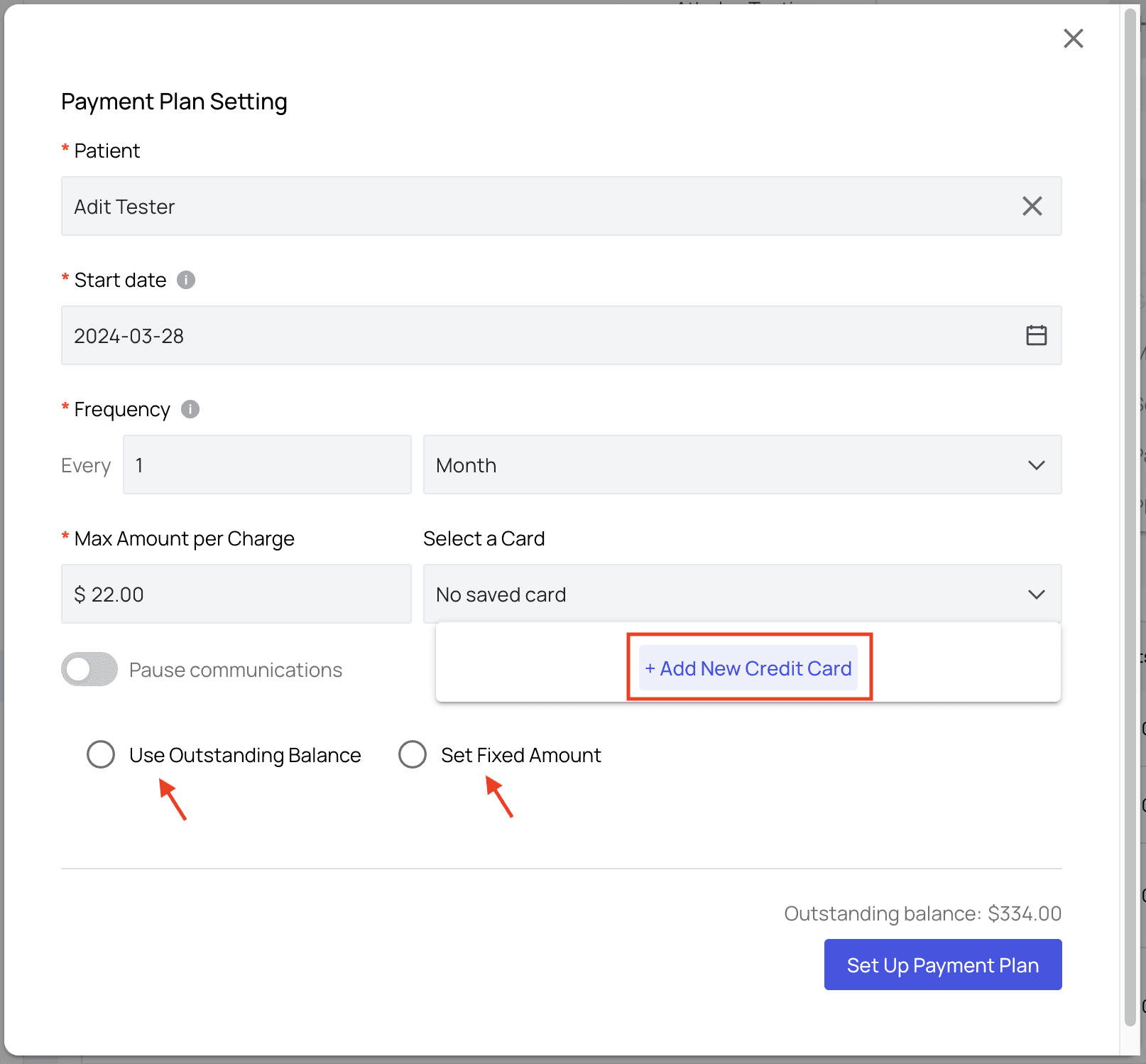
 Fill in start date and frequency of payments, max amount per charge, and choose a credit card or add a new card.
For a monthly plan, you can choose the 29th, 30th, or 31st as the start date. In a shorter month, the payment falls on that month's final day and returns to your selected day in the next month that includes it.
You’ll also have the opportunity to use outstanding balance and/or to set a fixed amount per payment.
Fill in start date and frequency of payments, max amount per charge, and choose a credit card or add a new card.
For a monthly plan, you can choose the 29th, 30th, or 31st as the start date. In a shorter month, the payment falls on that month's final day and returns to your selected day in the next month that includes it.
You’ll also have the opportunity to use outstanding balance and/or to set a fixed amount per payment.
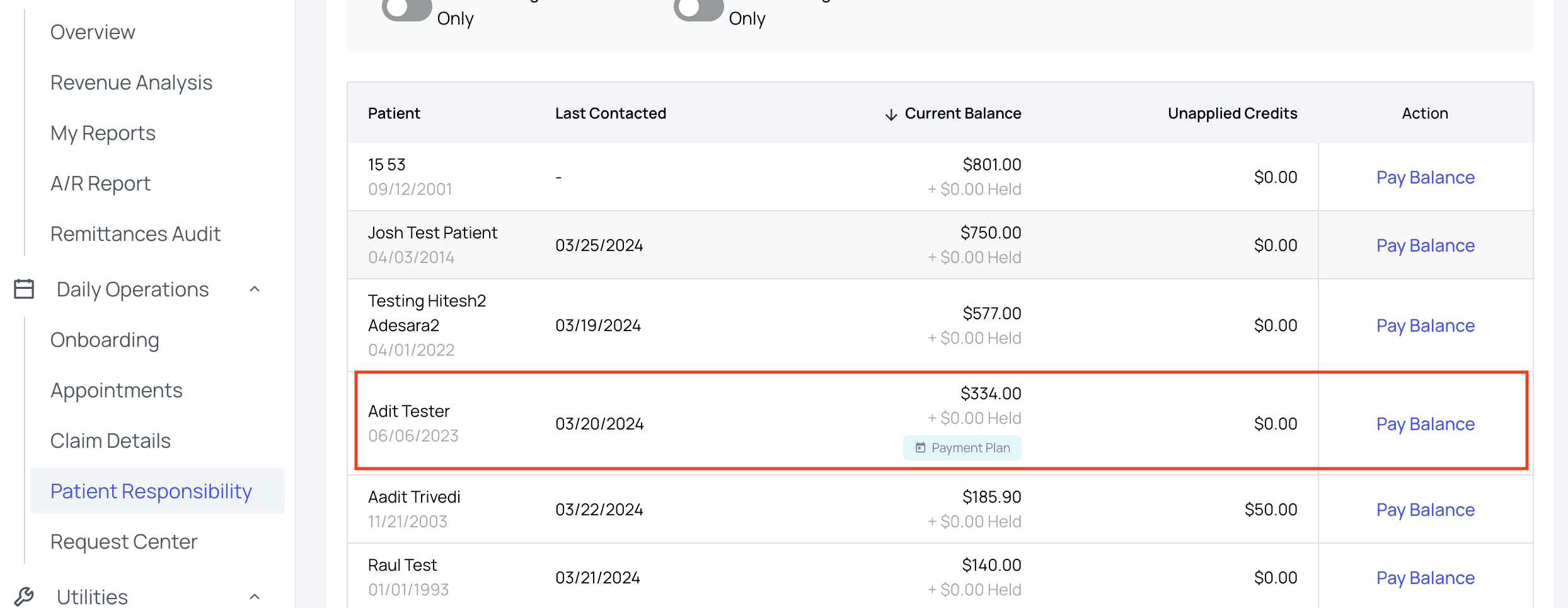
 Click `Set Up Payment Plan`, and you’re done! You can now see a Payment Plan indicator on the patient’s listing, under their Current Balance.
 ### FAQ
The payment falls on the final day of that month. The plan returns to your selected day in the next month that includes it.
Yes. During setup, you can use the patient's outstanding balance or set a fixed amount per payment.
### FAQ
The payment falls on the final day of that month. The plan returns to your selected day in the next month that includes it.
Yes. During setup, you can use the patient's outstanding balance or set a fixed amount per payment.