> ## Documentation Index
> Fetch the complete documentation index at: https://docs.athelas.com/llms.txt
> Use this file to discover all available pages before exploring further.
# Export Claim Details
 #### Summary
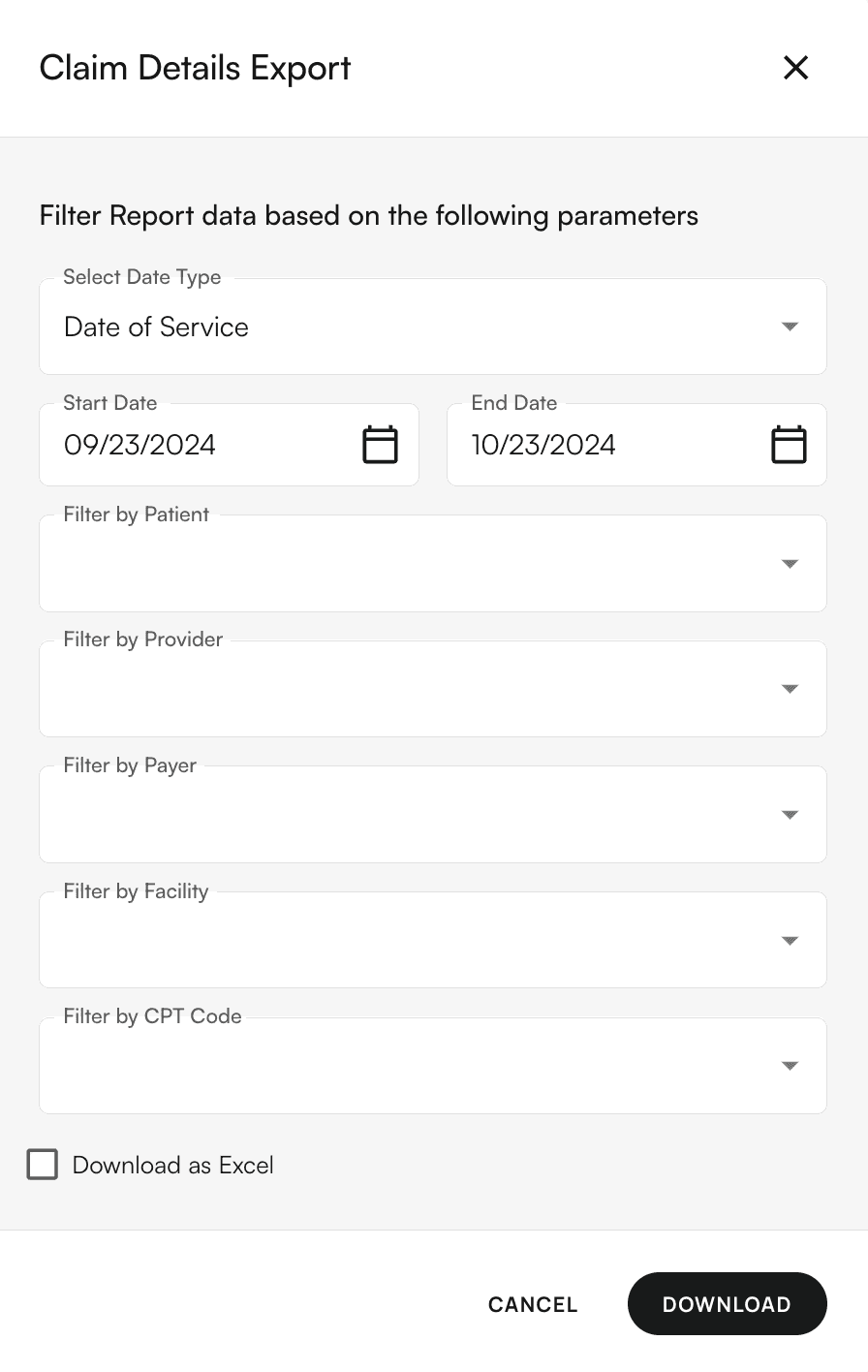
The Claim Details Export reflects the encounters listed on the [Claim Details](https://insights.athelas.com/v3/claim_level_view) page, representing all encounters imported into our system.
The download includes three reports, categorized by encounter, procedure, and insurance type.
A raw data sheet is also provided for validating the data specific to your practice.
#### Notes
* You cannot sum up patient payments and tie them to revenue graphs in this report. Miscellaneous patient payments are excluded. Only patient payments linked to PR (Patient Responsibility) generated from a remittance are included.
* The total billed amount is based on the latest primary claim submission for each encounter.
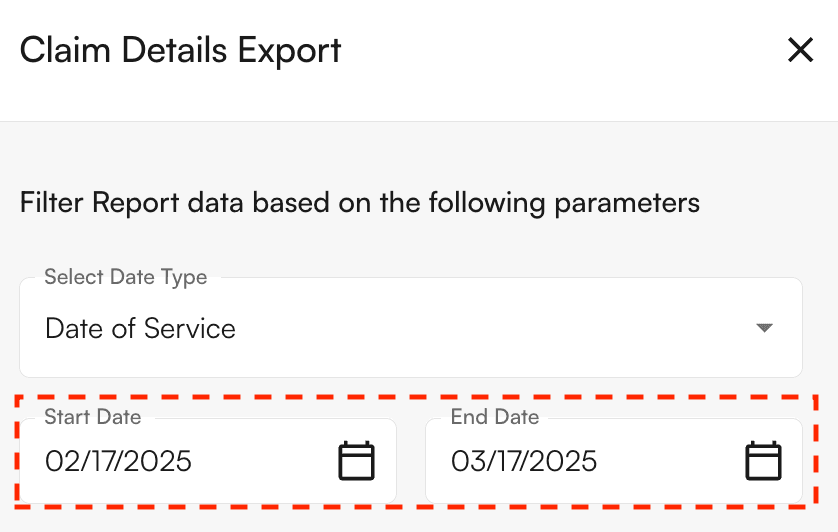
**The filters available here differ from the filters on the Claim Details page**. Here, you’ll select the report’s **inclusive** date range, i.e. ‘Start Date’ and ‘End Date.’
#### Summary
The Claim Details Export reflects the encounters listed on the [Claim Details](https://insights.athelas.com/v3/claim_level_view) page, representing all encounters imported into our system.
The download includes three reports, categorized by encounter, procedure, and insurance type.
A raw data sheet is also provided for validating the data specific to your practice.
#### Notes
* You cannot sum up patient payments and tie them to revenue graphs in this report. Miscellaneous patient payments are excluded. Only patient payments linked to PR (Patient Responsibility) generated from a remittance are included.
* The total billed amount is based on the latest primary claim submission for each encounter.
**The filters available here differ from the filters on the Claim Details page**. Here, you’ll select the report’s **inclusive** date range, i.e. ‘Start Date’ and ‘End Date.’
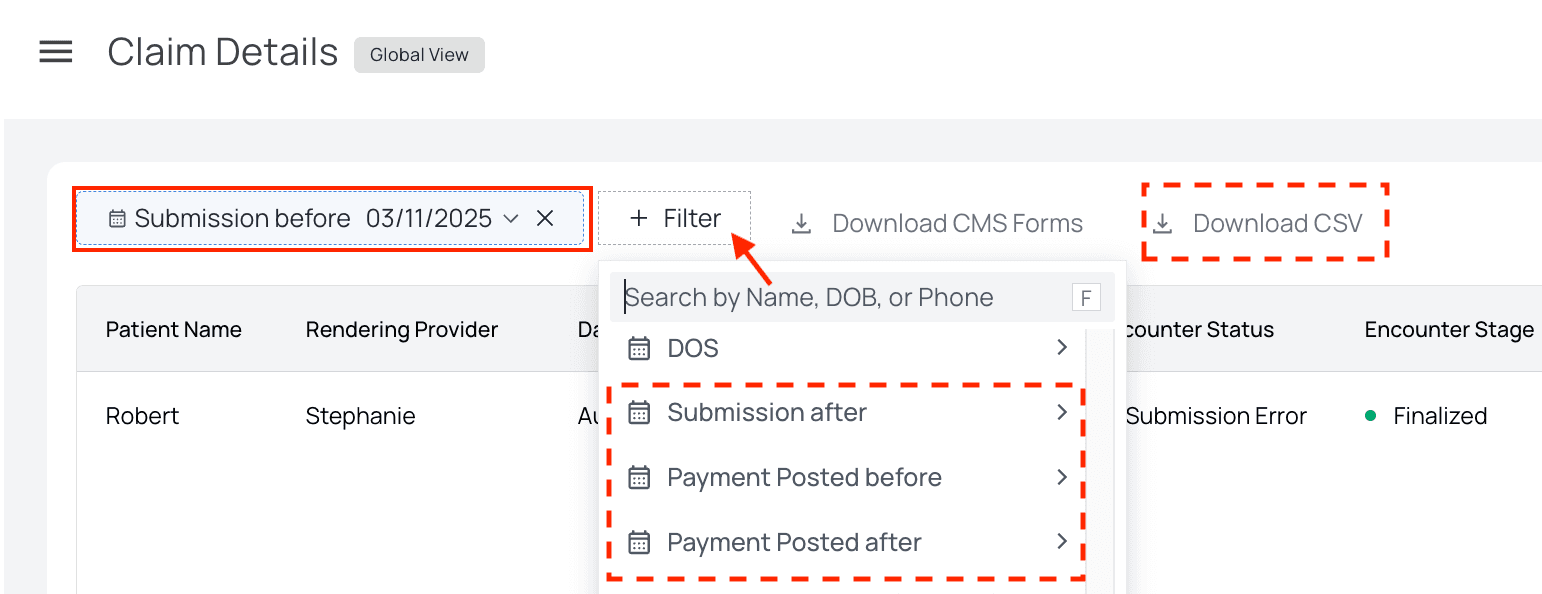
 If you click `Download CSV` on the [Claim Details page](https://insights.athelas.com/v3/claim_level_view), however, it will respond to the **exclusive** filters you’ve set. These filters include ‘Submission Before,’ ‘Submission After,’ ‘Payment Posted Before,’ and ‘Payment Posted After.’
 We can provide a report of open encounters by provider/patient upon request
#### Filters Supported
* Date Range: Date of Service & (First or Latest) Date of Submission
* Note: Date Posted is not supported for charges. The billed amount will always default to Date of Service, regardless of other metrics set to Date Posted.
* Patients
* Providers
* Payers
* Facilities
* CPT Code
* Encounter Status
* Encounter Stage
* Partial Payments toggle
* Report Format (CSV or XLSX)
#### Filters Unsupported
* Date Type: Date Posted
* Patient Responsibility Status
* Primary Claim Status & Working Status
* Secondary Claim Status & Working Status
The **Encounter Rollup** CSV included in this download will show tertiary insurance information.
We can provide a report of open encounters by provider/patient upon request
#### Filters Supported
* Date Range: Date of Service & (First or Latest) Date of Submission
* Note: Date Posted is not supported for charges. The billed amount will always default to Date of Service, regardless of other metrics set to Date Posted.
* Patients
* Providers
* Payers
* Facilities
* CPT Code
* Encounter Status
* Encounter Stage
* Partial Payments toggle
* Report Format (CSV or XLSX)
#### Filters Unsupported
* Date Type: Date Posted
* Patient Responsibility Status
* Primary Claim Status & Working Status
* Secondary Claim Status & Working Status
The **Encounter Rollup** CSV included in this download will show tertiary insurance information.
 #### Other Features Supported
* Automated weekly emails containing amount of open encounters
* Validating encounter to claim creation volume on a monthly basis
* Working/triaging through integration errors and submission errors
#### Integrations With:
* Waystar
* CHC
* Carisk
* Availity
#### Other Features Supported
* Automated weekly emails containing amount of open encounters
* Validating encounter to claim creation volume on a monthly basis
* Working/triaging through integration errors and submission errors
#### Integrations With:
* Waystar
* CHC
* Carisk
* Availity